Caution
Select "Stop logging" before removing the USB
memory.
Logging floor drying
Here you can save a floor drying log on the USB memory
and in this way see when the concrete slab reached the
correct temperature.
• Make sure that "Underfloor drying function" is activated
in menu 7.5.2.
• A log file is now created, where the temperature and the
immersion heater output can be read off. Logging contin-
ues until "Underfloor drying function" is stopped.
Caution
Close "Underfloor drying function" before removing
the USB memory.
Menu 8.3 - Manage settings
Save settings
Alternative: on/off
Display backup
Alternative: on/off
Restore settings
Alternative: on/off
In this menu, you save/upload menu settings to/from a USB
memory stick.
Save settings: Here, you save menu settings in order to re-
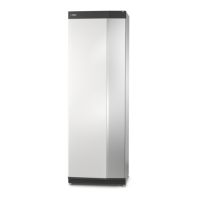
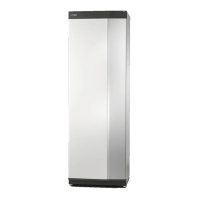
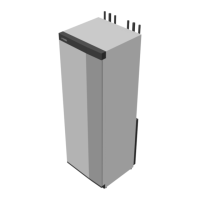
store them later or to copy the settings to another S1256.
Display backup: Here, you save both menu settings and
measurement values, e.g. energy data.
Caution
When you save menu settings to the USB memory,
you replace any previously saved settings on the
USB memory.
Restore settings: Here, you upload all menu settings from
the USB memory stick.
Caution
Resetting of menu settings from the USB memory
cannot be undone.
Manual restoring of software
If you want to restore the software to the previous version:
1. Switch off S1256 via the shutdown menu. The status
lamp goes out, off/on button light up blue.
2. Press the on/off button once.
3. When the on/off button changes colour from blue to
white, press and hold the on/off button.
4. When the status lamp changes to green, release the
on/off button.
Caution
If the status lamp should turn yellow at any time,
S1256 has ended up in emergency mode and the
software has not been restored.
TIP
If you have a previous version of the software on
your USB memory, you can install that instead of
manually restoring the version.
Menu 8.5 - Export energy logs
From this menu, you can save your energy logs to a USB
memory.
MODBUS TCP/IP
S1256 has built-in support for Modbus TCP/IP, which is ac-
tivated in menu 7.5.9 - "Modbus TCP/IP".
TCP/IP settings are set in menu 5.2 - "Network settings".
Modbus protocol uses port 502 for communication.
DescriptionIDReadable
Input Register0x04Read
Holding Register0x03Read writable
Write multiple registers0x10Writable multiple
Write single register0x06Writable single
Available registers are shown in the display for the currect
product and its installed and activated accessories.
Export register
1. Insert a USB memory.
2. Go to menu 7.5.9 and choose "Export most used re-
gisters"or"Export all registers". These will then be stored
on the USB memory in CSV format. (These options is
only shown when a USB memory in inserted in the dis-
play).
65Chapter 10 | ServiceNIBE S1256


 To Next Page