www.usmotors.com38
ID300/302 Integrated Motor Drive | Quick Start Commissioning
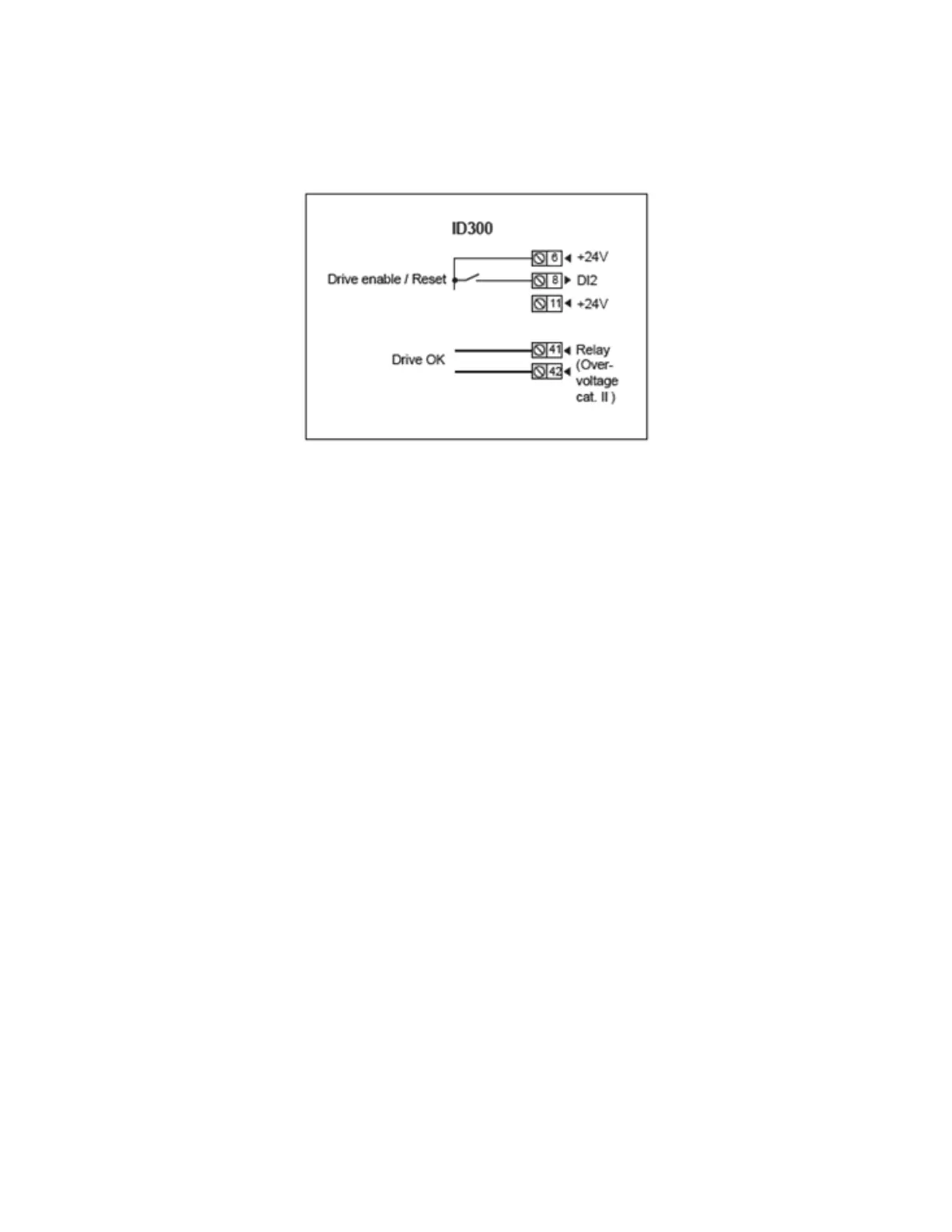
5.2 Quick Commissioning with Terminal Control
5.2.1 Control Connections
5.3 Commissioning by Using a Fieldbus or Modbus RTU
WithaeldbusnetwordorModbusRTU,theuserneedstosetPr 06.043 to enable the use of the
control word Pr 06.042 and the status word Pr 10.040.
The control word allows the user to command the drive by setting only one parameter (Pr 06.042, a 15-
bit parameter).
The status word allows the user to know drive status information by reading only one parameter
(Pr 10.040, which is a 15-bit parameter).
For more details, refer to http://www.leroy-somer.com/documentation_pdf/5512_en.pdf
5.4BasicParametersofSTANDARDConguration
0 Menu is used to group various commonly used parameters for a basic, easy setup of the drive.
All the parameters in 0 Menu appear in other menus (advanced menus) which provide more precise
settings. For more details about 0 Menu parameters or advanced menus, refer to http://www.leroy-
somer.com/documentation_pdf/5512_en.pdf.Bydefault,onlytherst10parametersof 0 Menu are
available. For 0 Menu parameter access, set Pr 00.010 to Level 2. For advanced parameter access, set
Pr 00.010 to All Menus.
Note: The drive must be disabled when setting parameters (Terminal 8 or Terminals 31 & 34 open).
Parameters which have no default value are Read-Only parameters.



 To Next Page