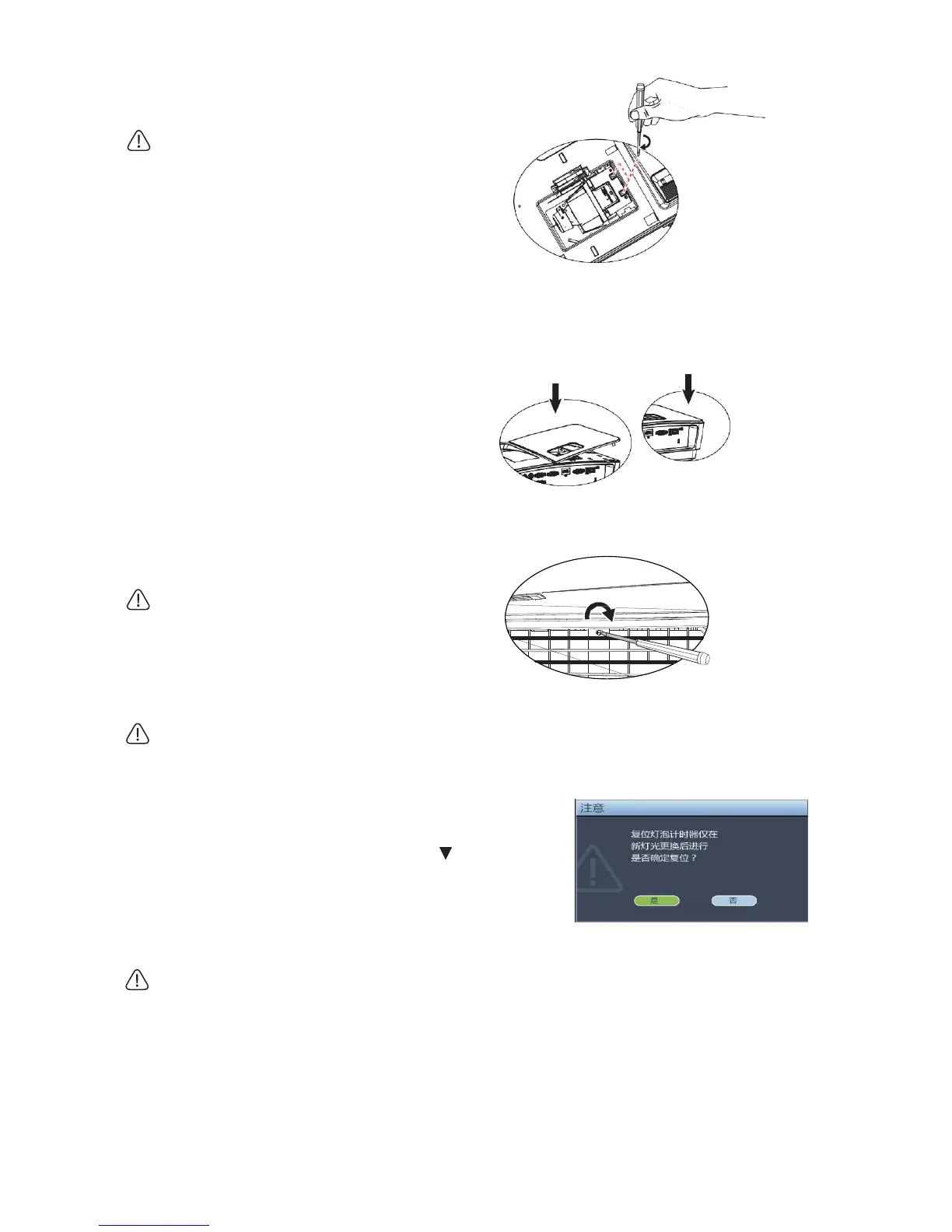
7. Tighten the screws fastening the bulb.
• Loose screws may cause poor contact
and abnormal service of the projector.
• Do not overtighten screws.
8. Confirm that the handle is completely
flat and locked in place.
9. Re-mount bulb cover in place.
10. Tighten screws fixing bulb cover.
• Loose screws may cause poor contact
and abnormal service of the projector.
• Do not overtighten screws.
(a)
(b)
11. Re-start the projector.
Do not connect power supply before mounting bulb cover.
Reset Bulb Timer
12. Open on-screen display (OSD) menu after starting
logo appears. Turn to System Setting:
Advanced >Bulb Setting menu. Press Mode/Enter to
display Bulb Setting page. Press to select Reset
Bulb Timer, and then press Mode/Enter to display a
piece of warning message, which inquires whether to
reset bulb timer. Select Yes, and then press
Mode/Enter. Bulb time will be reset.
Please do not reset bulb timer before replacement with a new bulb to prevent possible damage.


 To Next Page