13
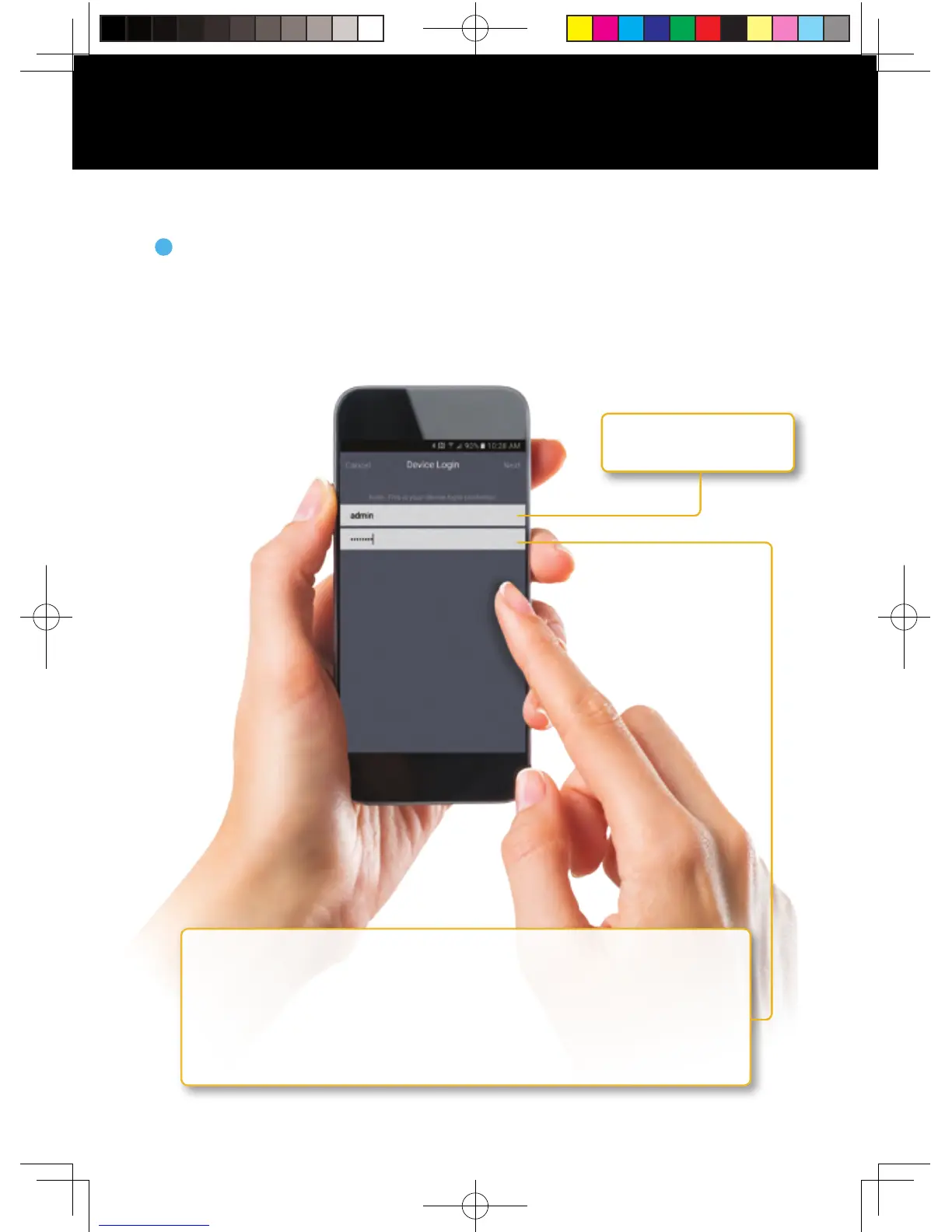
NOTE: This is the password of your DVR, NOT the password used to login
to the Night Owl X or Night Owl X HD App.
If you are the admin, the password will be the same password you
created during the Startup Wizard and should be stored on page
7 of this QSG. If you are a user, it will be the password you use to
login to the DVR.
Login to your App
On the Device Login screen, enter the login information for the DVR
(Remember, the DVR login and Night Owl X and Night Owl X HD App login
are different). The DVR username is admin by default. If you are not the
admin, login with your username credentials. If you do not have a username
and password, please contact the admin and have them create one for you.
5
Using Night Owl X & Night Owl X HD
admin is case sensitive
(all lowercase).
QSG-H2THD.indd 14 2018/6/22 11:00



 To Next Page