12
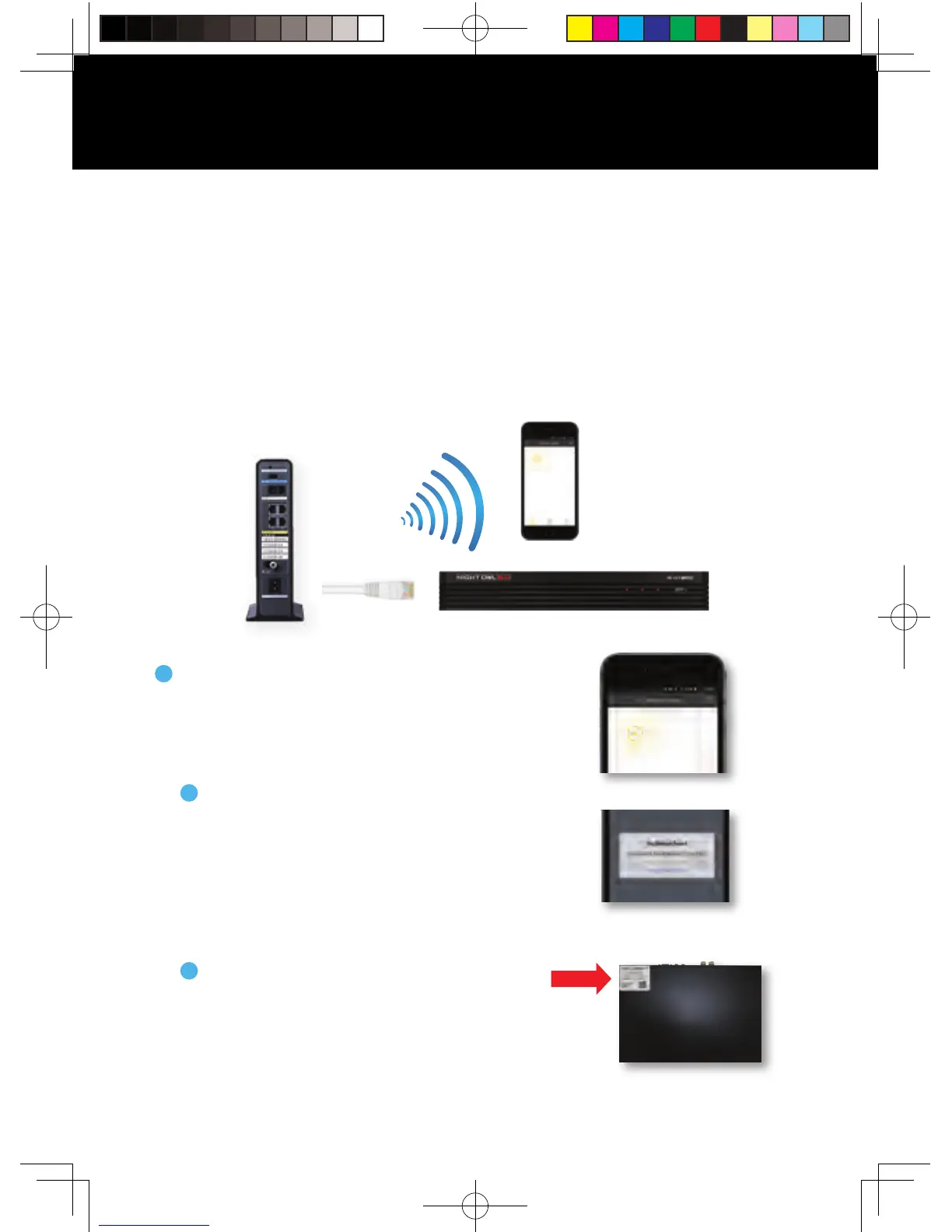
A device can be added to the Night Owl X and Night Owl X HD App by using
the application’s Smart Auto Detection or through a QR Code Setup. With
Smart Auto Detection, your DVR will automatically be detected by the Night
Owl X software, making connecting easy! To use this preferred method, ensure
your Smart Device and DVR are both on the same network.
Connecting and Adding your Device
Ethernet
Cable
WIFI
NOTE: When adding a new device, it may take 5–10 minutes before you begin
receiving notifications.
If your Smart Device and DVR are on the
same network, the Smart Auto Detection
will auto find your DVR. If this method
is not available, please use the QR Code
Setup from step 4B below.
4A
Smart Auto Detection
4B
To use the QR Code Setup, select “Setup
device by QR Code” and hover your
Smart Device camera lens over the QR
Code located on the top of your DVR.
QR Code Setup
To begin adding a new device, first select the
yellow plus sign within the Device menu.
Adding a Device
4
QSG-H2THD.indd 13 2018/6/22 11:00



 To Next Page