E-14
A) Channel Organiser
To enter the channel organiser follow this path:
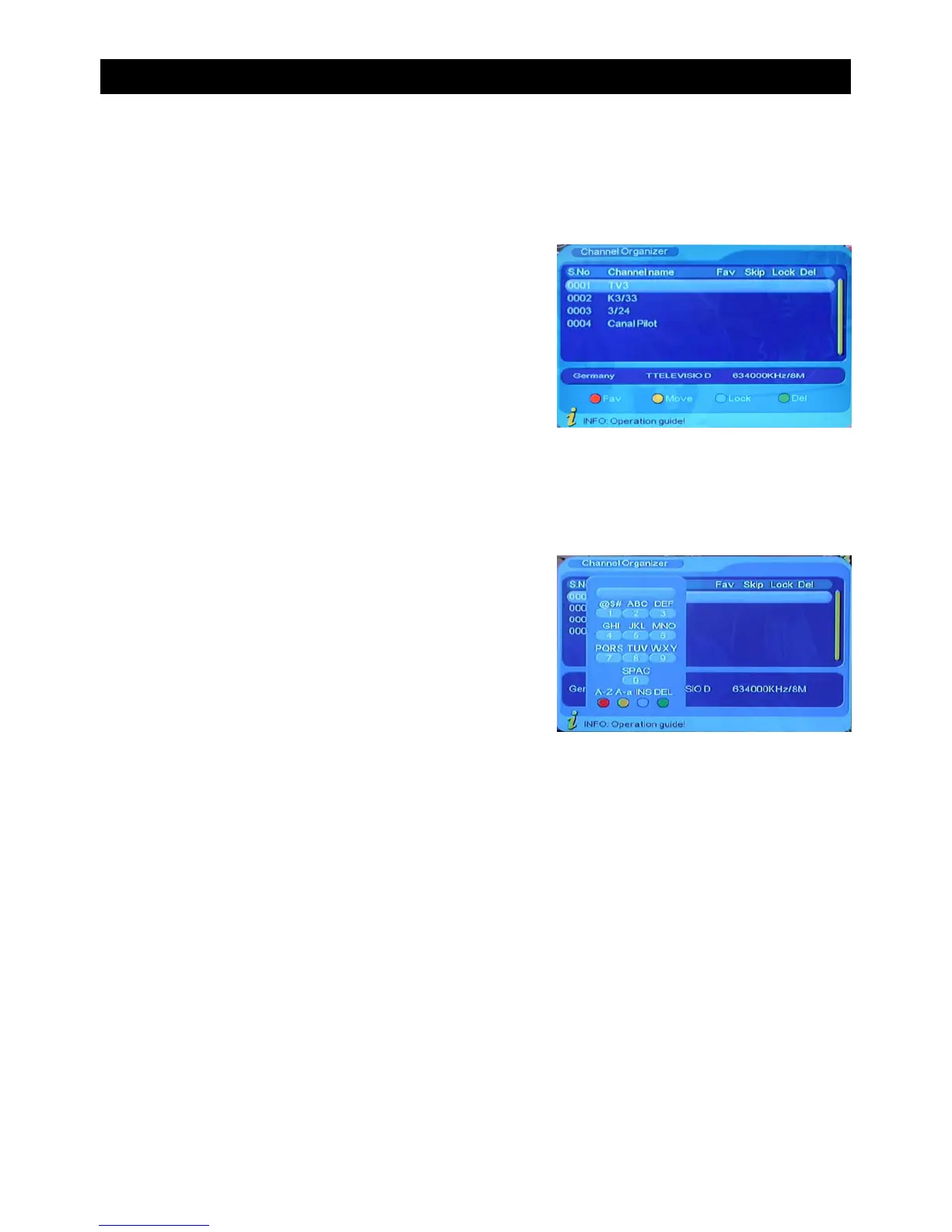
Channel organiser menu includes the following
options:
MENU->Digital TV-> Channel Manager->Channel Organiser
• Press “CH+/CH-” to navigate through the available channels.
The coloured buttons on the remote control can be
used to add a channel to the favourite list, delete
channels, move channels or lock channels. See list
above for the corresponding buttons.
It is also possible to rename channels in this menu (See Above)
• Press “CH-/CH+” to select the channel you wish to rename.
• Press VOL-/VOL+ to open the option screen to rename the selected channel.
• Use the number keypad to enter the name of the channel
• Press “EXIT” button to exit the channel organise menu
• Favourite Channel
• Delete Channel
• Move Channel
• Lock Channel
(RED)
(GREEN)
(YELLOW)
(BLUE)
USING THE ON SCREEN MENU


 To Next Page