E-16
D) Channel Edit
In this menu you have the option to add or edit channels.
To enter the channel edit menu follow this path:
MENU->Digital TV-> Channel Manager->Channel Edit
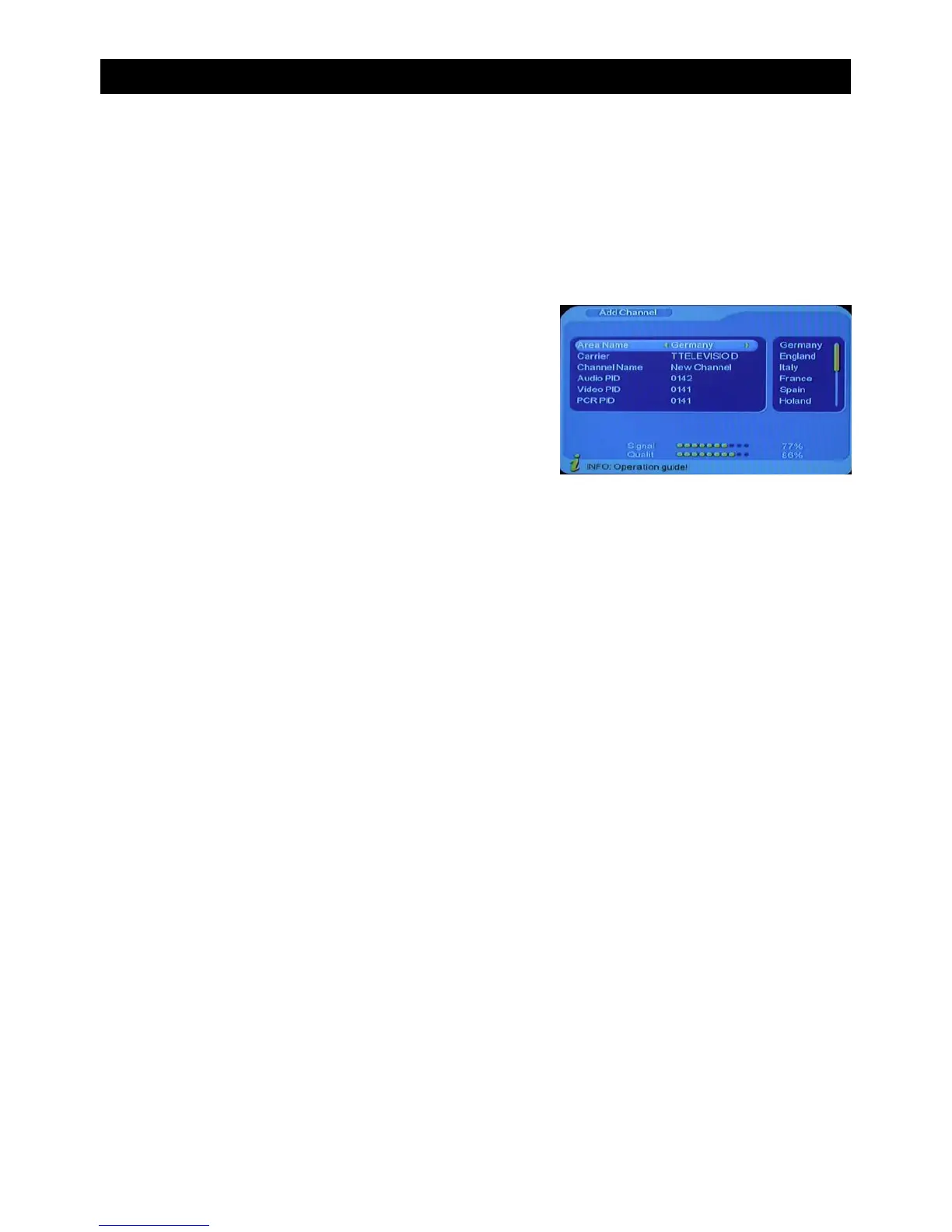
1.Adding channels
• Press the red button on the remote control to add a
channel
• Press “CH+/CH-” to select a parameter. There are
six parameters to choose from:• Area Name
• Carrier
• Channel Name
• Audio PID
• Video PID
• PCR PID
• Press “VOL+/VOL-” to alter the parameters of Area
Name, Carrier, Channel Name
• Use the number pad to alter the value of Audio PID,
Video PID and PCR PID. • Press “ENTER” to
confirm the changes and exit to the Edit Channel
menu.
2. Edit Channels
• Press the yellow button on the remote control to edit current channels.
• Press “CH+/CH-” to select a parameter. There are four parameters to choose from:
• Channel Name
• Audio PID
• Video PID
• PCR PID
• Press “VOL+/VOL-” to alter Channel Name• Use the number pad to alter the value of
Audio PID, Video PID and PCR PID • Press “ENTER” to confirm the changes and exit to
the Edit Channel menu.
USING THE ON SCREEN MENU


 To Next Page