E-18
B) TV
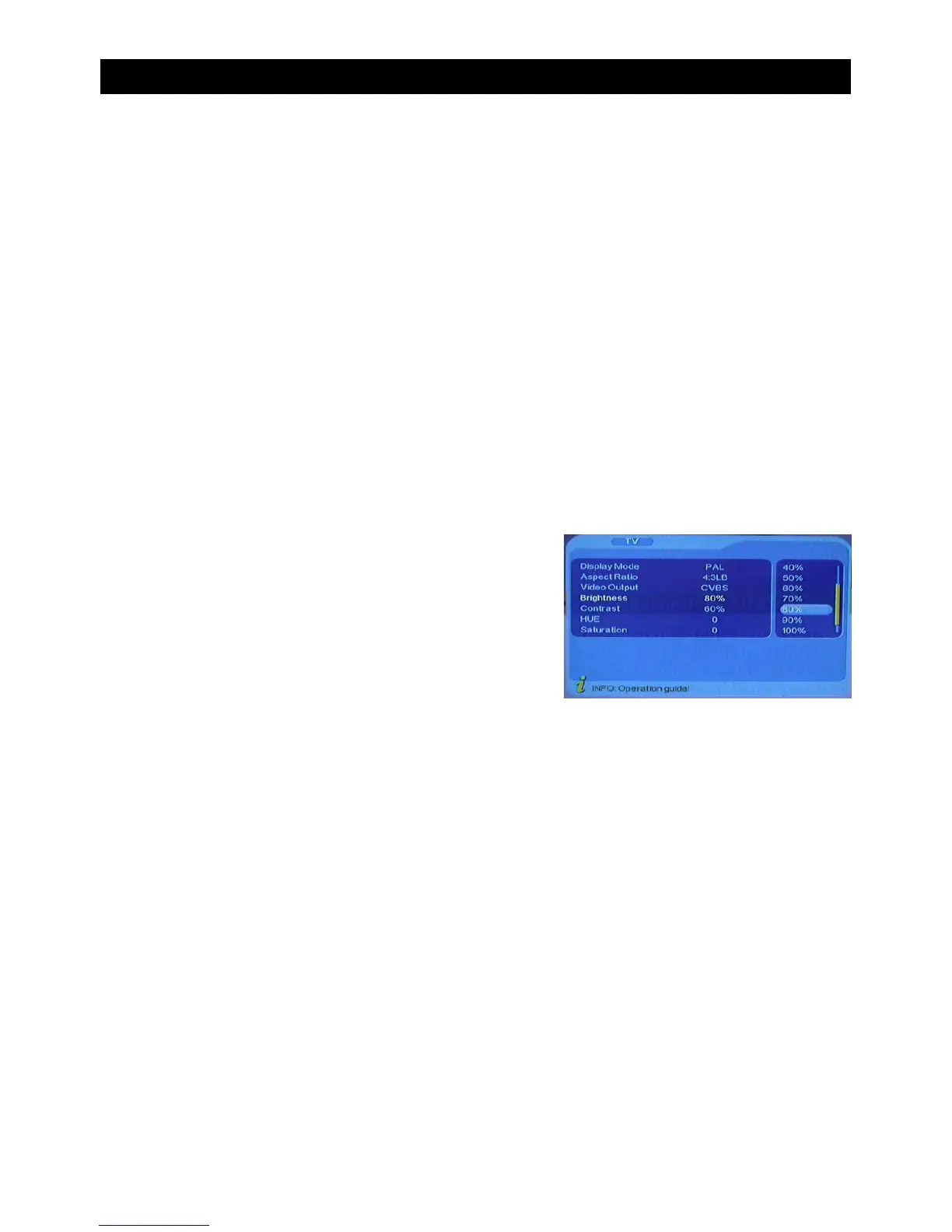
This menu enables you to change the TV input mode suited to your preferences.
To enter this menu follow this path:
MENU->Digital TV-> Configuration-> TV
In this menu there are six options which can be altered. These can be selected using the
“CH+/CH-” buttons. To alter the selection use the “VOL+/VOL-” Buttons. Pressing “EXIT”
will exit this menu.
• Aspect Ratio (Change between; 16:9 “Widescreen”, 4:3 Panscan, 4:3 LetterBox)
• Video Output (Change Between; CVBS and RGB)
• Brightness (Alter the brightness when in full screen mode)
• Contrast (Alter the contrast when in full screen mode)
• Hue (Alter the Hue when in full screen mode)
• Saturation (Alter the saturation when in full screen mode)
Press “ENTER” to save the settings.
C) System Setup
In this menu there are four options which can be altered. These can be selected using the
“CH+/CH-” buttons. To alter the selection use the “VOL+/VOL-” Buttons. Pressing “EXIT”
will exit this menu.
• EQ Setup (Change the Equaliser presets or sound effect)
• Surround (Change stage effect)
• LCN (Turn “Logical Channel Number” On/Off)
• Area (Change the area where the tuner is being used, if not automatically set up)
• Press “ENTER” to save the settings
USING THE ON SCREEN MENU


 To Next Page