E-19
D) Time
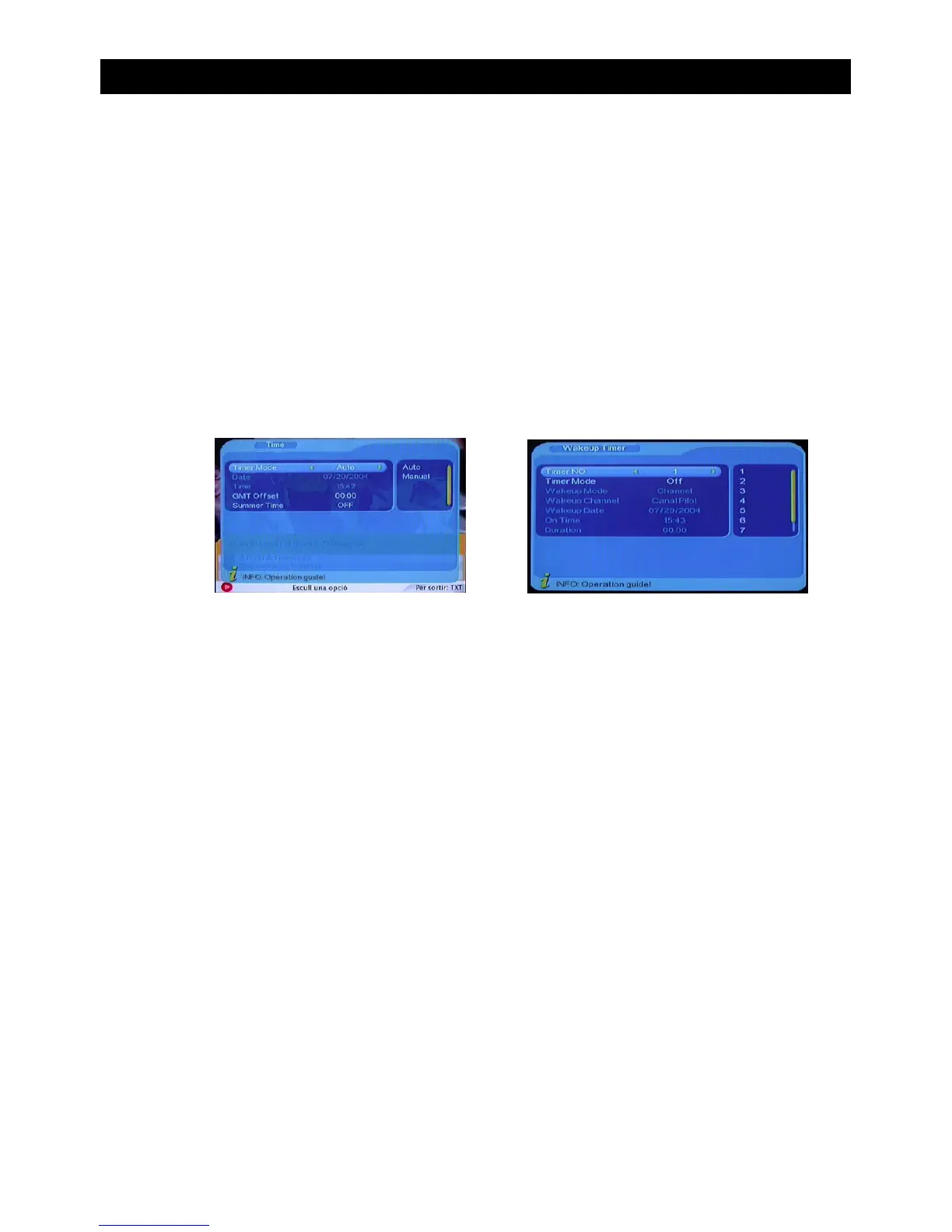
The time option allows you to change the time in the OSD screen.
To enter the time menu screen follow this path:
MENU->Digital TV-> Configuration-> Time
The are four options to choose from in this menu screen. Press “CH+/CH-” to select time
option. To alter the selection press “VOL+/VOL-”. Pressing “EXIT” will exit this menu.
Note: Some options can only be altered if the Timer mode is set to manual.
• Timer mode (Choose between Auto and Manual)
• Date(Only available when choosing manual time mode)
• GMT Offset(Change the time zone that the unit is set to. Only available in manual time
mode)
• Summer Time (Choose between daylight saving On/Off)
USING THE ON SCREEN MENU
E) Wakeup Timer
The wakeup timer allows you to set a timer to remind you when a programme is about to
start or for timer recording via the scart socket to external equipment such as a VCR or
DVD recorder.
To enter the wakeup timer menu screen follow this path:
MENU->Digital TV-> Configuration-> Wakeup Timer
There are several options in the Wakeup options screen.
Press the “CH+/CH-” buttons to select each option.
To alter the selection press the “VOL+/VOL-”buttons.
Press “EXIT” to save and exit this menu.
• Timer No - Choose a number to edit one of eight reminder presets.
• Timer Mode - Choose between Off, Once, Daily, Weekly or Yearly.
• Wakeup mode - Choose between Off, Message, Channel or On.
• Wakeup Channel - Choose which channel or station to be your wakeup timer.
• Wakeup date - Choose the date the timer will change channels, or switch the set top
box ON if it has been placed in standby.
• On Time - Choose the time the timer will change channels, or switch the set top box ON
if it has been placed in standby.
• Duration - Choose the length of time the set top box will display your chosen channel
before switching back to the previously watched channel.
Note: Due to the EUP limitation, the Timer ON/OFF period for each timer setting should
be longer than 4 minutes.


 To Next Page