EasyManua.ls Logo

Nikon 1 v2 - Page 20

Nikon 1 v2
349 pages
Print Icon
To Next Page IconTo Next Page
To Previous Page IconTo Previous Page
Loading...
8
18
II
The
Electronic
Viewfinder
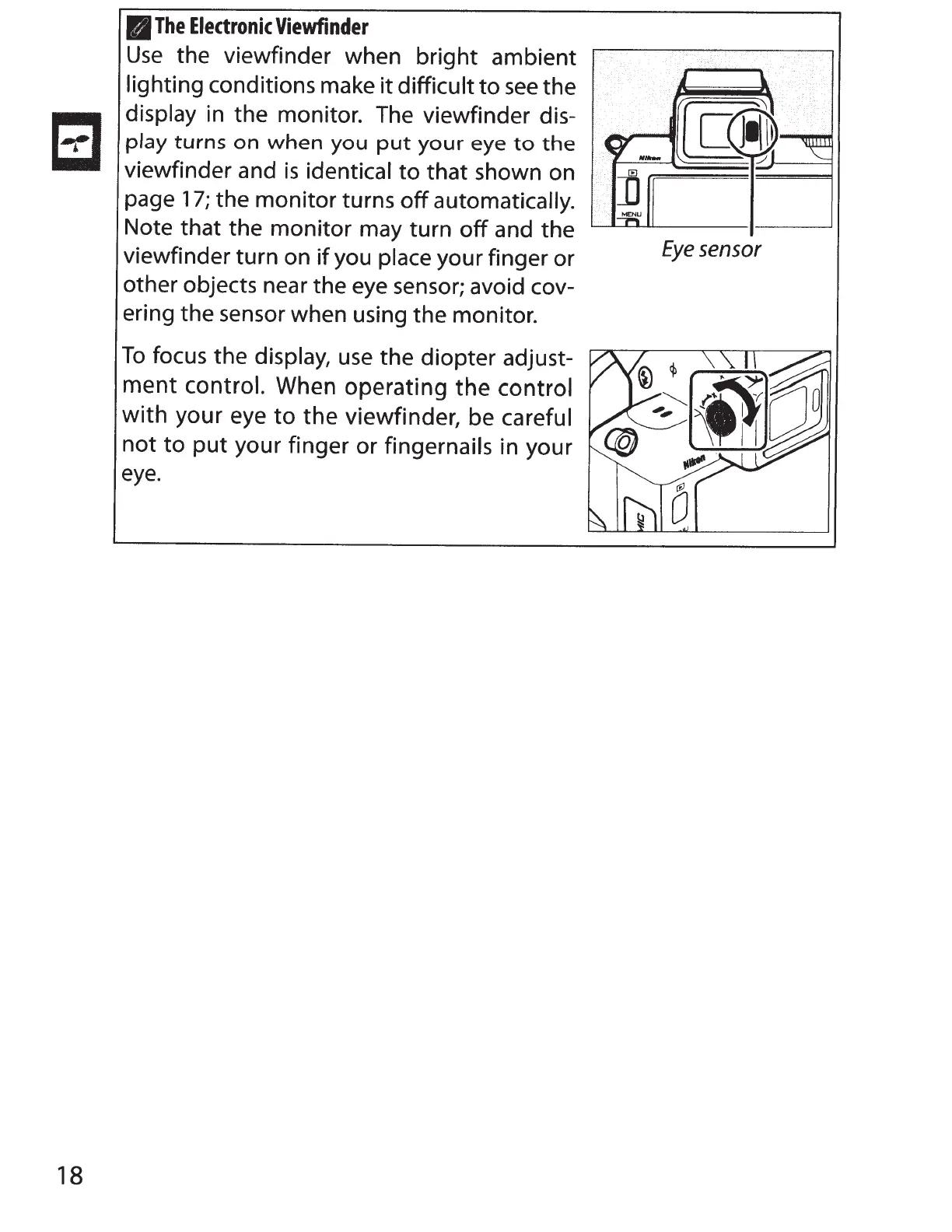
Use
the viewfinder when
bright
ambient
lighting conditions make
it
difficult
to
see
the
display
in the monitor. The viewfinder dis-
play
turns
on
when
you
put
your
eye
to
the
viewfinder and
is
identical
to
that
shown on
page
17;
the monitor turns
off
automatically.
Note that the monitor may turn
off
and the
viewfinder turn on
if
you
place your finger
or
other objects near the eye sensor; avoid cov-
ering the sensor when using the monitor.
To
focus the
display,
use
the
diopter
adjust-
ment
control.
When operating
the
control
with
your eye
to
the
viewfinder, be careful
not
to
put
your finger
or
fingernails
in your
eye.
Eye
sensor

Table of Contents

Other manuals for Nikon 1 v2

Related product manuals