El
22
4
Attach a lens.
Be
careful
to
prevent dust from entering the camera when the
lens or body cap
is
removed.
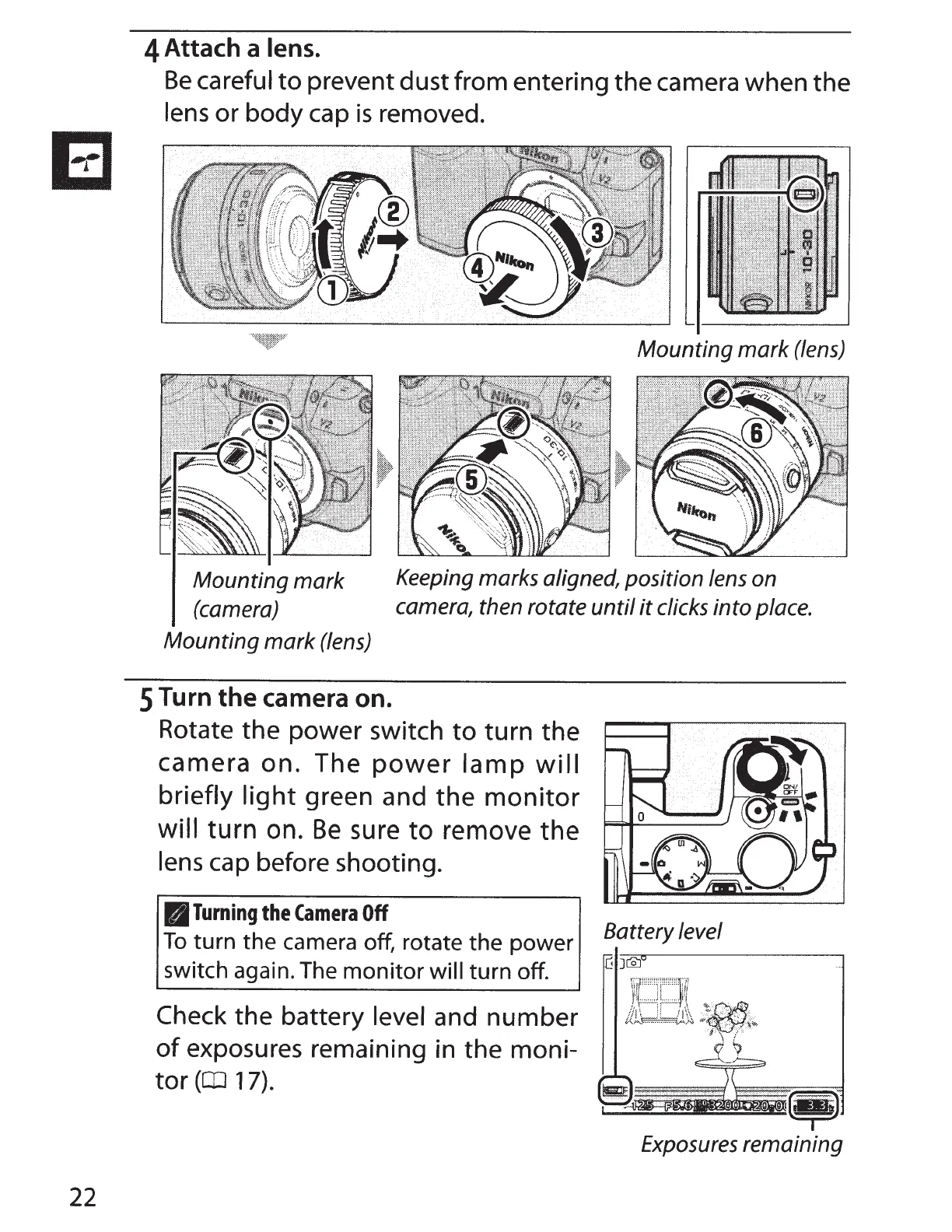
Mounting
mark
(lens)
Mounting
mark
(camera)
Keeping marks aligned, position lens on
camera, then rotate
until
it
clicks into place.
Mounting
mark
(lens)
5
Turn
the
camera on.
Rotate the power switch
to
turn the
camera on. The
power
lamp
will
briefly
light
green and
the
monitor
will
turn
on.
Be
sure
to
remove
the
lens
cap before shooting.
B
Turning
the
Camera
Off
To
turn the camera off, rotate the power
switch again. The monitor will
turn off.
Check the battery level and number
of
exposures remaining in the moni-
tor
(CD
17).
Battery level
Exposures remaining



 To Next Page