B
Lenses
with Retractable
Lens
Barrel
Buttons
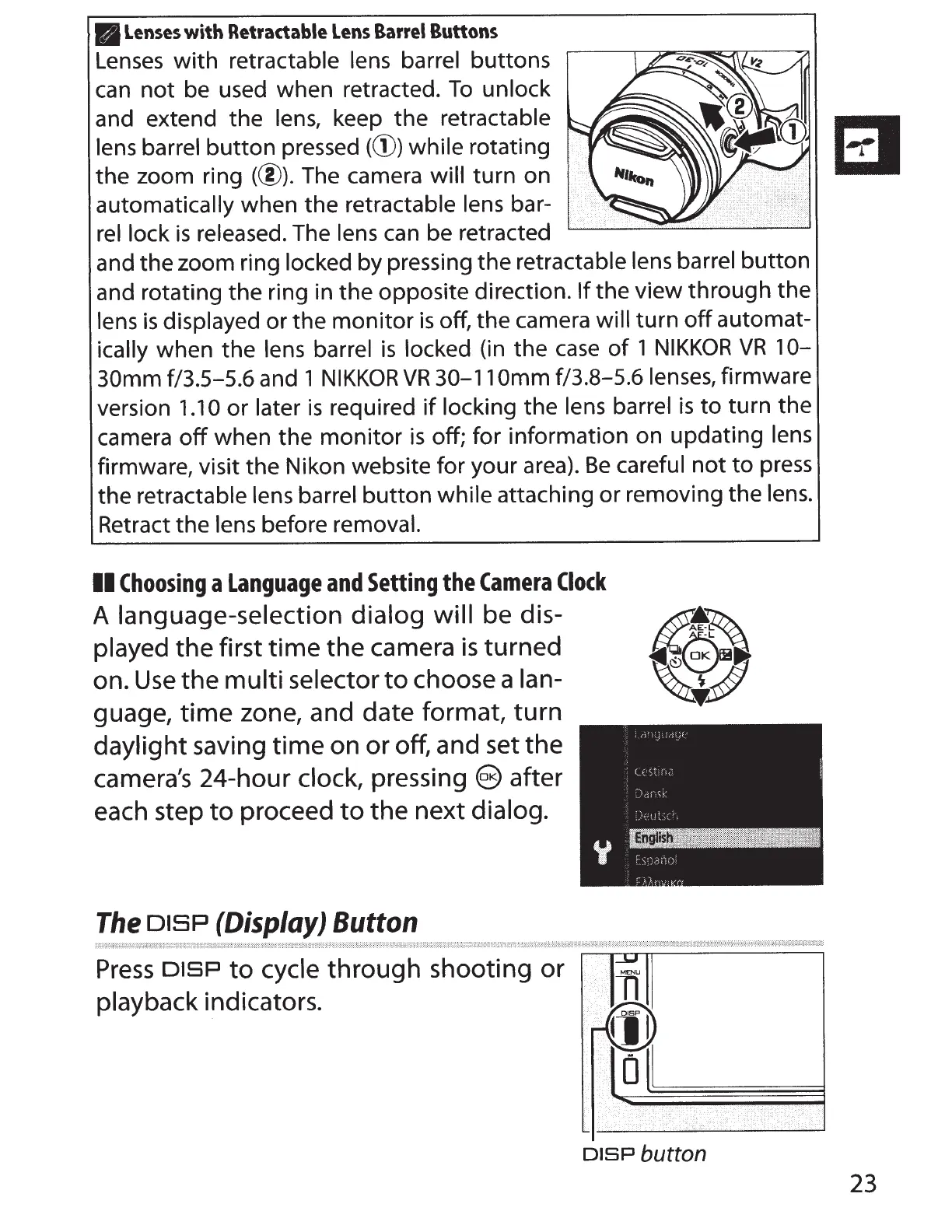
Lenses
with
retractable lens barrel buttons
can
not
be used when retracted.
To
unlock
and extend the lens, keep the retractable
El
lens barrel
button
pressed
(d))
while rotating
~
the zoom ring (@).The
camera will turn on
automatically when the retractable lens bar-
rel lock
is
released. The lens can be retracted
and the zoom ring locked by pressing the retractable
lens barrel
button
and rotating the ring in the opposite direction.
If
the view through the
lens
is
displayed
or
the
monitor
is
off, the camera
will
turn
off
automat-
ically when the lens barrel
is
locked (in the
case
of
1
NIKKOR
VR
10-
30mm
f/3.5-5.6 and 1
NIKKOR
VR
30-11
Omm
f/3.8-5.6 lenses, firmware
version
1.10
or
later
is
required
if
locking the lens barrel
is
to
turn the
camera
off
when the
monitor
is
off; for information on updating lens
firmware, visit the Nikon website for your area).
Be
careful
not
to
press
the retractable lens barrel
button
while attaching or removing the lens.
Retract the lens before removal.
II
Choosing
a
Language
and
Setting
the
Camera
Clock
A language-selection dialog
will
be dis-
played the first
time
the
camera
is
turned
on.
Use
the
multi
selector
to
choose a lan-
guage,
time
zone, and date format,
turn
daylight saving
time
on or off, and set
the
camera's 24-hour clock,
pressing
@after
each step
to
proceed
to
the
next dialog.
The
DISP
(Display) Button
Press
DISP
to
cycle
through
shooting
or
playback indicators.
..
rl
I__!,,
MENU
T1
fin
~
0
··········
·
••·••··•••
· /
•.••
.
··>
DISP
button
i
<
23



 To Next Page