EasyManua.ls Logo

Nikon 1 v2 - Page 28

Nikon 1 v2
349 pages
Print Icon
To Next Page IconTo Next Page
To Previous Page IconTo Previous Page
Loading...
26
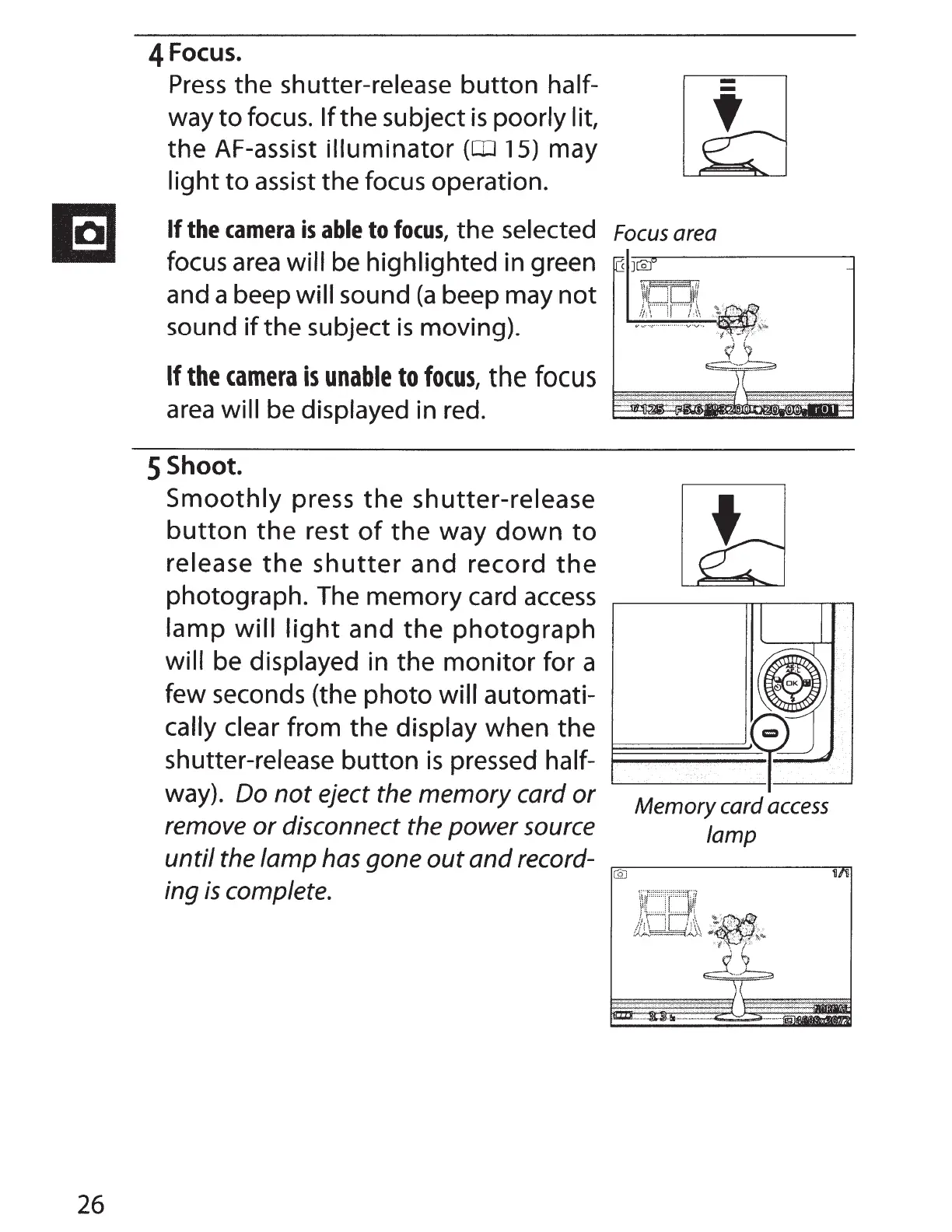
4 Focus.
Press
the shutter-release button half-
way
to
focus.
If
the subject
is
poorly lit,
the AF-assist illuminator
(OJ 15) may
light
to
assist
the focus operation.
If
the
camera
is
able
to
focus,
the selected
Focus
area
focus
area
will be highlighted in green
and a beep
will sound
(a
beep may not
sound
if
the subject
is
moving).
If
the
camera
is
unable
to
focus,
the
focus
area
will be displayed in red.
5 Shoot.
Smoothly
press
the
shutter-release
button
the
rest
of
the
way
down
to
release
the
shutter
and record
the
photograph. The memory card
access
lamp will
light
and
the
photograph
will be displayed in the
monitor
for a
few seconds (the photo
will automati-
cally clear from the display when the
shutter-release button
is
pressed half-
~~~~
way). Do
not
eject the memory card
or
remove
or
disconnect the
power
source
until
the lamp has gone
out
and
record-
ing
is
complete.
Memory card
access
lamp

Table of Contents