EasyManua.ls Logo

Nikon 1 v2 - Page 39

Nikon 1 v2
349 pages
Print Icon
To Next Page IconTo Next Page
To Previous Page IconTo Previous Page
Loading...
MManual
In
manual
exposure mode, you
control both shutter speed and
aperture.
II
Choosing
Shutter
Speed
and
Aperture
Adjust shutter speed and aperture
with
reference
to
the exposure indicator
(see
below).
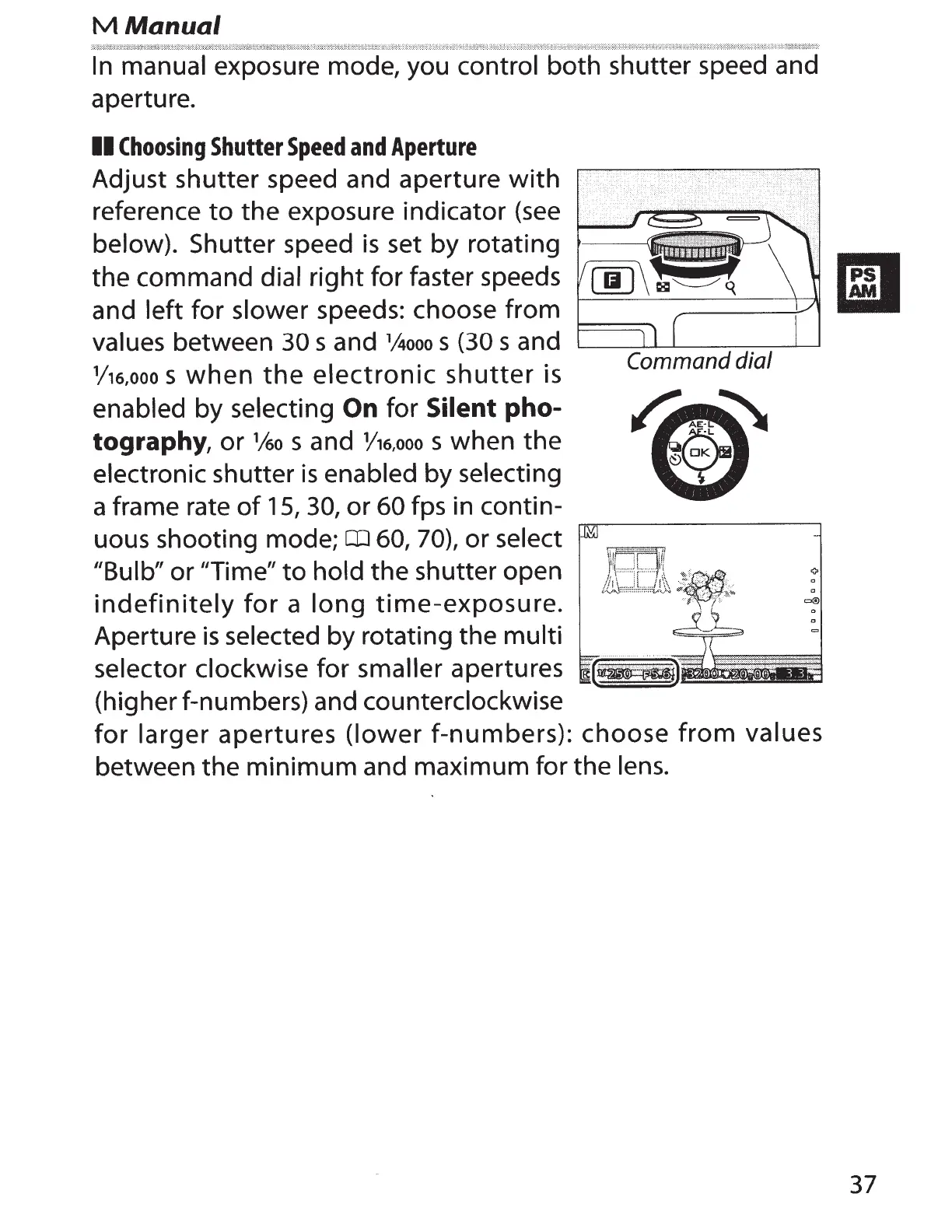
Shutter speed
is
set by rotating
the command
dial
right for faster speeds
and left
for slower
speeds: choose from
values between
30
sand
1
Aooo
s (30
sand
1
/16,ooo
s
when
the
electronic
shutter
is
enabled
by
selecting
On
for
Silent
pho-
tography,
or
1/6o
s and
Y16,ooo
s when the
electronic shutter
is
enabled
by
selecting
a frame rate
of
15,
30,
or
60
fps in contin-
uous shooting mode;
CD
60,
70),
or
select
"Bulb"
or
"Time"
to
hold
the shutter open
indefinitely
for
a
long
time-exposure.
Aperture
is
selected
by rotating the
multi
selector clockwise
for
smaller apertures
(higher f-numbers)
and
counterclockwise
Command dial
for
larger
apertures
(lower
f-numbers): choose
from
values
between the minimum and maximum for the
lens.
37

Table of Contents