EasyManua.ls Logo

Nikon 1 v2 - Page 45

Nikon 1 v2
349 pages
Print Icon
To Next Page IconTo Next Page
To Previous Page IconTo Previous Page
Loading...
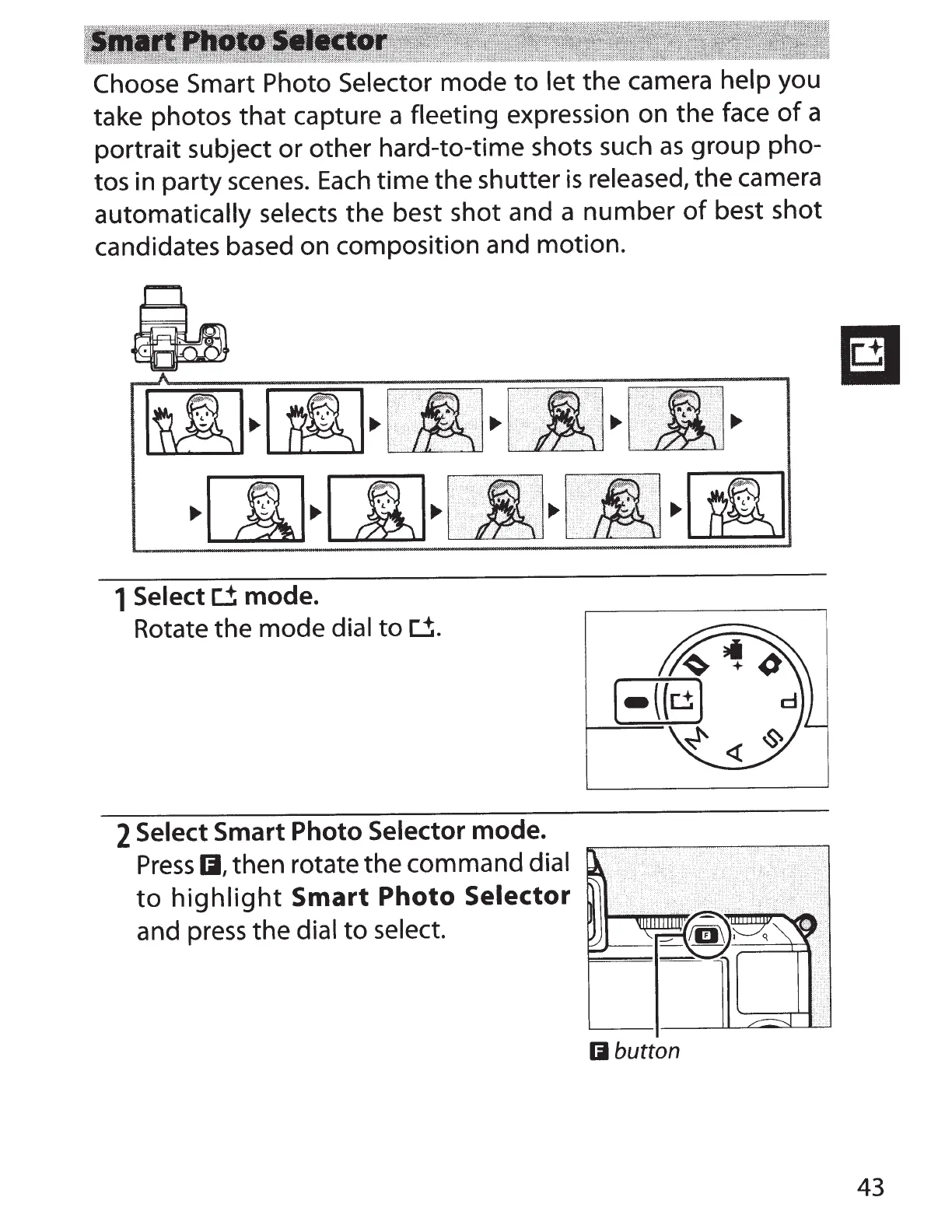
Choose Smart
Photo
Selector mode
to
let
the camera
help
you
take photos
that
capture a fleeting expression on the face
of
a
portrait subject or other hard-to-time shots such
as
group pho-
tos in party
scenes.
Each
time the shutter
is
released, the camera
automatically selects the best shot and a number
of
best shot
candidates based on composition and motion.
r-rt!]
[i[]
.··
. ..
·.····.·.·
..
·
..
.
··.·
..
···.·.·
..
·.·
..
·.·
·
·.·•.·
·.·
•.·.·
.
··•·•
·•
·
·.
·
·.··
.
··
.·.
••··
.· ..
·.·
....
...
·.·
·
·
·
.
.•
···.·
··.
"'
······.
··
..
...
· .... ·
.•
.
..
••
.
..
·· .
..
.
··
.·.
·.·
.
·.
··
..
·
...
·
....
·.·
~··
.. ···
..
·.·.··
.. ·.·
.··.·.·
...
· .. ·
...
··.····
..
··.··.·.·.·
..
·
..
·
..
·•
..
·.•·.·.·
..
·.
· .. · ..
·.
·•
·
· .. · .. ·.·
.
..
·.·
..
··.·
·.
·.·.
·.
·.
•·.
·.·
".·· .. ·.·
........•.
.
•..•....
·
..
· ..
·.·.
•·
.•.! ..
..
·
. · ····.··.;·
·····
··
.·.
····.··
..
.
•.•
.
·.·
.• . .
•.·
•.
·•.•
·
·.··•
··
..
·
..
· .. · ..
..
·
..
· .• · ...
··
·••
·.·•·•· ..
··•·•·
..• "
.·.
·.·
··
..
·
·
..
··.··.
••
.
•·•
·
.··
..
.
·.•
..
·
...
..
· ..
..
·
...
•.·.•
...
·.•··
...
..
·.·
..
·
..
·
•.
...
·~
...
. i
i'•'
.
.J··.
i ... \
'•
·········.
·····
··>
····
· . .
·
··
?.. ... \ . .
~~.
. ...
,,.__.
:-.---
_,·
-~';::_'
-
:_;
:-\
.
::.=::-:·
__
-_:
-
_::,:
::--
·:_::;:·:-:'.
:'
-.
-.:;
.
:):}:·
· :
.
:
__
·.
-.:·::
__
: _
_-::=::
..•
~[A]~[i]~-~-
{~
1 Select
[j;
mode.
Rotate the mode dial
to
d.
2 Select
Smart Photo
Selector
mode.
Press
IJ,
then rotate the command
dial
to
highlight
Smart
Photo
Selector
and
press
the
dial
to
select.
Iii
button
43

Table of Contents