EasyManua.ls Logo

Nikon 1 v2 - Page 59

Nikon 1 v2
349 pages
Print Icon
To Next Page IconTo Next Page
To Previous Page IconTo Previous Page
Loading...
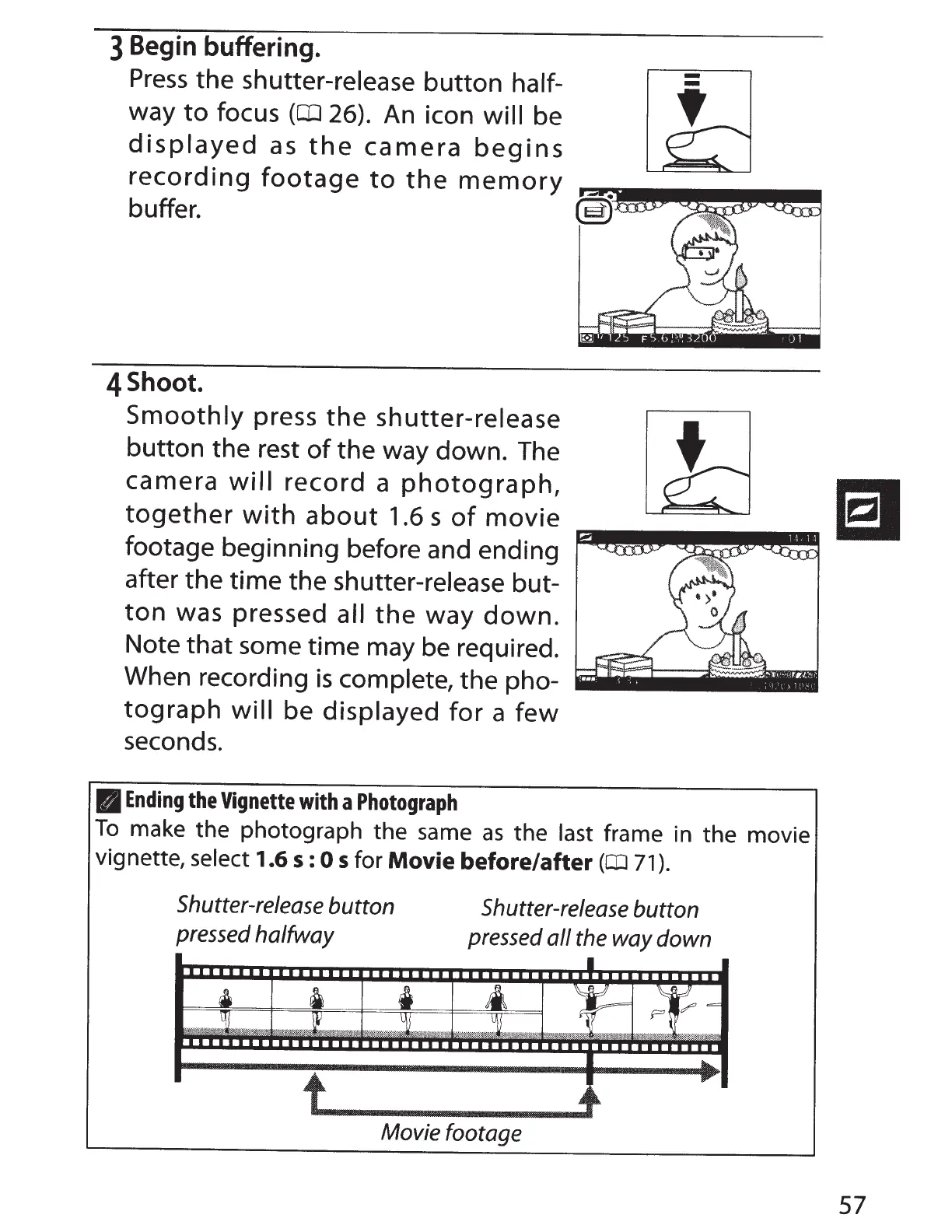
3
Begin
buffering.
Press
the
shutter-release
button
half-
way
to
focus
(OJ
26).
An
icon
will
be
displayed
as
the
camera
begins
recording
footage
to
the
memory
~-~·•••~-~~~~~~
buffer.
(s)
4Shoot.
Smoothly
press
the
shutter-release
button
the rest
of
the way down.
The
camera
will
record
a
photograph,
together
with
about
1.6 s
of
movie
footage beginning before and ending
after the time the shutter-release but-
ton
was pressed
all
the
way
down.
Note
that
some time may be required.
When recording
is
complete,
the pho-
tograph
will
be
displayed
for
a
few
seconds.
II
Ending
the
Vignette
with
a
Photograph
To
make the photograph the same
as
the
last
frame in the movie
vignette,
select
1.6
5:
0
5
for
Movie before/after
(CIJ
71
).
Shutter-release
button
pressed
halfway
LJ
l
Shutter-release
button
pressed
all
the
way
down
::r
-.
~ .$':~~
~~6::AA=
?:;#.;$·:·~--~~.,.,:
~;8~~~=~:m
..
~J;::
~~::=;:~<,-:;.
·.
0::~
··:·-~:•
~~~:
.:·~~::;,:;:;~:·:~if
'M:
.
~~'$!~::::,:-'.&'·;::
·.
·:~
'(<:.:.::::::::;;:::~.
m~~*;-:-;:::::··:;·
:?.3"9..
Movie footage
57

Table of Contents