EasyManua.ls Logo

Nikon 1 v2 - Page 61

Nikon 1 v2
349 pages
Print Icon
To Next Page IconTo Next Page
To Previous Page IconTo Previous Page
Loading...
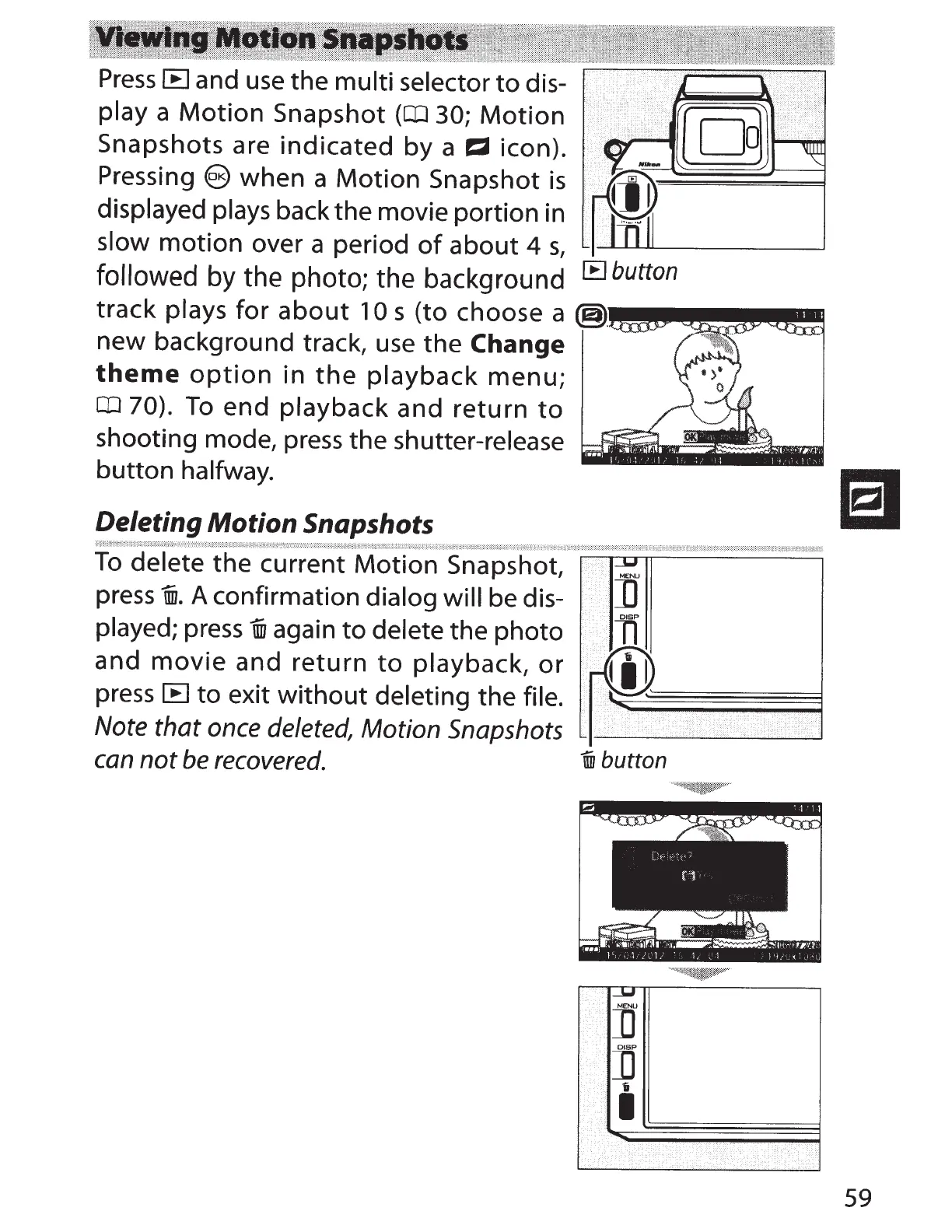
Press
IB
and use
the
multi
selector
to
dis-
~~a:p~h~~:i~~
~~~f:aht~~
(~
3aO~M~~~~
;,,
~
;
[g)~~
;~~E~~~~!~~iv~~~
~~2i~;~§Ei~
i~
~]
____
___.
followed
by the photo; the background
IE
button
track
plays
for
about
10 s
(to
choose
a
@JM•IIII!!!III~!JIII!~~
new
background
track, use
the
Change
theme
option
in
the
playback
menu;
CD
70).
To
end
playback
and
return
to
shooting
mode, press
the
shutter-release
button
halfway.
Deleting Motion Snapshots
To
delete
the
current
Motion
Snapshot,
press
nn.
A
confirmation
dialog
will
be dis-
played; press
nn
again
to
delete
the
photo
and
movie
and
return
to
playback,
or
press
IB
to
exit
without
deleting
the
file.
Note
that
once
deleted,
Motion
Snapshots
can
not
be
recovered.
iifJ
button
59

Table of Contents