60
MOre
on
Photography
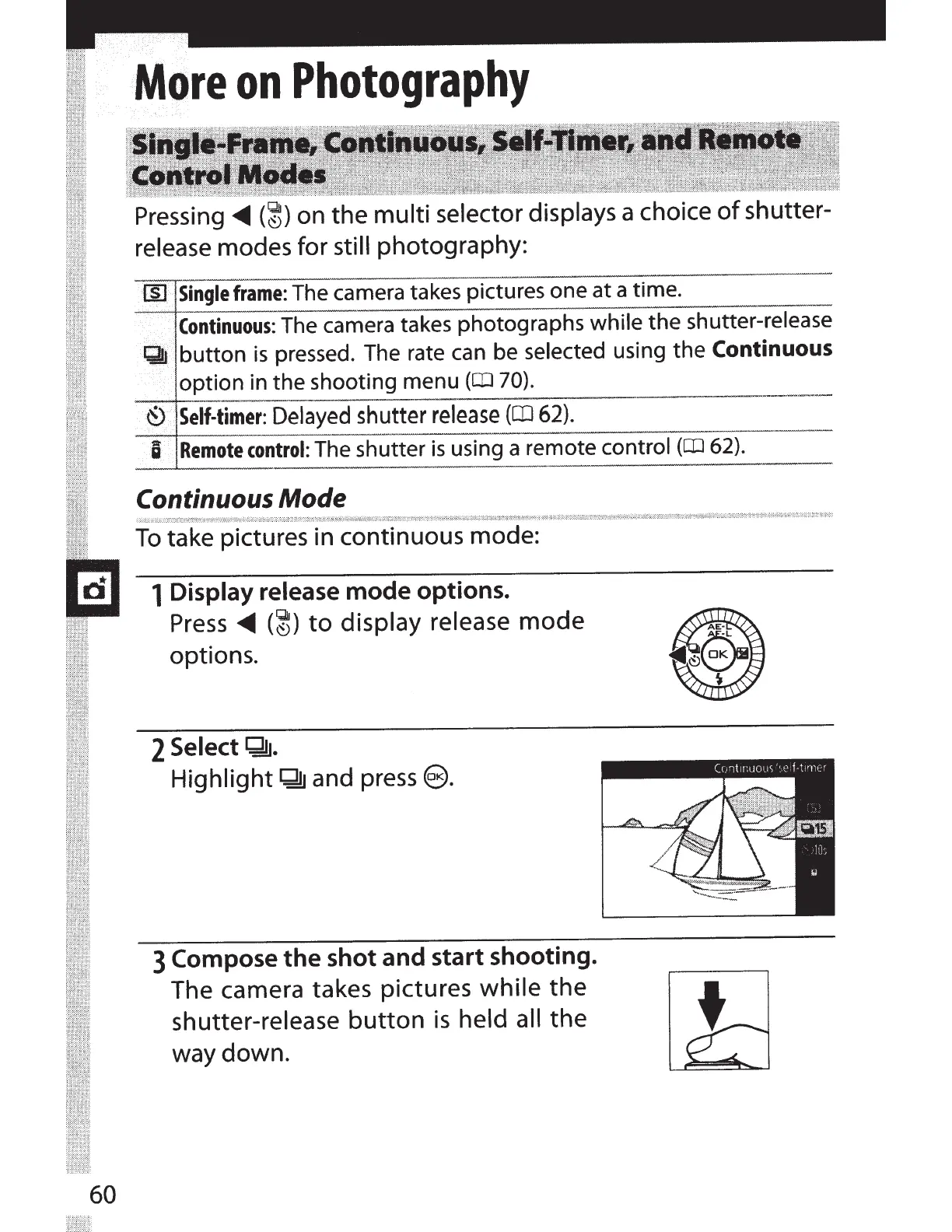
Pressing
<0111111
(~)
on the multi selector displays a choice
of
shutter-
release modes for
still photography:
Ill
Single
frame:
The camera takes pictures one at a time.
Continuous:
The camera takes photographs
while
the shutter-release
QJ
button
is
pressed. The rate
can
be
selected using the
Continuous
option in the shooting menu
(a.J
70).
-----+--
-
--
®
Self-timer:
Delayed
shutter
release
(CD
62).
U
Remote
control:
The shutter
is
using a remote
control
(a.J
62).
Continuous Mode
To
take pictures in continuous mode:
1 Display release
mode
options.
Press
<0111111
(~)
to
display release
mode
options.
2
Select
Q!J.
Highlight
Q!J
and
press@.
3 Compose
the
shot
and
start
shooting.
The camera takes pictures
while
the
shutter-release
button
is
held all
the
way down.



 To Next Page