101
Fine-Tuning Nikon Capture 4 Editor
The Temporary Files Tab
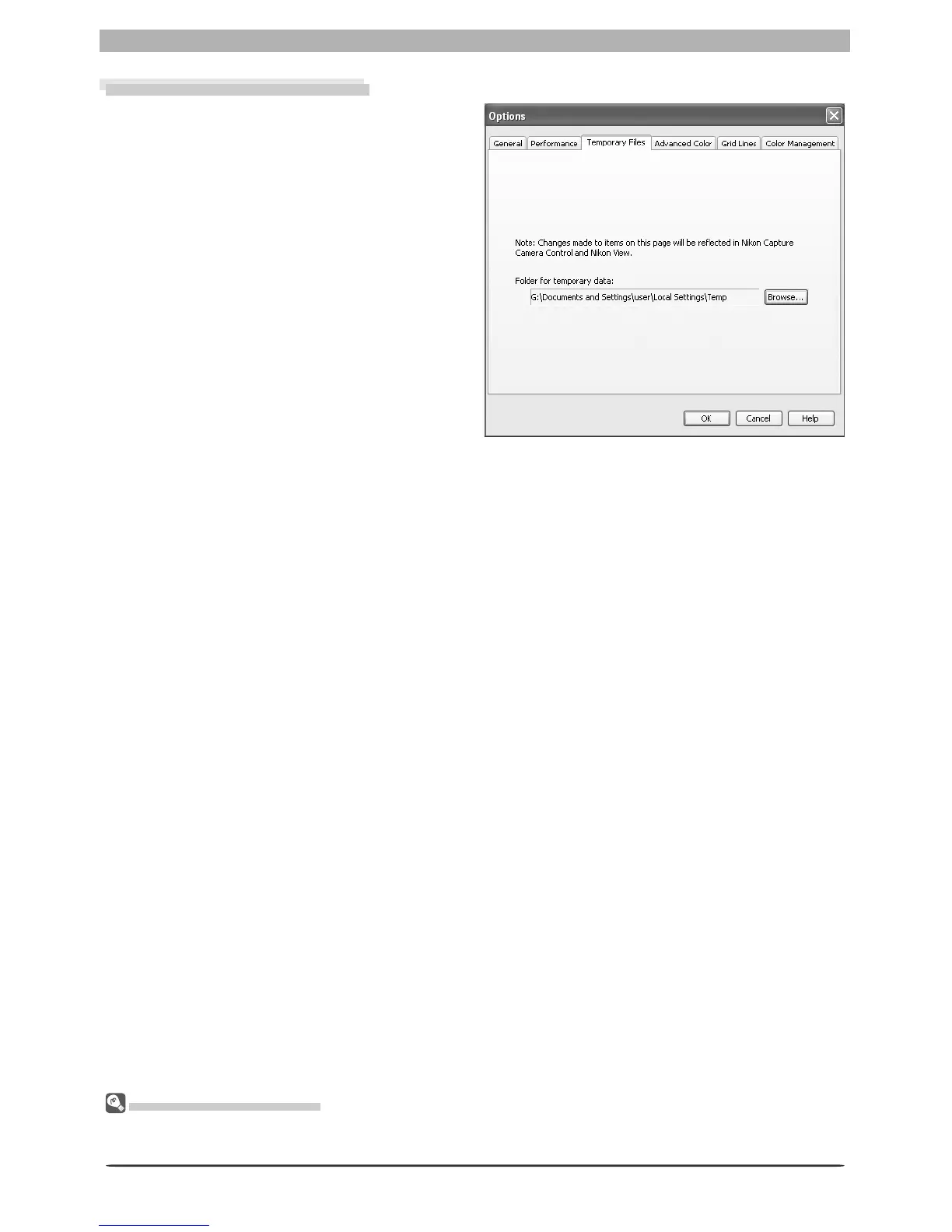
The Tem po rary Files tab offers the fol low ing
option:
Folder for temporary data
Specify the fold er or vol ume in which tem-
po rary data, such as im age cache data, will
be stored. The de fault fold er for Windows
is the “TEMP” fold er in the Windows di-
rec to ry, while the default vol ume for the
Macintosh is the start-up disk. To choose
a dif fer ent fold er in the Win dows ver sion
of the pro gram, click the Browse… but ton
and nav i gate to the de sired location. In the
Macintosh ver sion, a new volume can be
cho sen from the pop-up menu.
The Temporary Files Tab
Changes to settings in the Temporary Files tab also apply to Nikon Capture 4 Cam era Control. Nikon
Capture 4 must be restarted before changes to settings will take effect.








 To Next Page