75
Enhancing Images
Red eye Correction
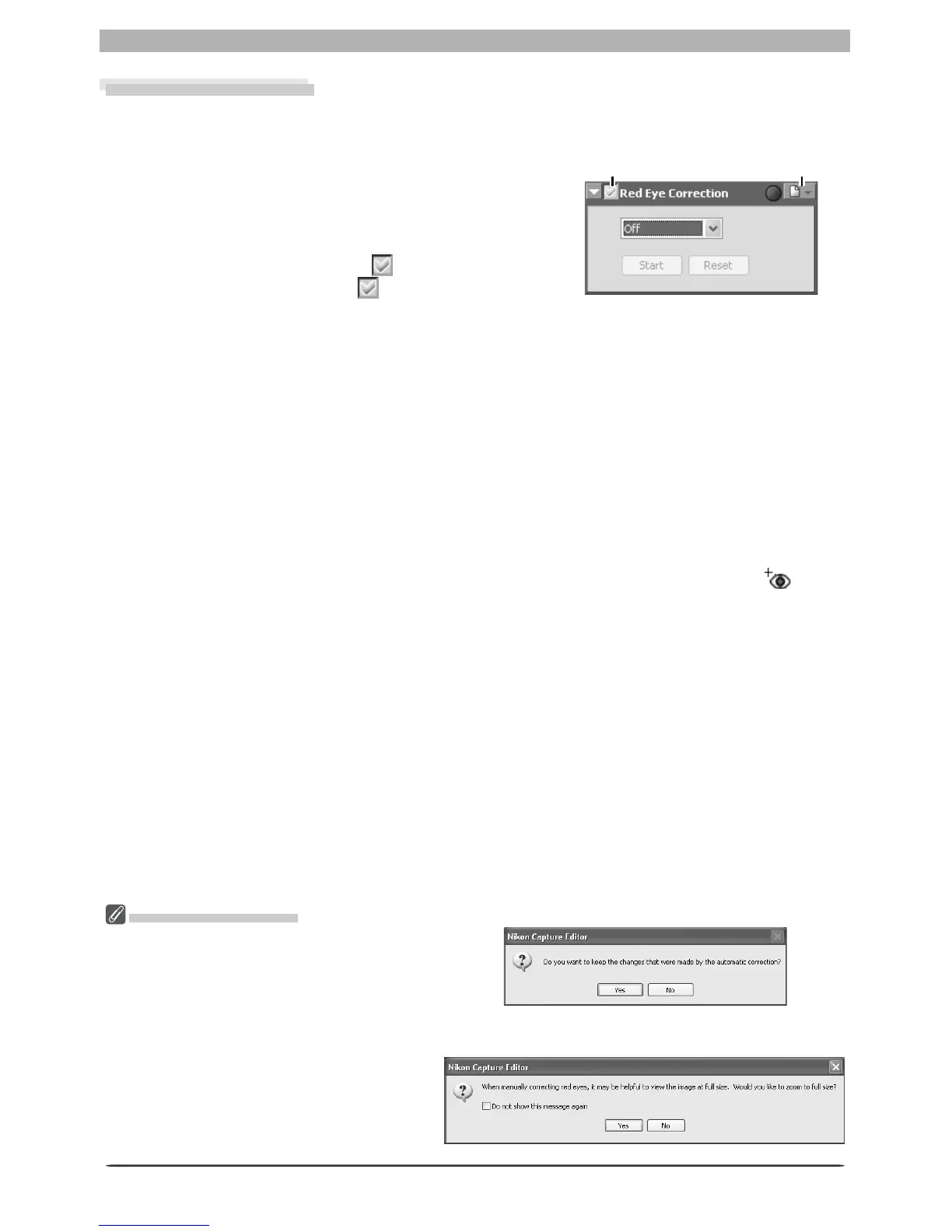
To correct red-eye in portrait subjects:
1
Display the Red Eye Correction palette
Select the tool palette containing the Red Eye Cor-
rection palette from the View menu (the default
location is Tool Palette 1) and click the triangle at
the palette’s top left corner.
2
Turn the Apply button on ( )
Turn the Apply button on ( ) to enable red-eye
correction.
3
Choose a red-eye correction method
Off
No red-eye correction performed.
Automatic
Nikon Capture will automatically detect and correct red-eye. This option is automatically
selected if red-eye has already been corrected using the Red Eye Correction button in the
Quick Tools palette.
Click on eyes
If auto red-eye correction fails to produce the desired results, red-eye can be corrected
manually by selecting this option and clicking Start. The cursor will change to ; move
the cursor over the image in the active window until it blinks red. If the area under the
cursor is affected red-eye, click to correct red-eye in the affected area. Click Stop when
all affected areas have been corrected (additional corrections can be performed by click-
ing Resume or Start and repeating the process described above).
Reset
Undo all changes made using automatic and manual red-eye correction.
Apply button Settings menu
Confi rmation Dialogs
If Click on eyes is selected after automatic
red-eye correction has been performed, the
dialog shown at right will be displayed. Click
Yes to keep the changes made with auto-
matic red-eye correction, No to discard the
changes before making manual corrections.
If the image in the active window is dis-
played at less than 100%, the dialog shown
at right appear when Click on eyes is se-
lected. Click Yes to display the image at full
size (recommended).








 To Next Page