19
Getting to Know Nikon Capture 4 Editor
The Bird’s Eye Palette
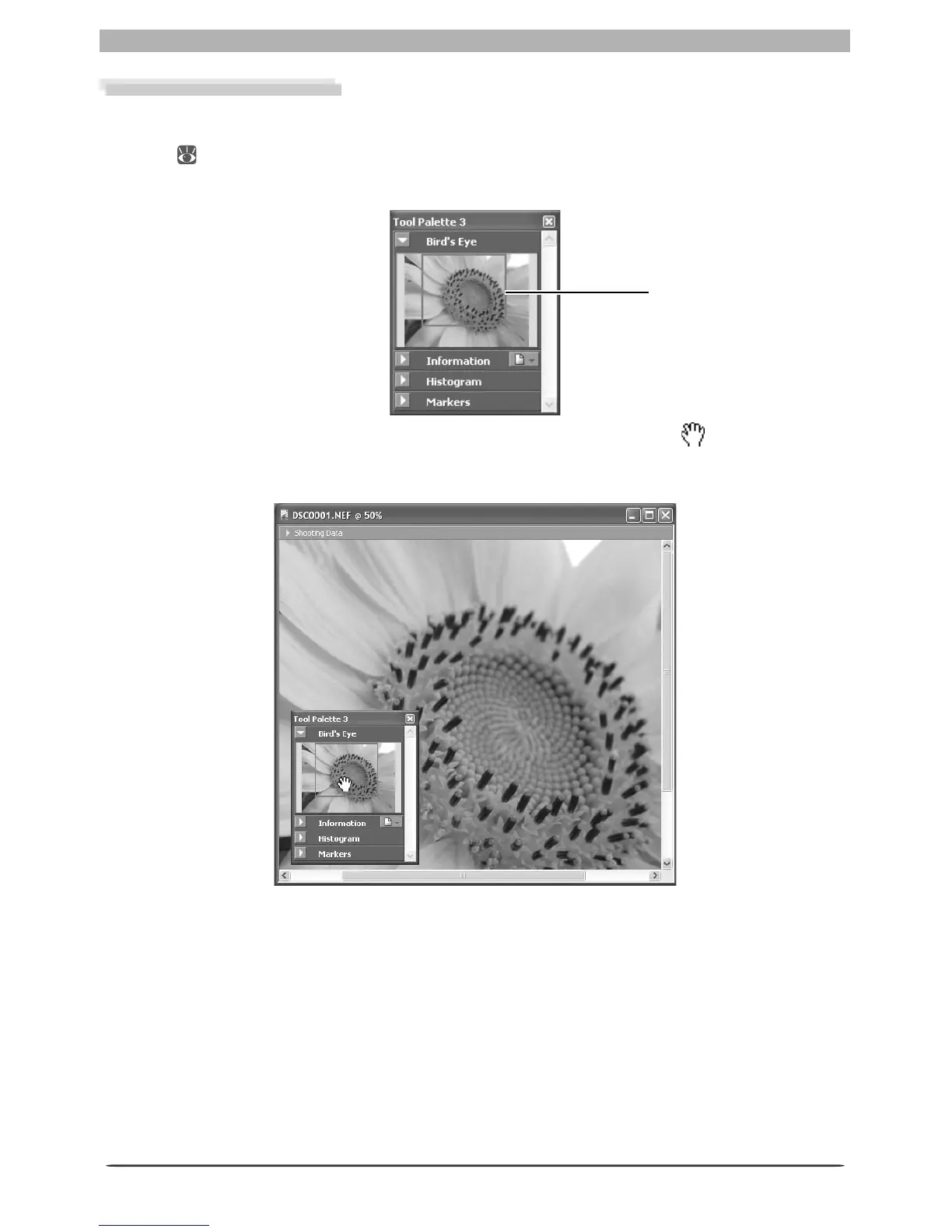
The Bird’s Eye palette shows the position of the portion of the image visible in the active im-
age window. To display or hide the Bird’s Eye palette, click the triangle in the Bird’s Eye palette
title bar ( 29). By default, the Bird’s Eye palette is in Tool Palette 3.
The portion of the image visible in the active image window is indicated by a red outline.
Red outline dis played
When the mouse pointer is moved over the red outline, it changes to a cursor. Drag the
red outline over the area of the image you would like to view. The selected area will be dis-
played in the active image window.








 To Next Page