26
The Editor Window
The Histogram Palette
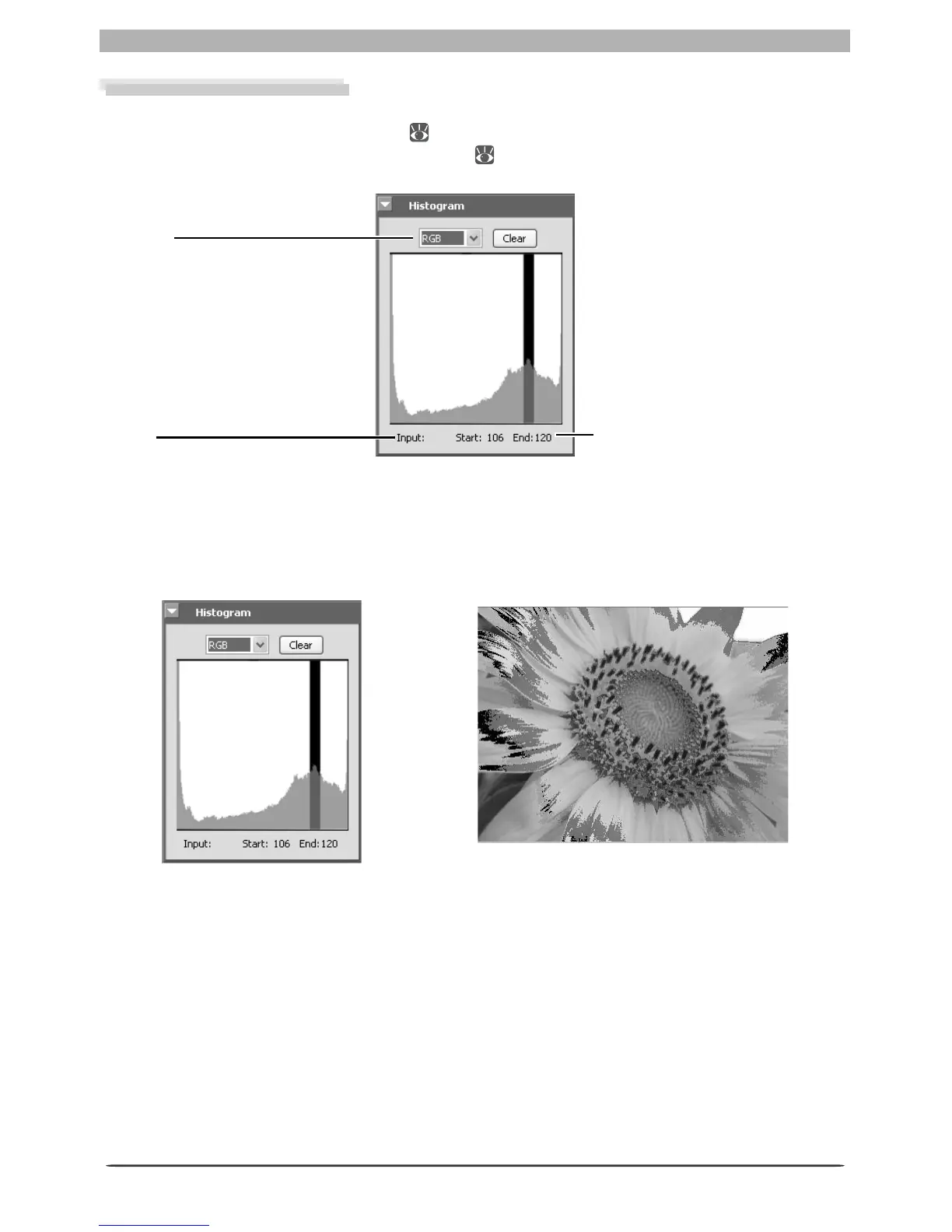
The histogram palette shows the level distribution for the image in the active window or, if a
crop is selected, for the current crop ( 22). To display or hide the Histogram palette, click
the triangle in the Histogram palette title bar ( 29). By default, the Histogram palette is in
Tool Palette 3.
Channel
View the histogram for the
entire image or selected chan-
nels.
St ar t / E nd
The range of values selected in
the histogram display.
To select an area of the histogram, drag the mouse over the histogram display. The pixels
with values in the selected range will blink in the image window. Click Clear to cancel the
current selection.
Input
The level (brightness) of the
point under the cursor.








 To Next Page