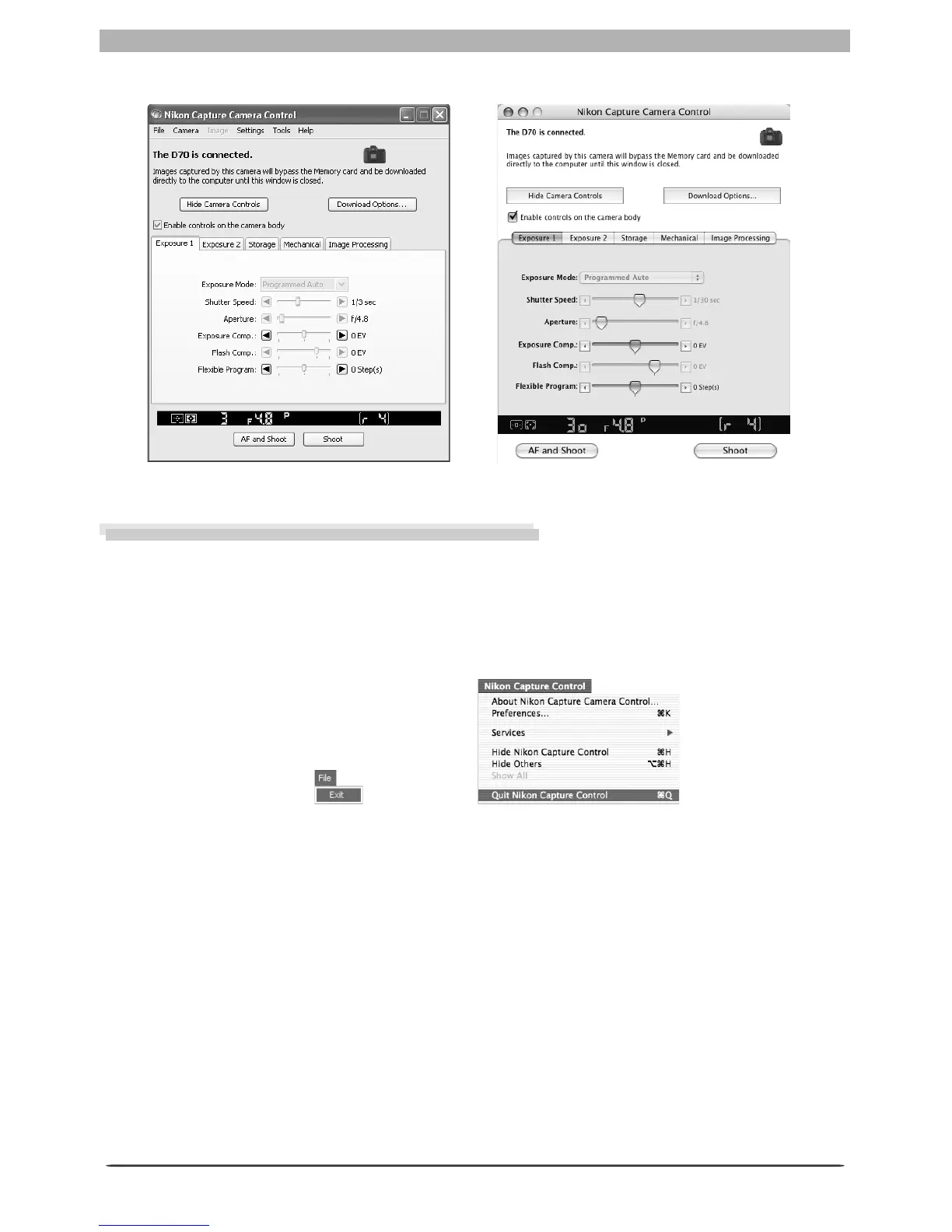
111
Getting to Know Nikon Capture 4 Camera Control
The Camera Control window will be displayed.
Exiting Nikon Capture 4 Camera Control
Be sure to exit Nikon Capture 4 Camera Control before disconnecting the camera.
1
Exit Nikon Capture 4 Camera Control
To close the Nikon Capture 4 Camera Control window, open the File menu and choose Exit
(Win dows) or Quit (Mac OS 9). In Mac OS X, select Quit Nikon Capture Control from
the ap pli ca tion menu.
2
Disconnect the camera
For information on disconnecting your camera from the computer, see the doc u men ta tion
pro vid ed with your camera.
Mac OS XWin dows
MacintoshWin dows








 To Next Page