76
Image Adjustment
The Set tings Menu
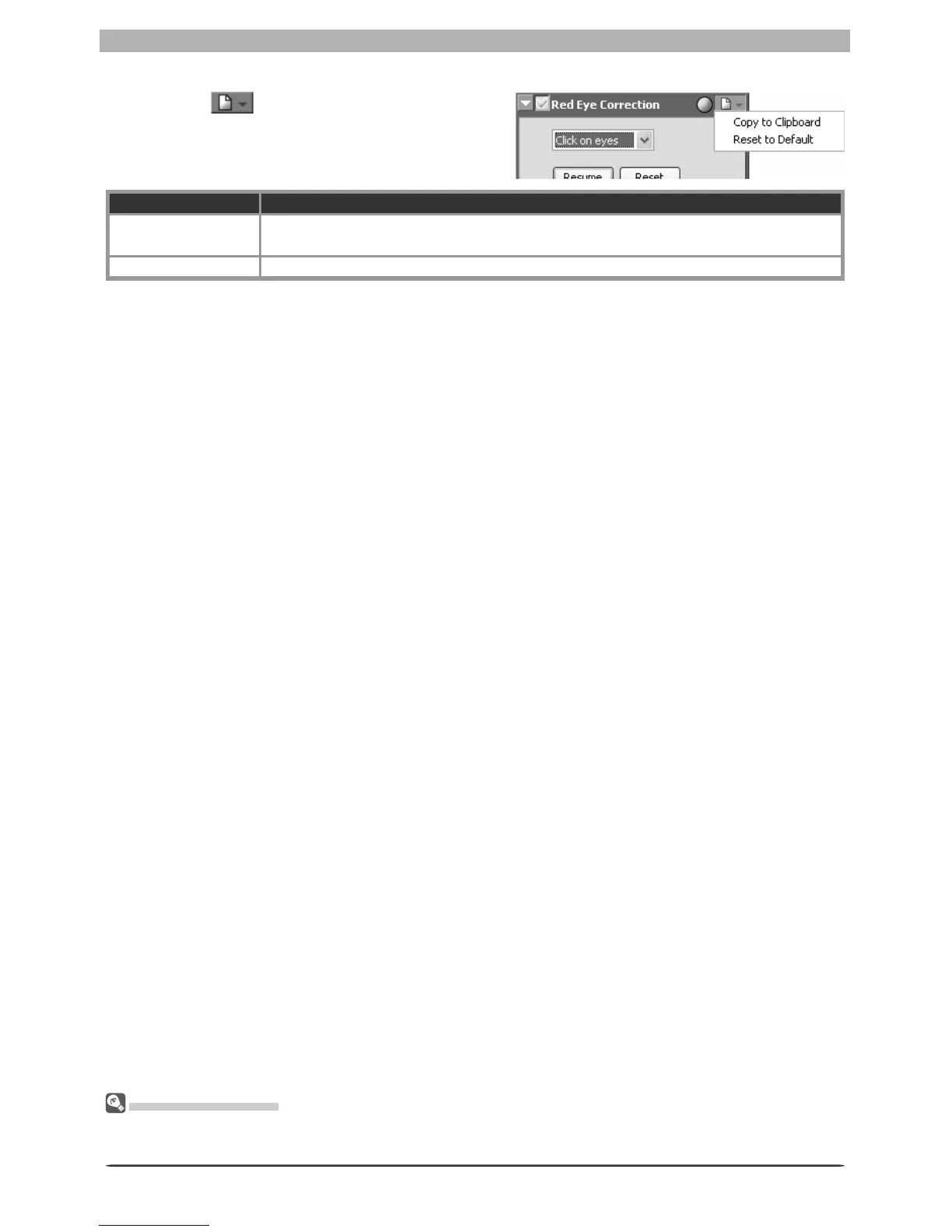
The red-eye correction Settings menu can also be displayed by selecting Red Eye Correction from the
Set tings menu.
The Red Eye Correction Settings Menu
Clicking the button in the Red Eye Cor-
rection palette displays the red-eye correction
Settings menu.
Option Description
Copy to Clip board
If Auto is selected, this option can be used to copy this setting to the clipboard
and apply auto red-eye correction to other images.
Reset to Default Reset red-eye correction settings to default values.








 To Next Page