129
Getting to Know Nikon Capture 4 Camera Control
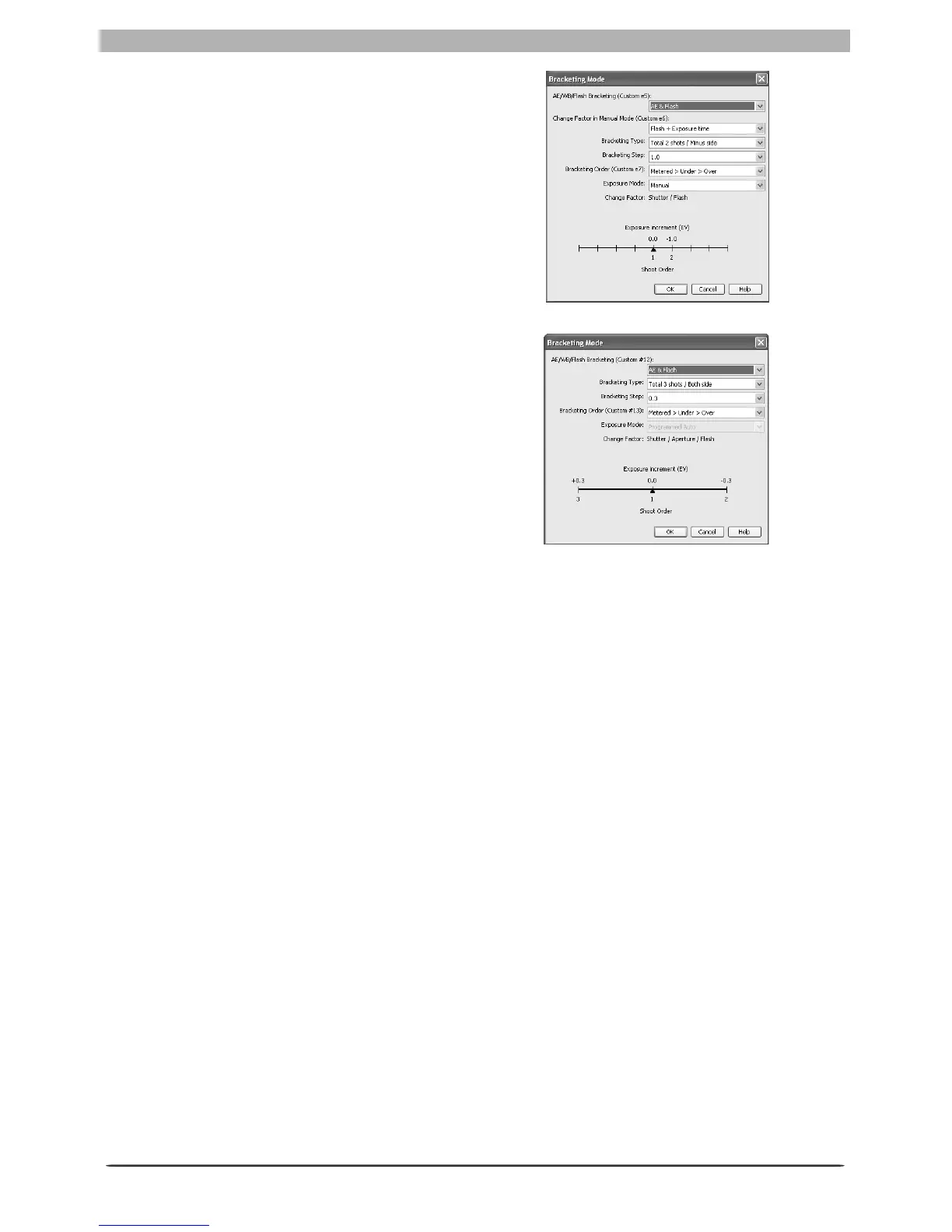
Auto Bracketing (D2 series/D200/D70s/D70/
D50 only): Select this option to perform expo-
sure, fl ash, or white balance bracketing during
shooting. To change bracketing options, click
Set BKT. The dialog shown at right will be
displayed.
• AE/WB/Flash Bracketing: Choose the type
of bracketing performed.
• Change Factor when Exposure Mode is set
to Manual (D2 series/D200 only): Choose
how bracketing is performed in manual
exposure mode.
• Bracketing Type / Bra cketi ng Step / Brac keti ng
Order / E xp osu re Mo de : Choose the brack-
eting program, exposure or white balance
increment, bracketing order, and exposure
mode. Bracketing type and bracketing order
are not available with the D50.
AF-Area Mode: Choose the AF-area mode. If Enable controls on the camera body is
checked (D2 series/D200 only), the current AF-area mode will be shown, but changes can
only be made using camera controls. See the camera manual for details.
Fo cus Mode: The cur rent focus mode setting is displayed. See the cam era man u al for details.
This set ting can not be changed from Nikon Cap ture.
D2 series/D200
D70s/D70/D50








 To Next Page