56
Image Adjustment
The Set tings Menu
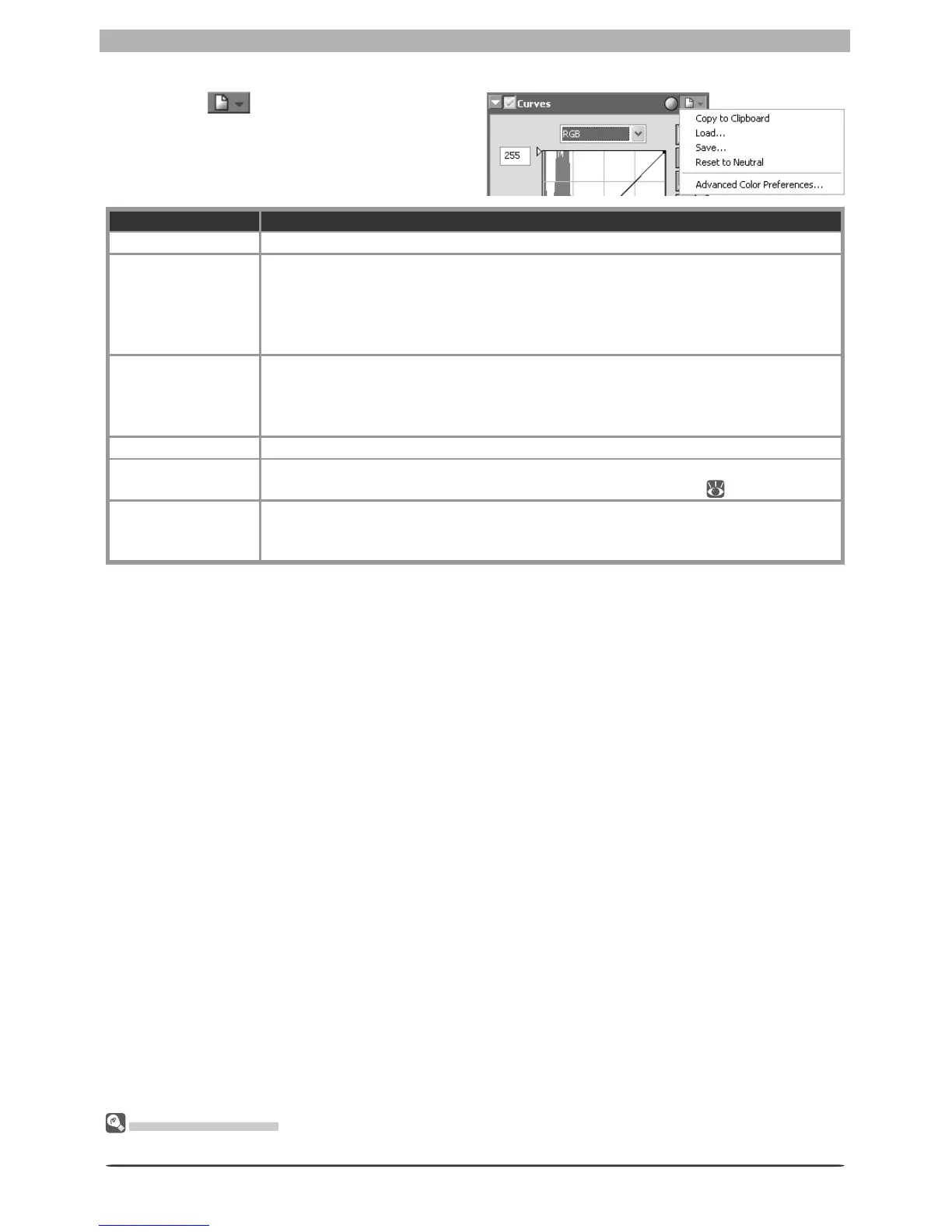
The Curves Settings menu can also be displayed by selecting Curves from the Set tings menu.
The Curves Settings Menu
Clicking the button in the Curves pal-
ette displays the Curves Settings menu.
Option Description
Copy to Clip board Copy current Curves settings to the clipboard.
Load…
Select this item to load curves previously saved using the Save… option (see
be low). A dialog will be displayed where you can navigate to the drive (volume)
and di rec to ry con tain ing the desired settings fi le (only fi les with the extension
“.ncv” will be dis played). The settings in the Curves palette will in stant ly revert
to the saved settings.
Save…
Select this item to save curves for all channels to a named fi le. These settings can
later be recalled using the Load… option. Choosing Save… displays a dialog
where you can choose a destination and fi le name for the current curves. Curves
are saved with the ex ten sion “.ncv”.
Reset to Neutral Reset all curves to linear.
Advanced Color
Preferences…
Open the Nikon Capture 4 Editor Preferences dialog to the Ad vanced Color tab,
where you can adjust auto contrast, shadows, and highlights (
102).
Recent fi les
Recent Curves settings fi les (up to four) are listed at the end of the settings menu.
Selecting a fi le from the list sets the controls in Curves palette to the saved set-
tings.








 To Next Page