102
Recording Movies
Movie Recording and Playback
Movie Menu
The following options can be adjusted from the movie menu.
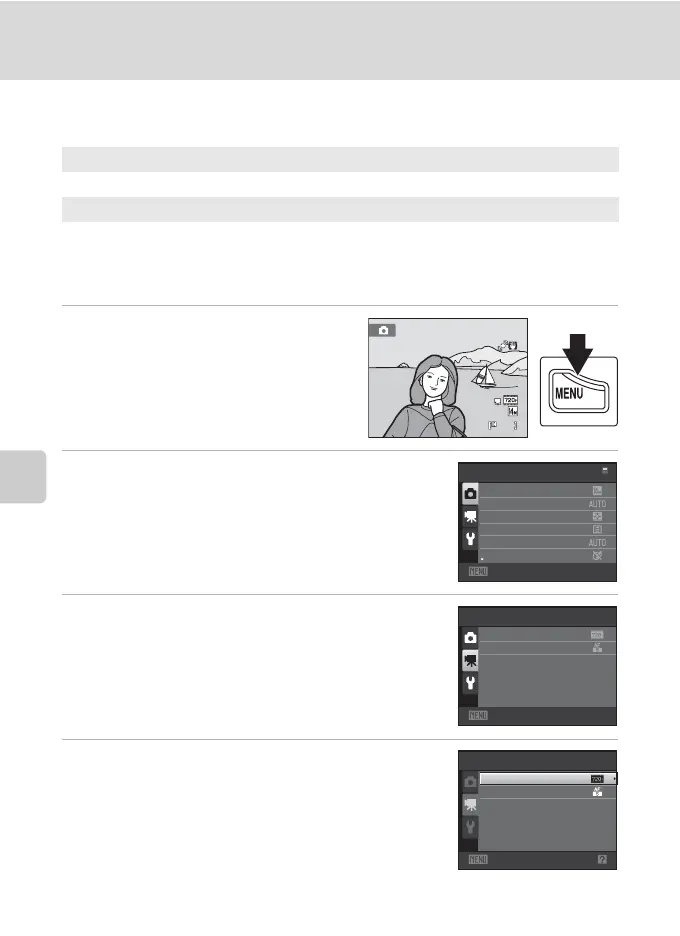
Displaying the Movie Menu
1 Press the d button in shooting
mode.
The menu is displayed.
If the d button was pressed in scene
mode, press the rotary multi selector (A 9)
J to display the tabs.
2 Press the rotary multi selector J.
Tab selection is activated.
3 Press H or I to select the D tab.
4 Press K or the k button.
The movie menu items can be selected.
Use the rotary multi selector to choose and apply settings
(A 9).
To exit the movie menu, press the d button or J to
select a different tab.
D Movie options A 103
Select an option for movie recording.
I Autofocus mode A 104
Select how the camera focuses during movie recording.
8
Shooting
menu
Exit
Image mode
White bal ance
Metering
Continuous
ISO sensitivity
Color options
Movie
Exit
Movie options
Autofocus mode
Movie
Exit
Movie options
Autofocus mode



 To Next Page
 Loading...











