76
More on Playback
Finding Pictures in Auto Sort Mode
Pictures and movies are automatically sorted to any of the following categories
with shooting. When “F auto sort mode” is selected, pictures and movies can be
viewed by selecting the category to which they were sorted.
In full-frame playback mode, just as with normal playback mode, picture display
can be enlarged and pictures can be displayed as thumbnails or in calendar mode,
pictures can be edited, and movies can be played back.
When the d button is pressed, the auto sort menu (A 78) is displayed and all
pictures sorted to the specified category can be selected for deletion, viewing in a
slide show, or applying print order or protection settings.
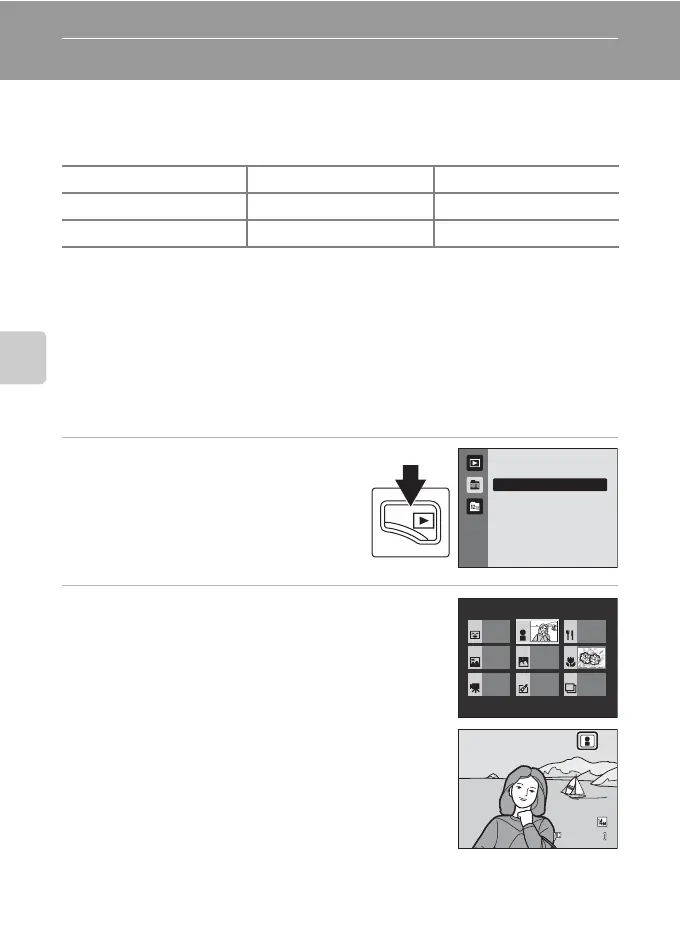
Viewing Pictures in Auto Sort Mode
1 Press the c button in playback
mode to display the playback-mode
selection menu, use the rotary multi
selector to select F, and press the
k button.
A list of categories is displayed.
2 Use the rotary multi selector to select a
desired category.
For more information on categories, see “Auto Sort Mode
Categories” (A 77).
Press the k button to display a picture in the selected
category in full-frame playback mode.
The icon of the category currently played back will be
displayed at the top right of the screen.
Z Smile D Portraits u Food
U Landscape V Dusk to dawn D Close-ups
D Movie X Retouched copies W Other scenes
Auto sor t
Portraits
1 / 4
0004.J P G
1 5 / 0 5 / 2 0 1 0 15 : 3 0
1 5/05/201 0 15:30



 To Next Page
 Loading...











