135
Setup Menu
Basic Camera Setup
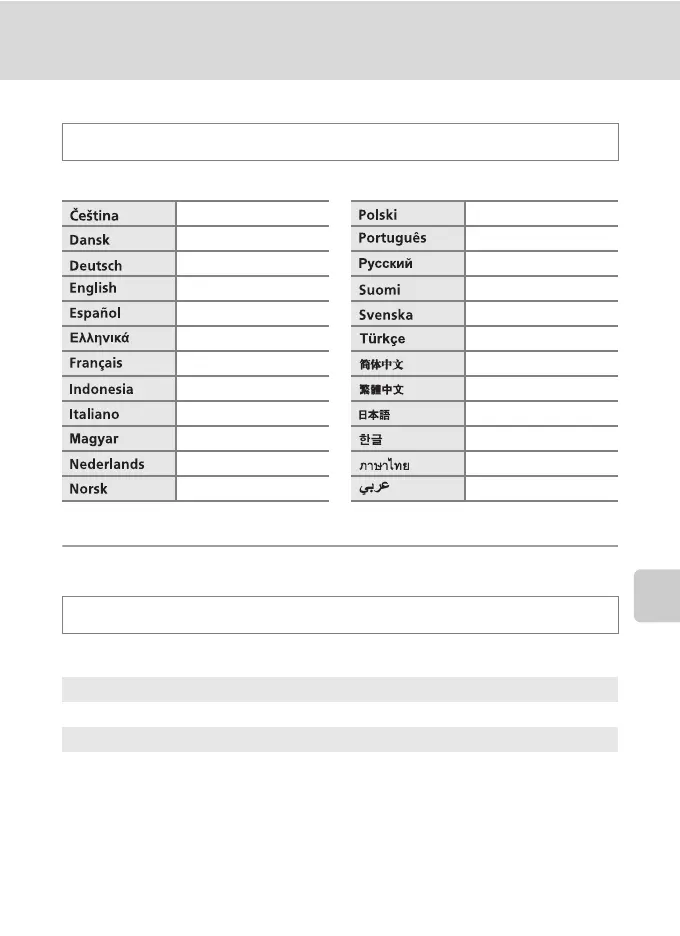
n Language
Choose one of 24 languages for display of camera menus and messages.
H TV Settings
Adjust settings for connection to a television.
d button M z (Setup menu) (A 121) M n Language
Czech Polish
Danish Portuguese
German Russian
(default setting) Finnish
Spanish Swedish
Greek Turkish
French Simplified Chinese
Indonesian Traditional Chinese
Italian Japanese
Hungarian Korean
Dutch Thai
Norwegian Arabic
d button M z (Setup menu) (A 121) M H TV settings
Video mode
Choose from NTSC and PAL.
HDMI
Choose a picture resolution for HDMI output from Auto (default setting), 480p,
720p, or 1080i. When Auto is selected, the option best suited to the high-
definition TV to which the camera is connected is automatically selected from
480p, 720p, or 1080i.



 To Next Page
 Loading...











