120
S
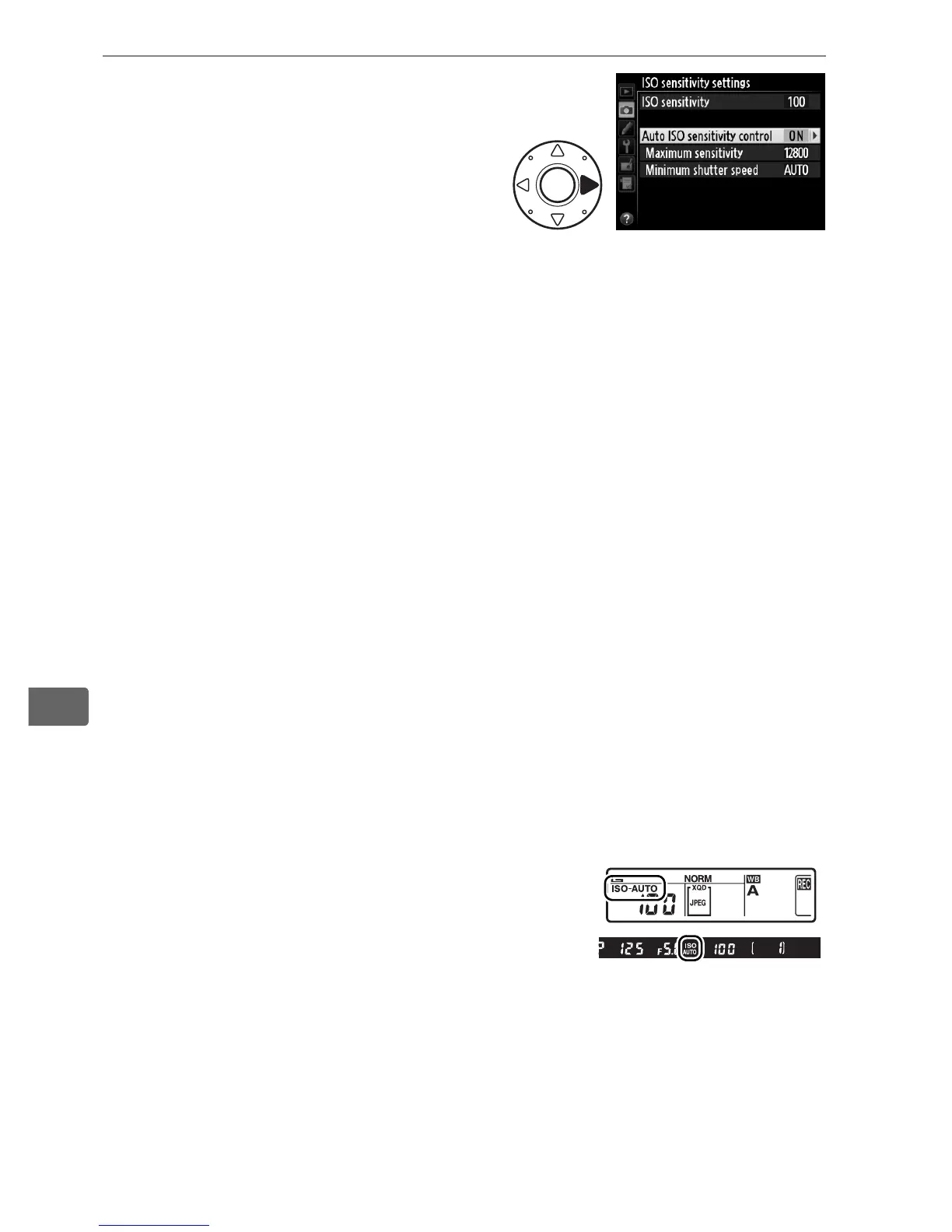
3 Adjust settings.
The maximum value for auto
ISO sensitivity can be selected
using Maximum sensitivity
(the minimum value for auto
ISO sensitivity is automatically set to ISO 100; note that if the
value selected for Maximum sensitivity is lower than the
value currently selected for ISO sensitivity, the value selected
for Maximum sensitivity will be used). In exposure modes e
and g, sensitivity will only be adjusted if underexposure would
result at the shutter speed selected for Minimum shutter
speed (
1
/4000–1 s, or Auto; in modes f and h, ISO sensitivity
will be adjusted for optimal exposure at the shutter speed
selected by the user). If Auto (available only with CPU lenses;
equivalent to
1
/30 s when a non-CPU lens is used) is selected,
the camera will choose the minimum shutter speed based on
the focal length of the lens (auto shutter-speed selection can
be fine-tuned by highlighting Auto and pressing 2; for
example, even faster values than those usually selected
automatically by the camera can be used with telephoto
lenses to reduce blur).
Shutter speeds slower than the
minimum value may be used if optimum exposure can not be
achieved at the ISO sensitivity value selected for Maximum
sensitivity.
Press J to exit when settings are complete.
When On is selected, the viewfinder and
rear control panel show Z. When
sensitivity is altered from the value selected
by the user, these indicators flash and the
altered value is shown in the viewfinder and rear control panel.



 To Next Page