218
t
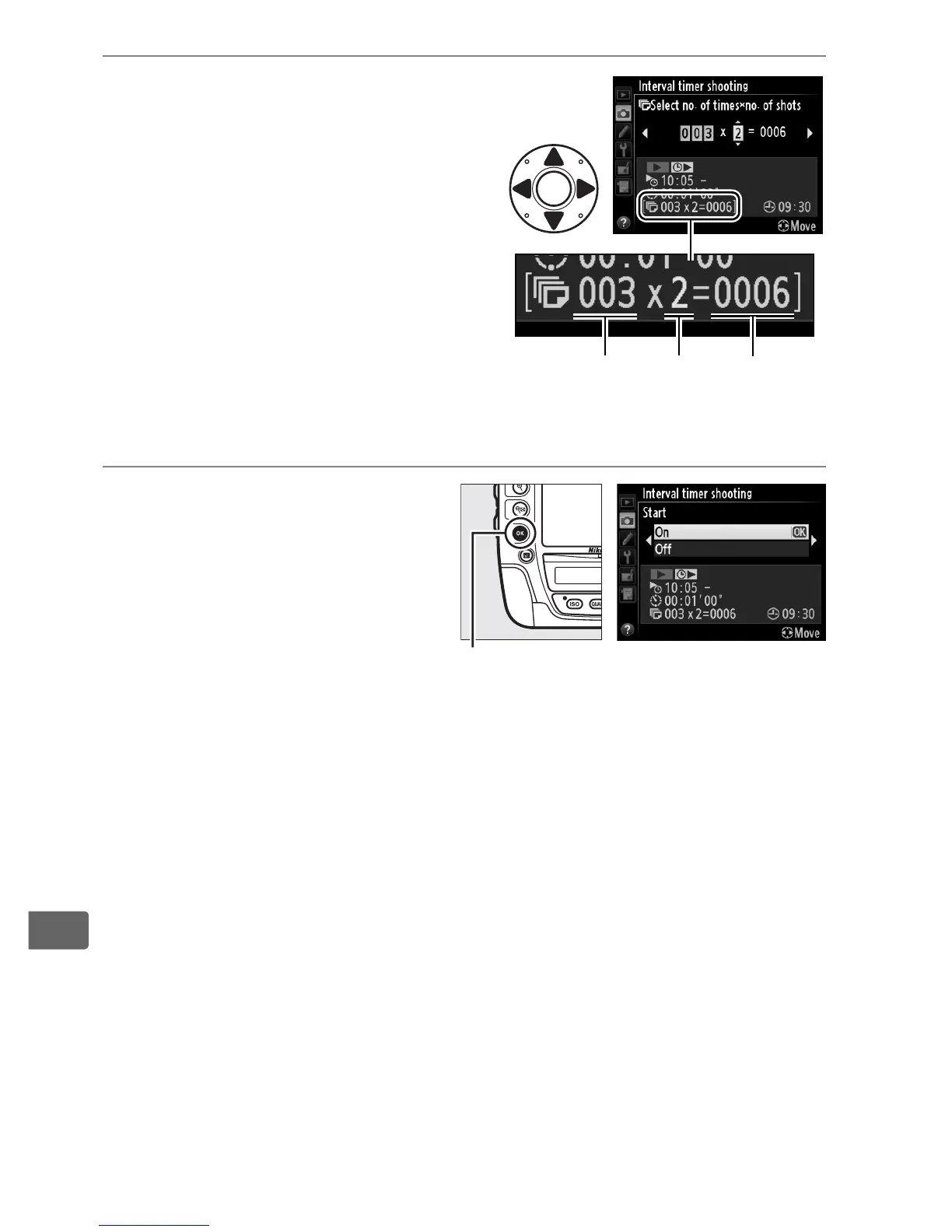
4 Choose the number of
intervals and number of
shots per interval.
Press 4 or 2 to highlight
number of intervals or number
of shots; press 1 or 3 to
change.
Press 2 to continue.
5 Start shooting.
Highlight On and press J
(to return to the shooting
menu without starting the
interval timer, highlight
Off and press J).
The first
series of shots will be taken
at the specified starting time, or after about 3 s if Now was
selected for Choose start time in Step 2.
Shooting will
continue at the selected interval until all shots have been
taken.
Note that because shutter speed and the time needed
to record the image to the memory card may vary from shot to
shot, the interval between a shot being recorded and the start
of the next shot may vary.
If shooting can not proceed at
current settings (for example, if a shutter speed of A is
currently selected in manual exposure mode or the start time
is in less than a minute), a warning will be displayed in the
monitor.
Number of
intervals
Number
of shots/
interval
Total
number of
shots
J button



 To Next Page