241
I
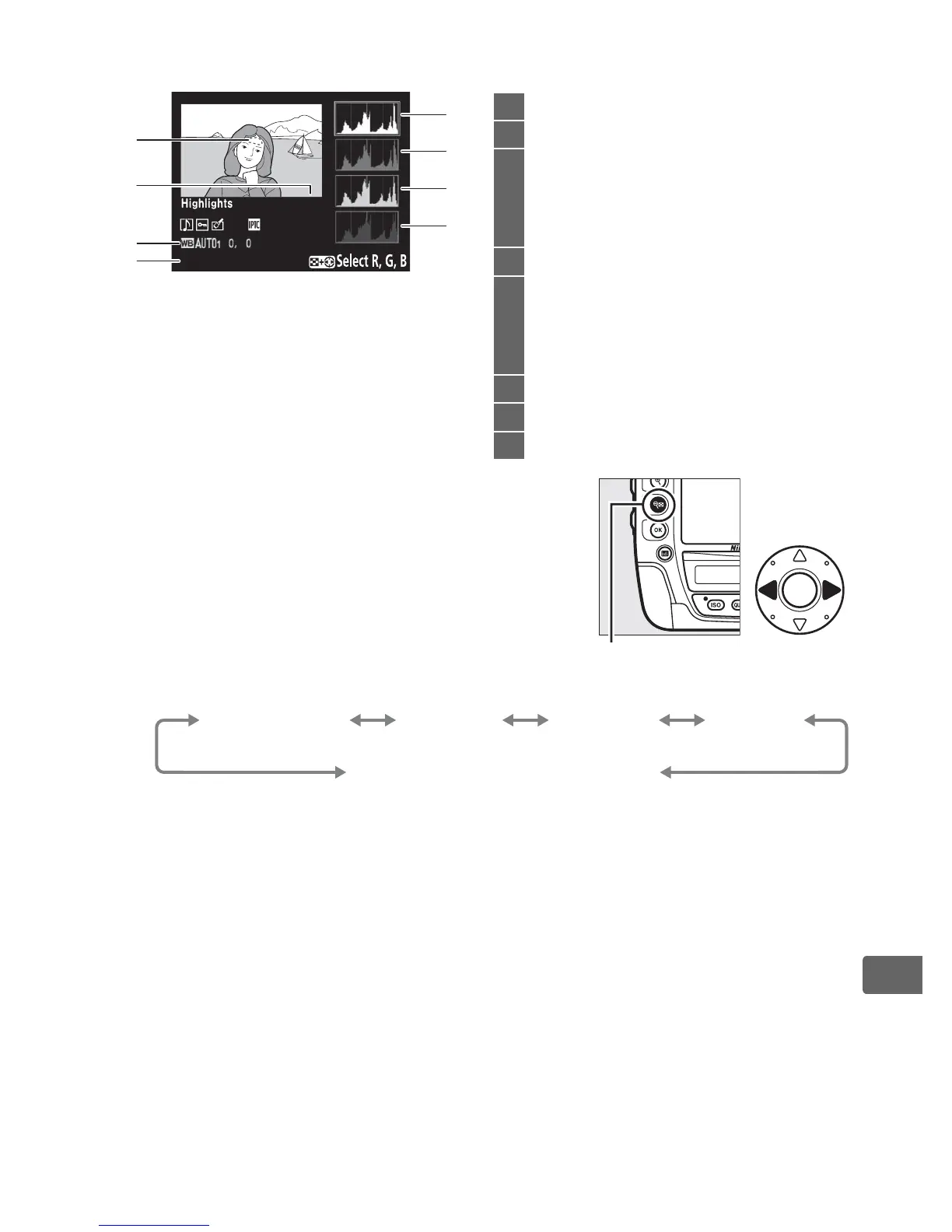
❚❚ RGB Histogram
1 Flashing areas indicate highlights (areas that may be
overexposed) for current channel.
Hold W button
and press 4 or 2 to cycle through channels as
follows:
2 Displayed in yellow if picture is in non-FX format (including DX-based movie format;
0 71, 85).
100
-
1
RGB
1
2
5
6
7
8
4
3
1 Image highlights
1
2 Folder number–frame number
2
.......296
3 White balance ........................................153
Color temperature ................................160
White balance fine-tuning..................156
Preset manual ........................................163
4 Current channel
1
5 Histogram (RGB channel).
In all
histograms, horizontal axis gives pixel
brightness, vertical axis number of
pixels.
6 Histogram (red channel)
7 Histogram (green channel)
8 Histogram (blue channel)
W button
RGB
(all channels)
R
(red)
G
(green)
B
(blue)
Highlight display off



 To Next Page