31
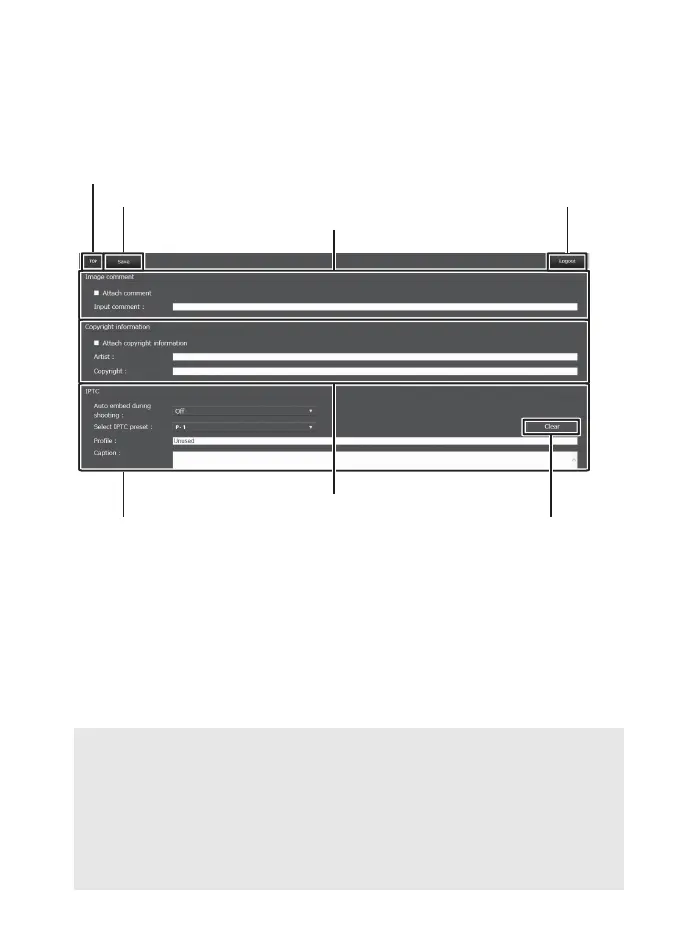
❚❚ The Text Edit Window
The text edit window, which is used to edit image comments and
copyright and IPTC information stored on the camera, can be
accessed by selecting Edit text on the server home page.
D Saving Changes
Changes are not saved automatically. Click or tap the save button to
save changes.
D The Clear Button
Clicking or tapping the clear button immediately deletes the displayed
text, even if you exit without clicking the save button.
Home button (0 24)
Image comment (0 32)
Copyright information (0 32)
IPTC information (0 33)
Clear button
Save button Logout button



 To Next Page