24
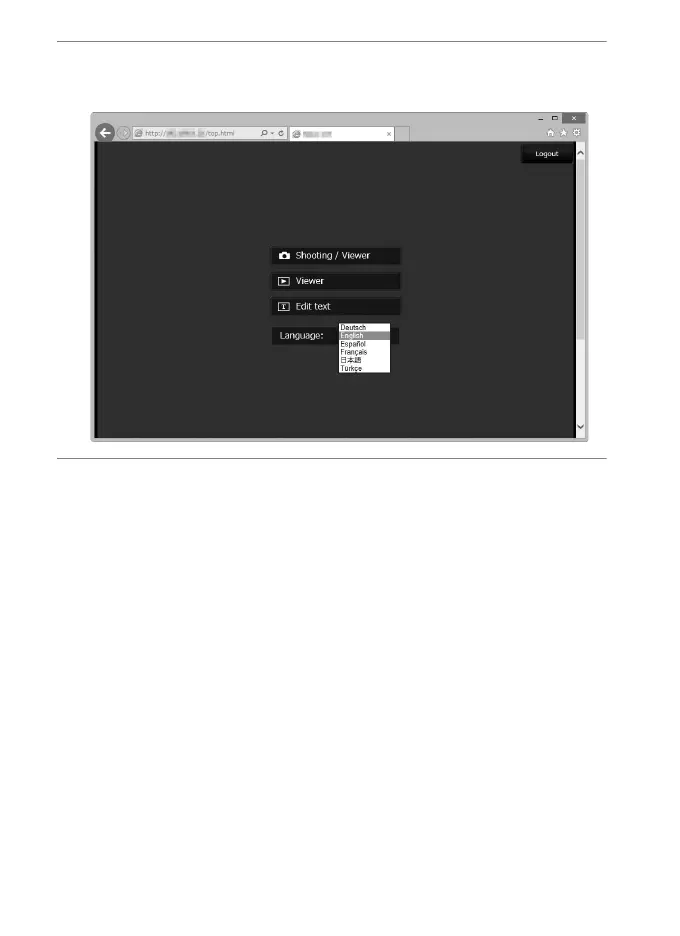
7 Choose a language.
Click Language and choose the desired option.
8 Choose an operating mode.
Choose Shooting/Viewer to take pictures (027, 34) and
Shooting/Viewer or Viewer to view existing pictures (029,
36). To use the computer or smart device web browser to edit
image comments and copyright and IPTC information stored
on the camera, select Edit text (0 31, 38). Up to five users at a
time can connect using Viewer, but only one user at a time
can connect using Shooting/Viewer or Edit text (if another
user is already connected using Shooting/Viewer or Edit text,
these options will not be displayed and only four users will be
able to connect using Viewer).



 To Next Page