268 Technical Notes
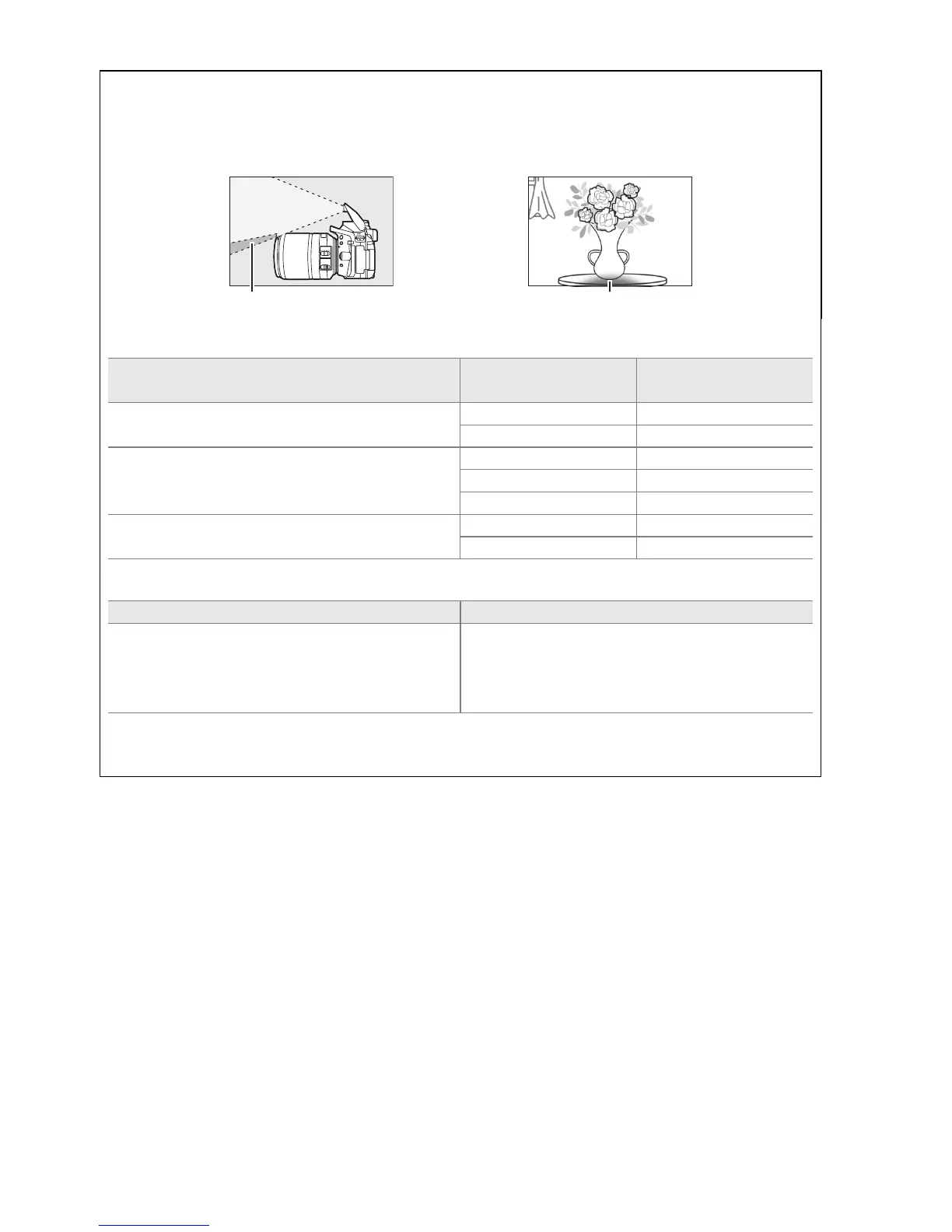
A Using the Built-in Flash
When using the built-in flash, be sure the subject is at a range of at least 0.6 m (2 ft) and
remove lens hoods to prevent vignetting (shadows created where the end of the lens
obscures the built-in flash).
Shadow Shadow
AF-S DX NIKKOR 18–140mm f/3.5–5.6G ED VR:
Camera Zoom position
Minimum distance
without vignetting
D7100/D7000/D300 series/D200/D100
18 mm 1.0 m/3 ft 3 in.
24–140 mm No vignetting
D90/D80/D50
18 mm 2.5 m/8 ft 2 in.
24 mm 1.0 m/3 ft 3 in.
35–140 mm No vignetting
D5300/D5200/D5100/D5000/D3200/D3100/
D3000/D70 series/D60/D40 series
24–140 mm 1.0 m/3 ft 3 in.
35–140 mm No vignetting
AF-S DX NIKKOR 18–55mm f/3.5–5.6G VR:
Camera Minimum distance without vignetting
D7100/D7000/D5300/D5200/D5100/D5000/
D3200/D3100/D3000/D300 series/D200/
D100/D90/D80/D70 series/D60/D50/
D40 series
No vignetting at any focus distance
Because the built-in flash units for the D100 and D70 can only cover the angle of view of a
lens with a focal of 20 mm or more; vignetting will occur at a focal length of 18 mm.



 To Next Page