269Technical Notes
A Supplied Accessories for AF-S DX NIKKOR 18–140mm f/3.5–5.6G ED VR
• 67 mm snap-on Front Lens Cap LC-67
• Rear Lens Cap
A Optional Accessories for AF-S DX NIKKOR 18–140mm f/3.5–5.6G ED VR
• 67 mm screw-on filters
• LF-1 and LF-4 rear lens caps
• Flexible Lens Pouch CL-1018
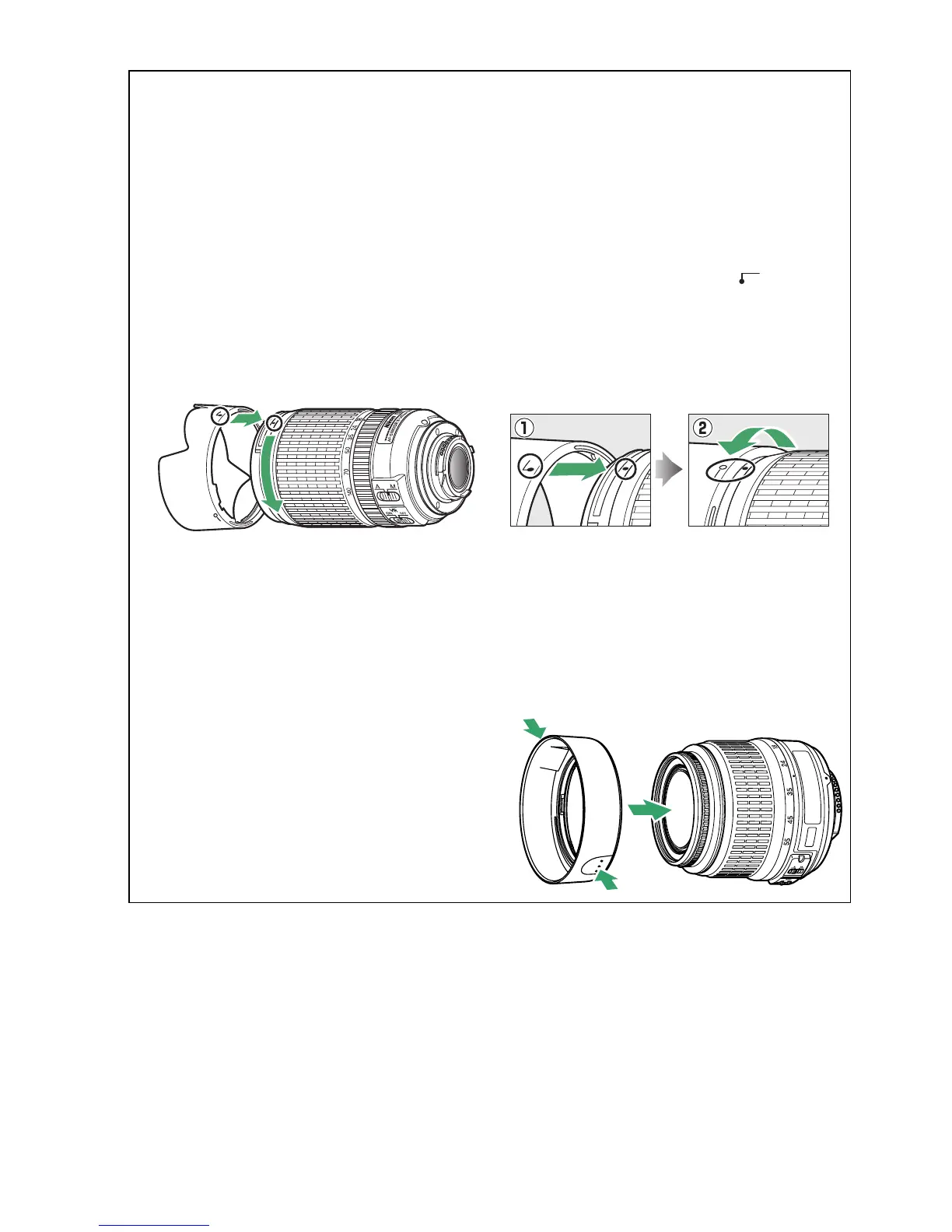
• Bayonet Hood HB-32
Align the lens hood mounting mark (●) with the lens hood alignment mark ( ) and then
rotate the hood (w) until the ● mark is aligned with the lens hood lock mark (—{).
When attaching or removing the hood, hold it near the symbol on its base and avoid
gripping it too tightly. Vignetting may occur if the hood is not correctly attached.
The hood can be reversed and mounted on the lens when not in use.
A Supplied Accessories for AF-S DX NIKKOR 18–55mm f/3.5–5.6G VR
• 52 mm Snap-on Front Lens Cap LC-52
• Rear Lens Cap
A Optional Accessories for AF-S DX NIKKOR 18–55mm f/3.5–5.6G VR
• 52 mm screw-on filters
• LF-1 and LF-4 rear lens caps
• Flexible Lens Pouch CL-0815
• Lens Hood HB-45
Press the latches q and attach or remove
the hood w.
Vignetting may occur if the hood is not
correctly attached.
The hood can be reversed and mounted on
the lens when not in use.



 To Next Page