85
k
Self-Timer and Remote Control Modes
The self-timer and optional ML-L3 remote control (0 298) can be used to reduce
camera shake or for self-portraits.
1 Mount the camera on a tripod.
Mount the camera on a tripod or place the camera on a stable, level surface.
2 Select a release mode.
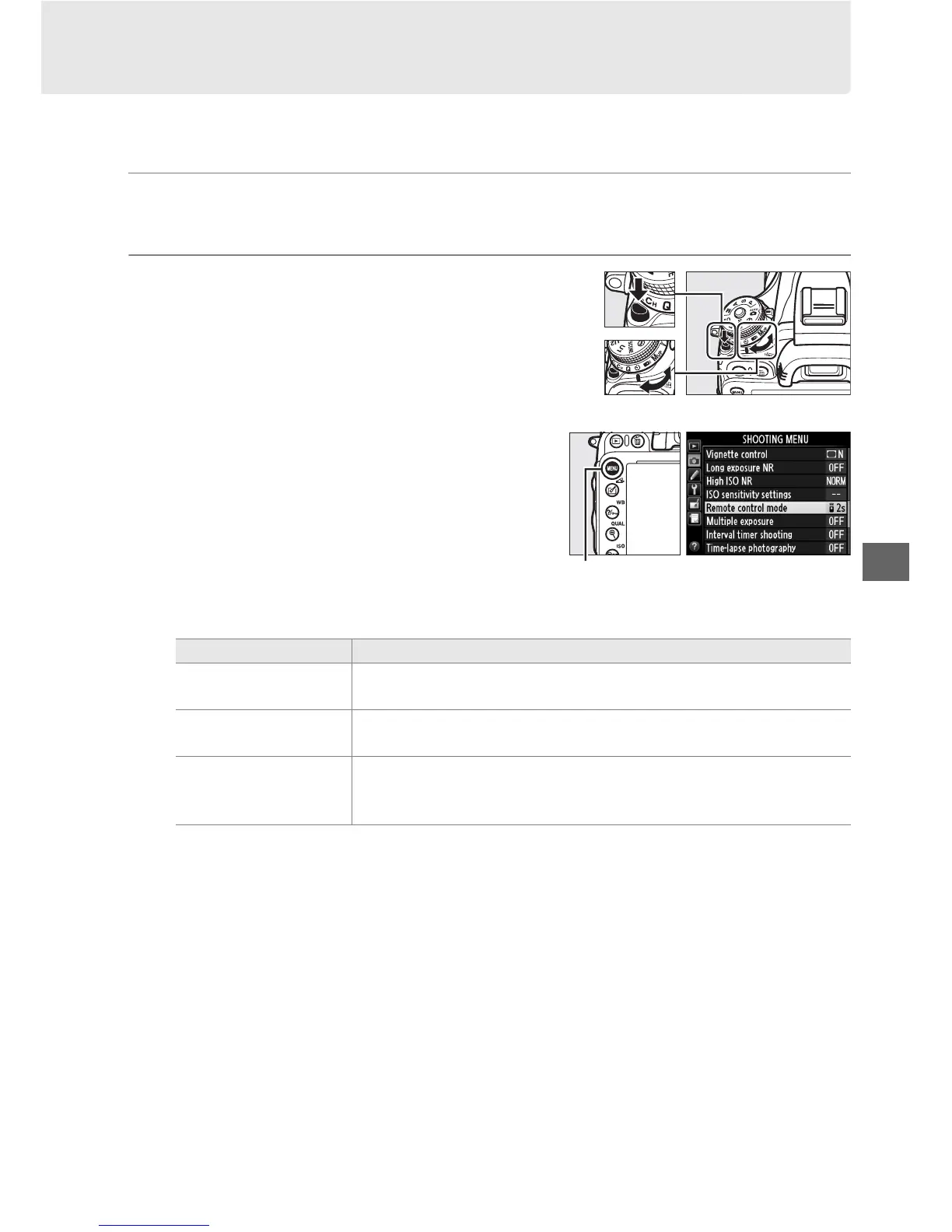
Press the release mode dial lock release and
rotate the release-mode dial to E (self-timer)
or 4 (remote control) mode.
In remote control mode, the timing of the
shutter release can be selected using the
Remote control mode option in the
shooting menu.
After pressing the G
button to display the menus, highlight
Remote control mode in the shooting
menu and press 2 to display the following
options.
Press the selector up or down to highlight an option and press J.
Option Description
% Delayed remote
Shutter is released 2 s after ML-L3 shutter-release button is
pressed.
$
Quick-response
remote
Shutter is released when ML-L3 shutter-release button is
pressed.
&
Remote
mirror-up
Press ML-L3 shutter-release button once to raise mirror, again to
release shutter and take photograph. Prevents blur caused by
camera moving when mirror is raised.
Release mode dial
G button



 To Next Page