143
l
l
Flash Photography
The built-in flash has a Guide Number (GN) 12/39 (m/ft, ISO 100, 20 °C/68 °F) and
provides coverage for the angle of view of 24 mm lens, or a 16 mm lens in DX format.
It can be used not only when natural lighting is inadequate but to fill in shadows and
backlit subjects or to add a catch light to the subject’s eyes.
❚❚ Using the Built-in Flash: i, k, p, n, o, s, and w Modes
1 Choose a flash mode (0 144).
2 Take pictures.
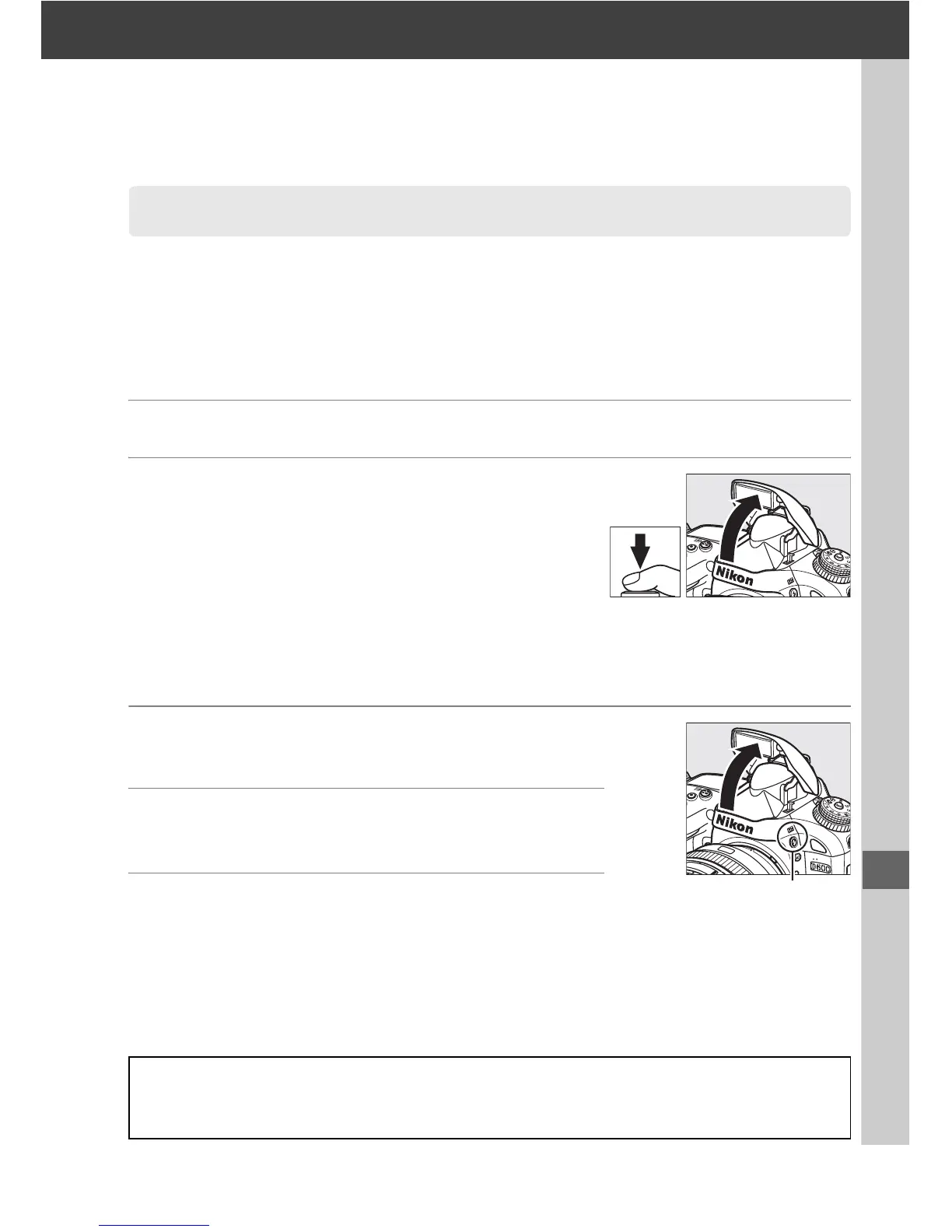
The flash will pop up as required when the
shutter-release button is pressed halfway, and fire
when a photograph is taken.
If the flash does not
pop up automatically,
DO NOT attempt to raise it by
hand.
Failure to observe this precaution could
damage the flash.
❚❚ Using the Built-in Flash: P, S, A, M, and 0 Modes
1 Raise the flash.
Press the M (Y) button to raise the flash.
2 Choose a flash mode (P, S, A, and M modes
only; 0 144).
3 Take pictures.
The flash will fire whenever a picture is taken.
Using the Built-in Flash
A Metering
Select matrix or center-weighted metering to activate i-TTL balanced fill-flash for digital SLR.
Standard i-TTL flash for digital SLR is activated automatically when spot metering is selected.
M (Y) button



 To Next Page