214
U
C The Shooting Menu: Shooting Options
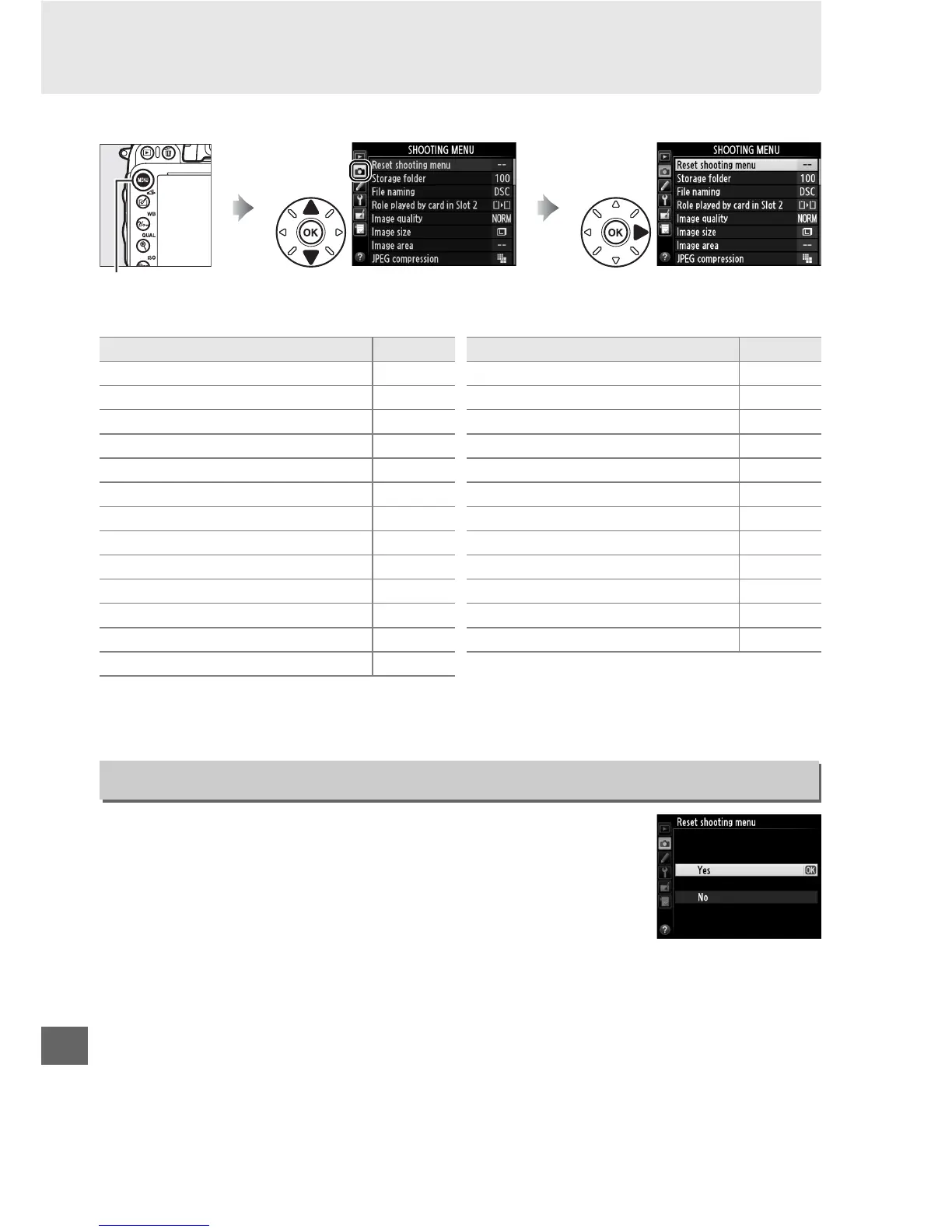
To display the shooting menu, press G and select the C (shooting menu) tab.
The shooting menu contains the following options:
Note: Depending on camera settings, some items may be grayed out and unavailable.
For
information on the options available in each shooting mode, see page 309.
Select Ye s to restore shooting menu options to their default
values (0 312).
G button
Option 0
Reset shooting menu 214
Storage folder 215
File naming 216
Role played by card in Slot 2 96
Image quality 93
Image size 95
Image area 89
JPEG compression 94
NEF (RAW) recording 94
White balance 115
Set Picture Control 129
Manage Picture Control 134
Auto distortion control 217
Color space 217
Active D-Lighting 137
HDR (high dynamic range) 139
Vignette control 218
Long exposure NR 218
High ISO NR 218
ISO sensitivity settings 105
Remote control mode 85
Multiple exposure 160
Interval timer shooting 164
Time-lapse photography 168
Movie settings 65
Option 0
Reset Shooting Menu
G button ➜ C shooting menu



 To Next Page