53
x
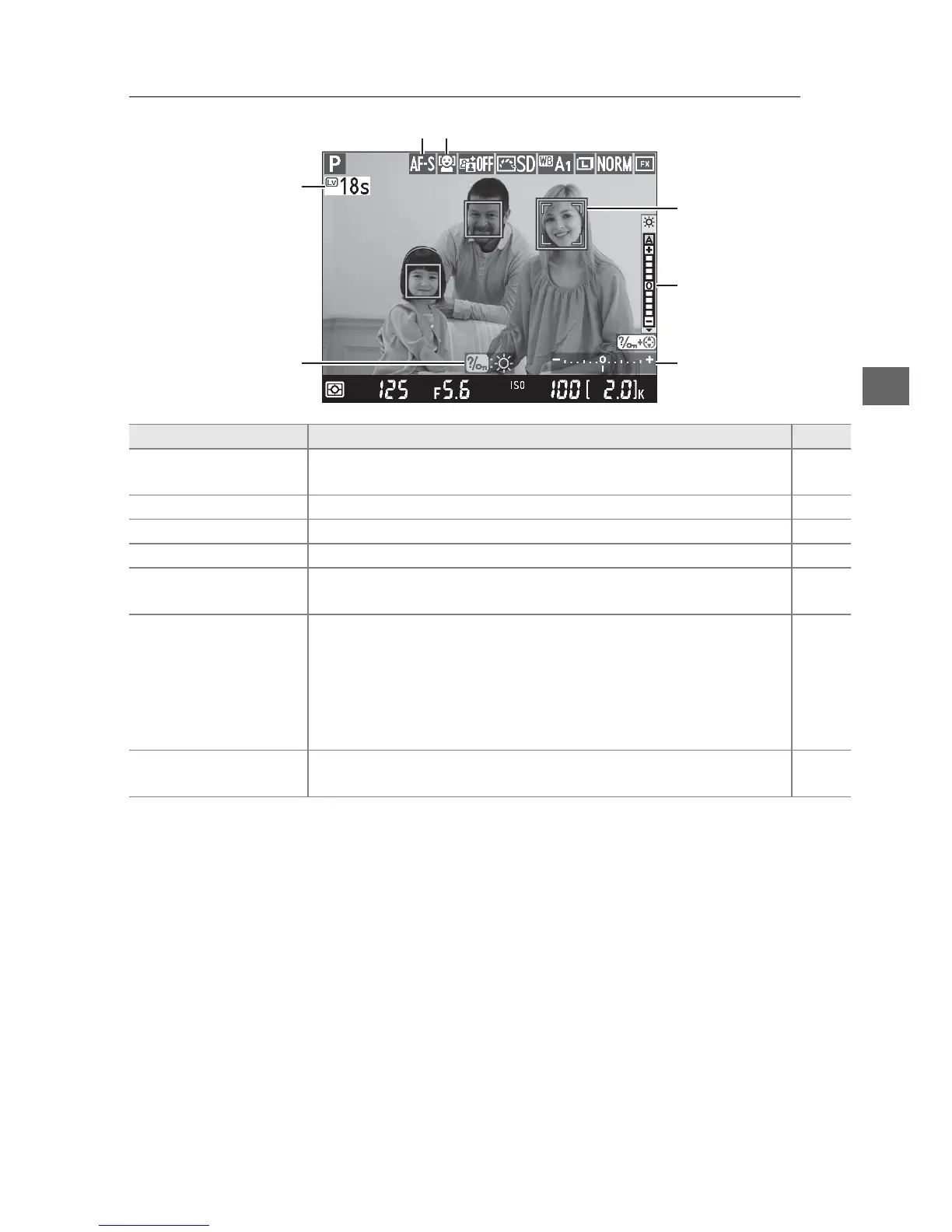
The Live View Display: Live View Photography
Item Description 0
q Time remaining
The amount of time remaining before live view ends
automatically.
Displayed if shooting will end in 30 s or less.
56
w Guide A guide to the options available during live view photography. —
e Autofocus mode The current autofocus mode. 51
r AF-area mode The current AF-area mode. 52
t Focus point
The current focus point.
The display varies with the option
selected for AF-area mode.
49
y
Monitor brightness
indicator
Keeping the L (U) button pressed, press 1 or 3 to adjust
monitor brightness (note that monitor brightness has no
effect on photographs taken with the camera).
If A (auto) is
selected, the camera will automatically adjust brightness in
response to ambient lighting conditions as measured by the
ambient brightness sensor when the monitor is on (0 4).
—
u Exposure indicator
Indicates whether the photograph would be under- or
overexposed at current settings (mode M only).
78
t
y
u
w
q
r
e



 To Next Page