301
n
The Low-Pass Filter
The image sensor that acts as the camera’s picture element is fitted with a low-pass
filter to prevent moiré.
If you suspect that dirt or dust on the filter is appearing in
photographs, you can clean the filter using the Clean image sensor option in the
setup menu.
The filter can be cleaned at any time using the Clean now option, or
cleaning can be performed automatically when the camera is turned on or off.
❚❚ “Clean Now”
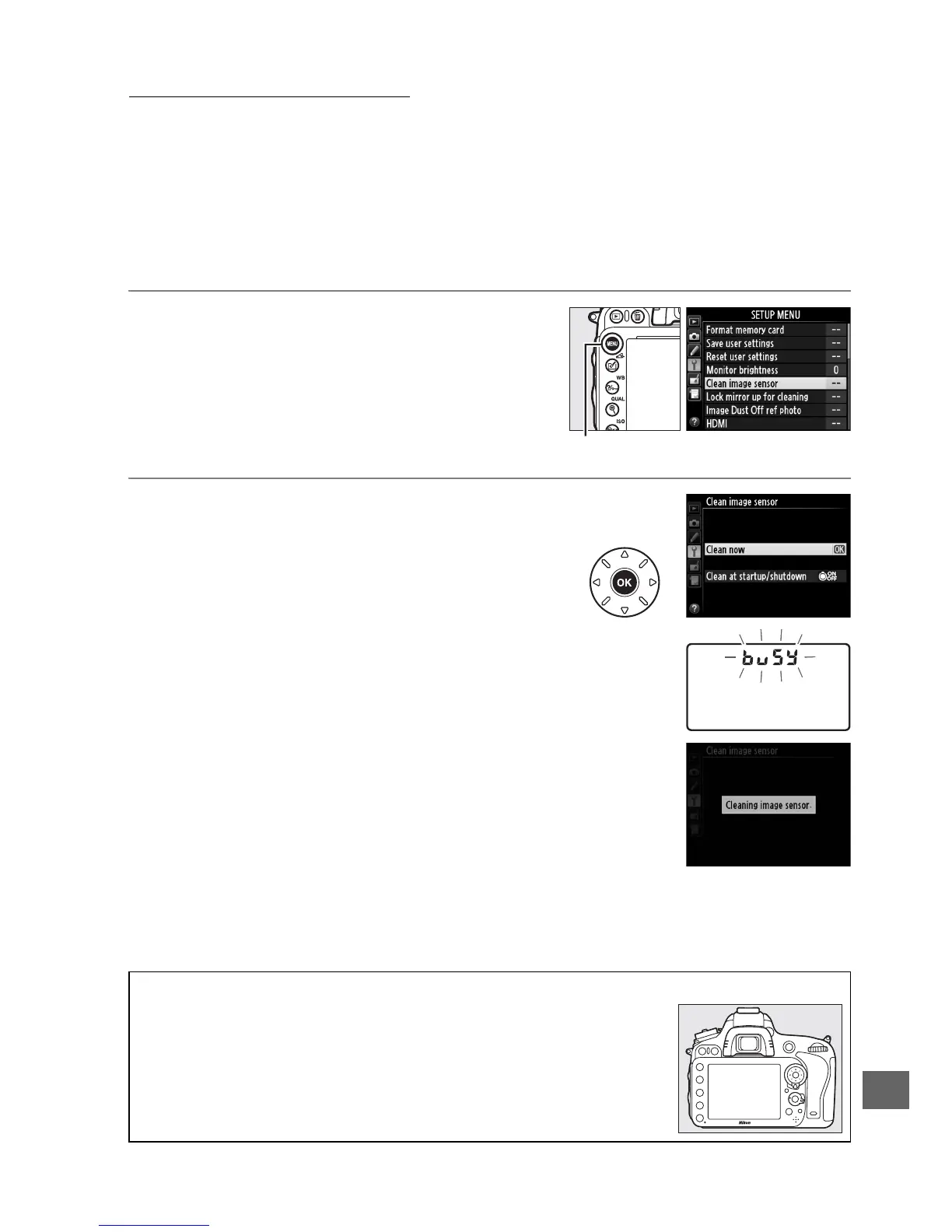
1 Select Clean image sensor in the setup
menu.
Press the G button to display the menus.
Highlight Clean image sensor in the setup
menu and press 2.
2 Select Clean now.
The camera will check the image sensor and
then begin cleaning. This process takes
about 10 seconds; during this time, P
flashes in the control panel and other
operations can not be performed.
Do not
remove or disconnect the power source until
cleaning is complete and P is no longer
displayed.
A Place the Camera Base Down
Image sensor cleaning is most effective when the camera is placed
base down as shown at right.
G button



 To Next Page