158
t
❚❚ ADL Bracketing
The camera varies Active D-Lighting over a series of exposures.
For more information
on Active D-Lighting, see page 137.
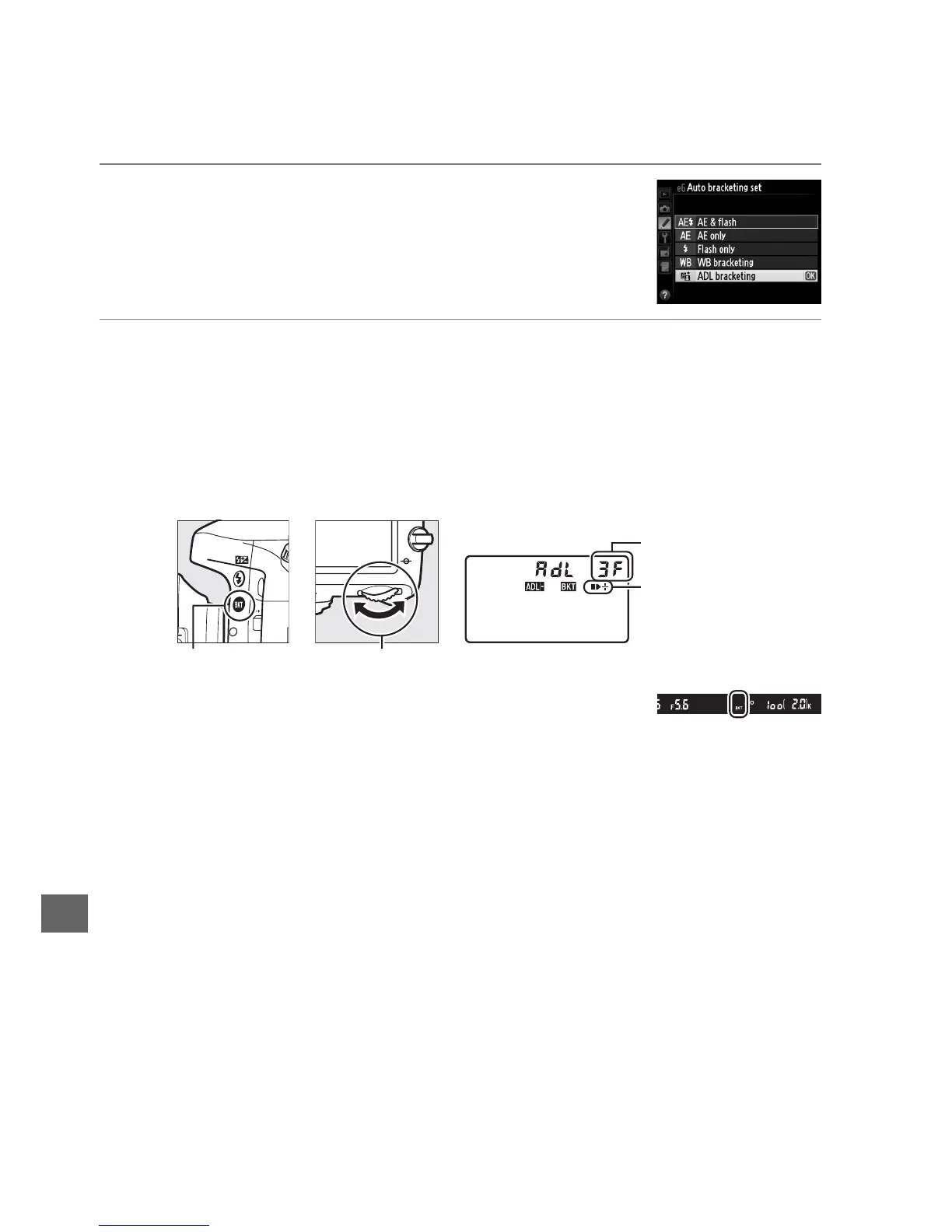
1 Select ADL bracketing.
Choose ADL bracketing for Custom Setting e6 Auto
bracketing set.
2 Choose the number of shots.
Pressing the D button, rotate the main command dial to choose the number
of shots in the bracketing sequence.
Choose two shots to take one photograph
with Active D-Lighting off and another at the value currently selected for Active
D-Lighting in the shooting menu (if Active D-Lighting is off, the second shot
will be taken with Active D-Lighting set to Auto).
Choose three shots to take a
series of photographs with Active D-Lighting set to Off, Normal, and High.
D will be displayed in the viewfinder (see right); the
control panel will show d.
Number of shots
Bracketing progress
indicator
D button Main command dial Control panel



 To Next Page