92
Taking Photographs—Exposure
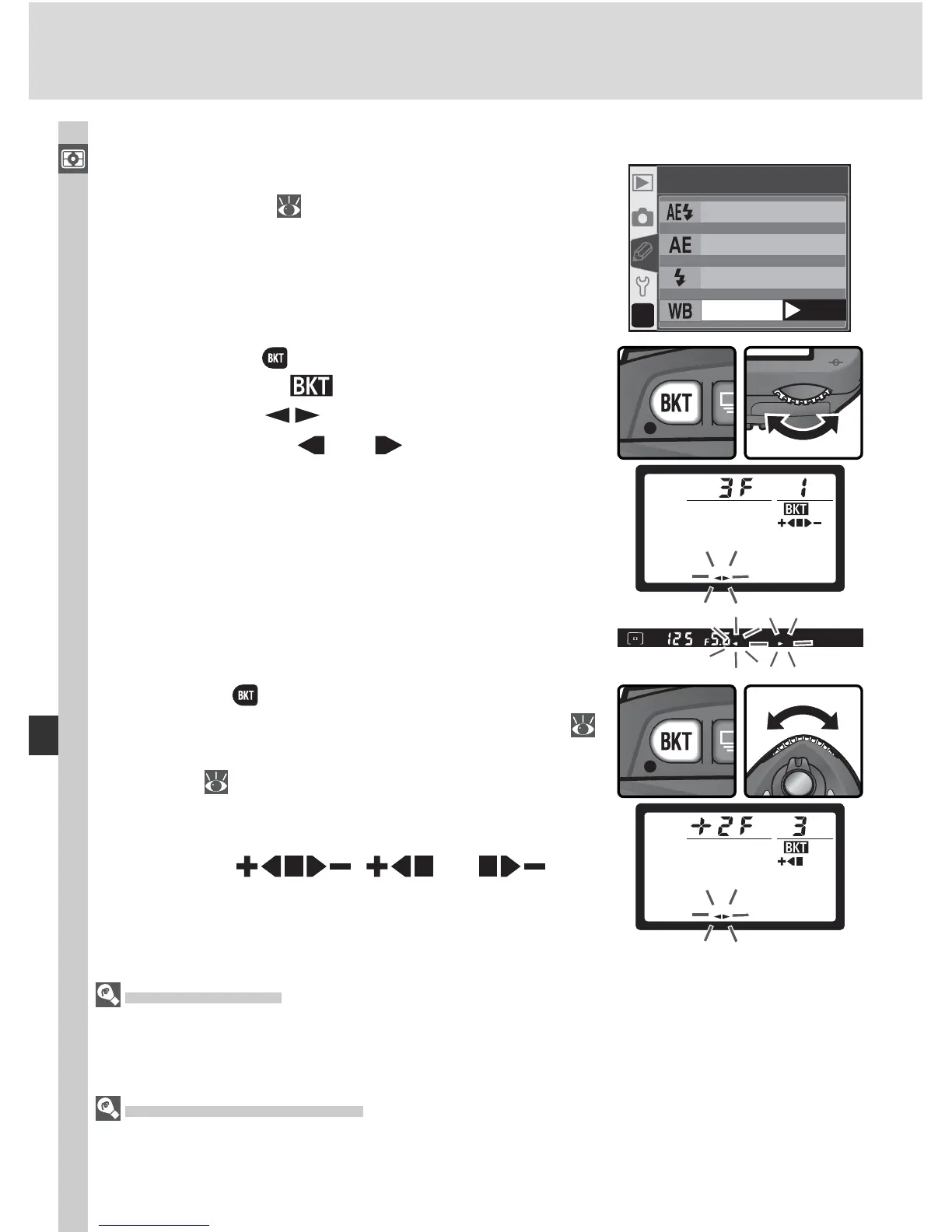
3
Press the button and rotate the sub-com-
mand dial to choose a bracketing program (
93). Each increment is equivalent to about 10
mired ( 51); if the number of images in the
bracketing program exceeds the number of
exposures remaining, the bracketing progress
indicator ( , , or ) will
blink.
White Balance Bracketing
1
Choose WB bracketing for Cus tom Set ting
12 (BKT set; 146). Note that white bal-
ance bracketing will not be performed if NEF
(Raw) or NEF+JPEG Basic is selected for im-
age quality.
?
WB bracketin
g
12
BKT set
OK
AE & flash
AE onl
y
Flash onl
y
2
Press ing the button, rotate the main com-
mand dial until is displayed in the control
panel. The icon in the control panel
and the arrows ( and ) at the ends of the
electronic analog exposure display will start to
blink.
Shooting Mode
In all modes (including continuous mode), the shutter is released only once each time
the shutter-release button is pressed. Each shot is processed to create the number of
copies specifi ed in the bracketing program.
Turning the Camera Off
If the power is turned off during recording, the camera will not power down until all
shots in the bracketing sequence have been recorded.



 To Next Page