139
Menu Guide—Custom Settings
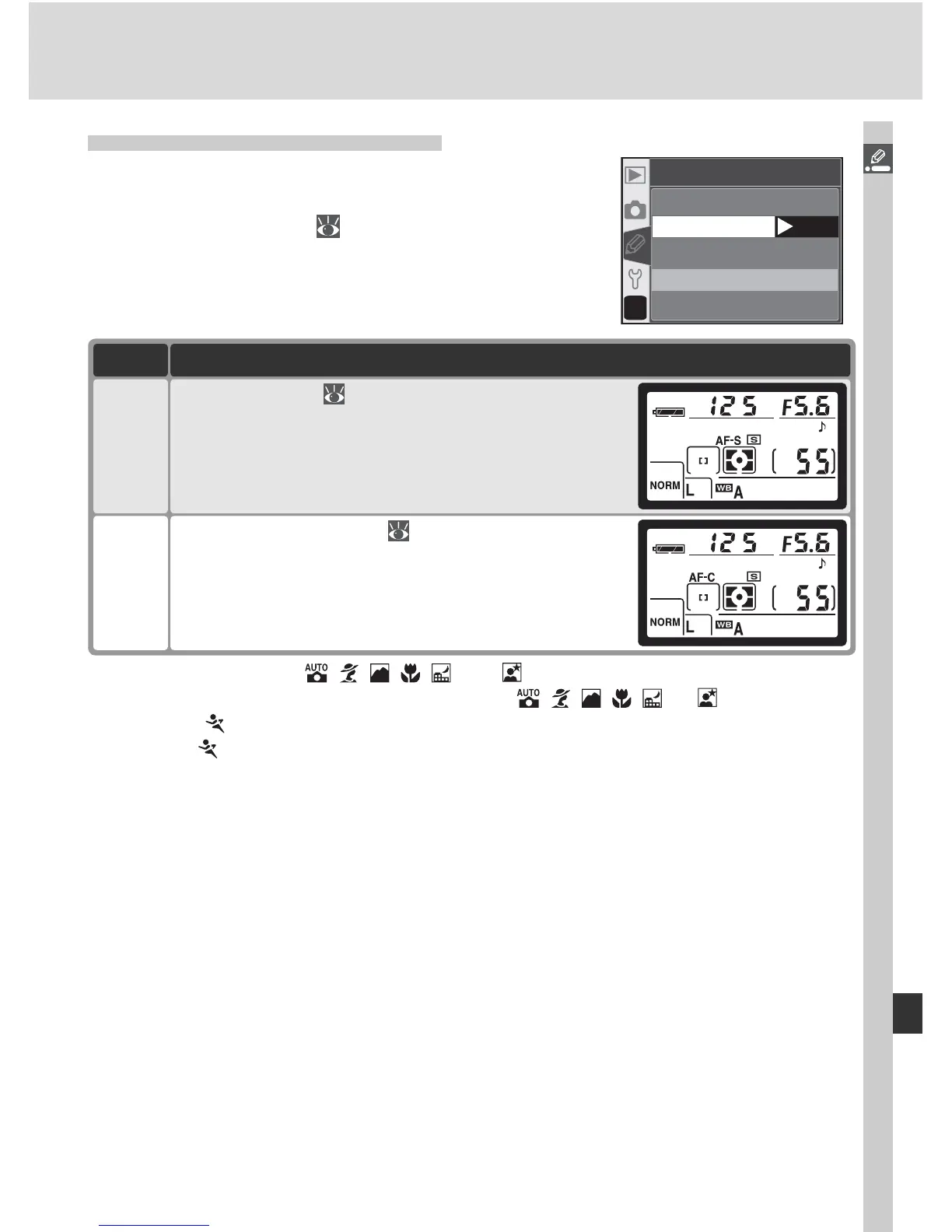
Custom Setting 2: Autofocus
To choose how the camera focuses when the fo-
cus-mode selector is set to AF, highlight Autofo-
cus in the CSM menu ( 135) and press the multi
selector to the right. Press the multi selector up
or down to highlight an option, then press to the
right to make a selection.
?
02
Autofocus
AF-S
OK
AF-C
Option Description
AF-S
*
Single-servo AF ( 64). Focus locks when in-focus
indicator (●) appears in viewfi nder; photographs
can only be taken when camera is in focus. AF-S
displayed in control panel when focus-mode se-
lector is set to AF.
AF-C
†
Continuous-servo AF ( 64). Camera focuses
continuously while shutter-release button is pressed
halfway; photographs can be taken even when
camera is not in focus. AF-C displayed in control
panel when focus-mode selector is set to AF.
* Default for P, S, A, M, , , , , , and modes. Custom Setting 2 automati-
cally reset to AF-S when mode dial rotated to , , , , , or .
† Default for mode. Custom Setting 2 automatically reset to AF-C when mode dial
rotated to .



 To Next Page