75
Taking Photographs—Exposure
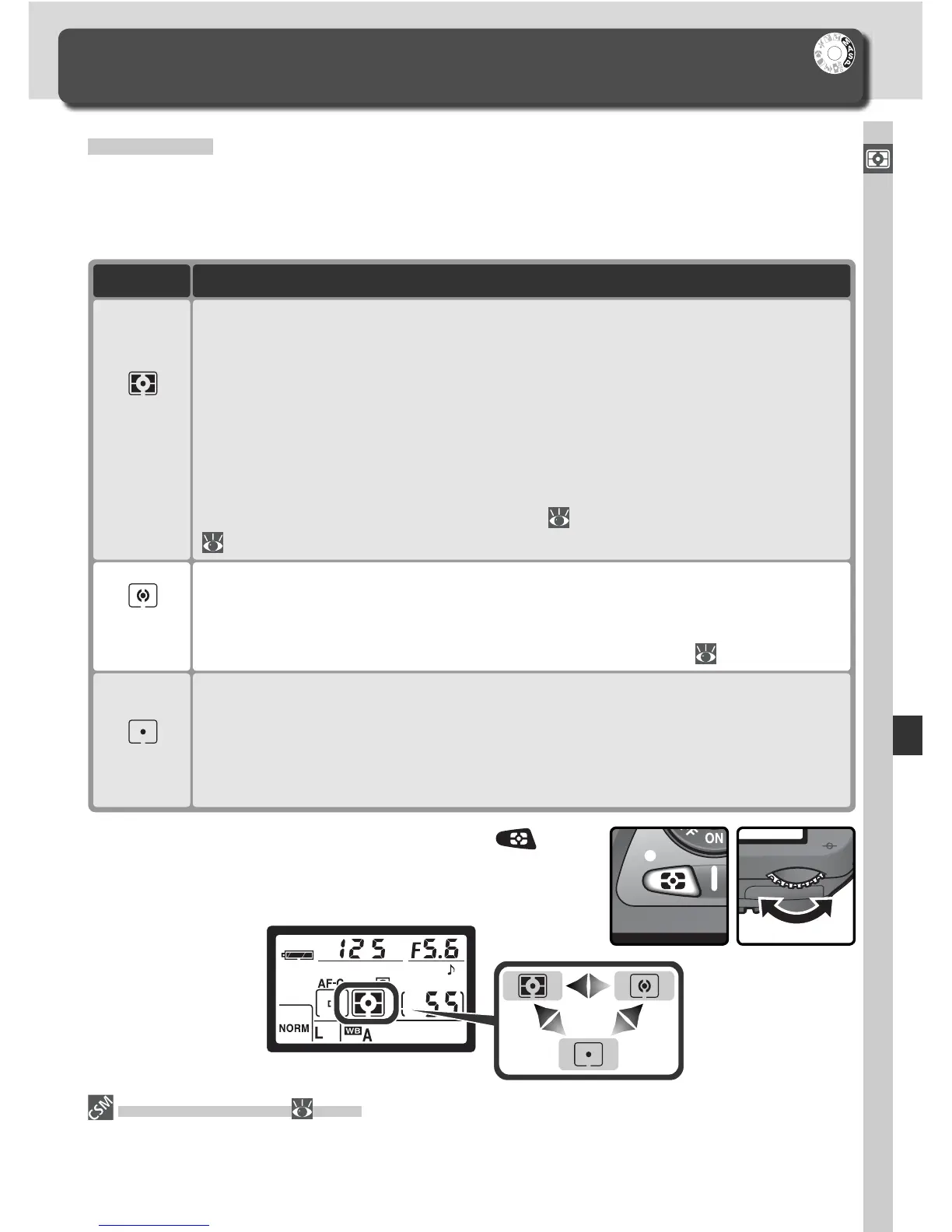
Metering
In P, S, A, and M modes, the metering mode determines how the camera sets
exposure. The following options are available when a CPU lens is attached
(metering is not performed when a non-CPU lens is used).
Exposure
Controlling How the Camera Sets Exposure
Camera meters circle 2.3 mm (0.09˝) in diameter (approximately 1% of
frame). Circle is centered on current focus area, making it possible to
meter off-center subjects (if Closest subjct is selected for AF-area mode,
camera will meter center focus area). En sures that sub ject will be cor-
rectly ex posed, even when back ground is much brighter or darker.
Spot
Camera meters entire frame but assigns greatest weight to area in center
of frame 8 mm (0.31˝) in diameter, shown by corresponding 8-mm refer-
ence circle in viewfi nder. Classic meter for portraits; recommended when
using fi lters with exposure factor (fi lter factor) over 1 × ( 191).
Center-
weighted
DescriptionMethod
Metering is performed by 1,005-pixel RGB sensor, which sets exposure
based on variety of information from all areas of frame. This method is
particularly effective where frame is dominated by bright (white or yel-
low) or dark (black or dark green) colors, when its results approach what
is seen by human eyes. 3D color matrix metering, which uses range infor-
mation from lens in adjusting exposure, is available only with type G or D
lenses. Color matrix metering, which does not include range information,
is available with other CPU lenses. Matrix metering will not produce
desired results with autoexposure lock ( 84) or exposure compensation
( 86), but is recommended in most other cases.
3D color
matrix/
Color
matrix
11—Center Wtd ( 145)
This option controls the size of the area assigned the greatest weight in center-
weighted metering.
To choose a metering mode, press the but-
ton and rotate the main command dial. Metering
mode is displayed in the control panel:



 To Next Page