26
Tutorial—Basic Photography
Step 3—Adjust Camera Settings
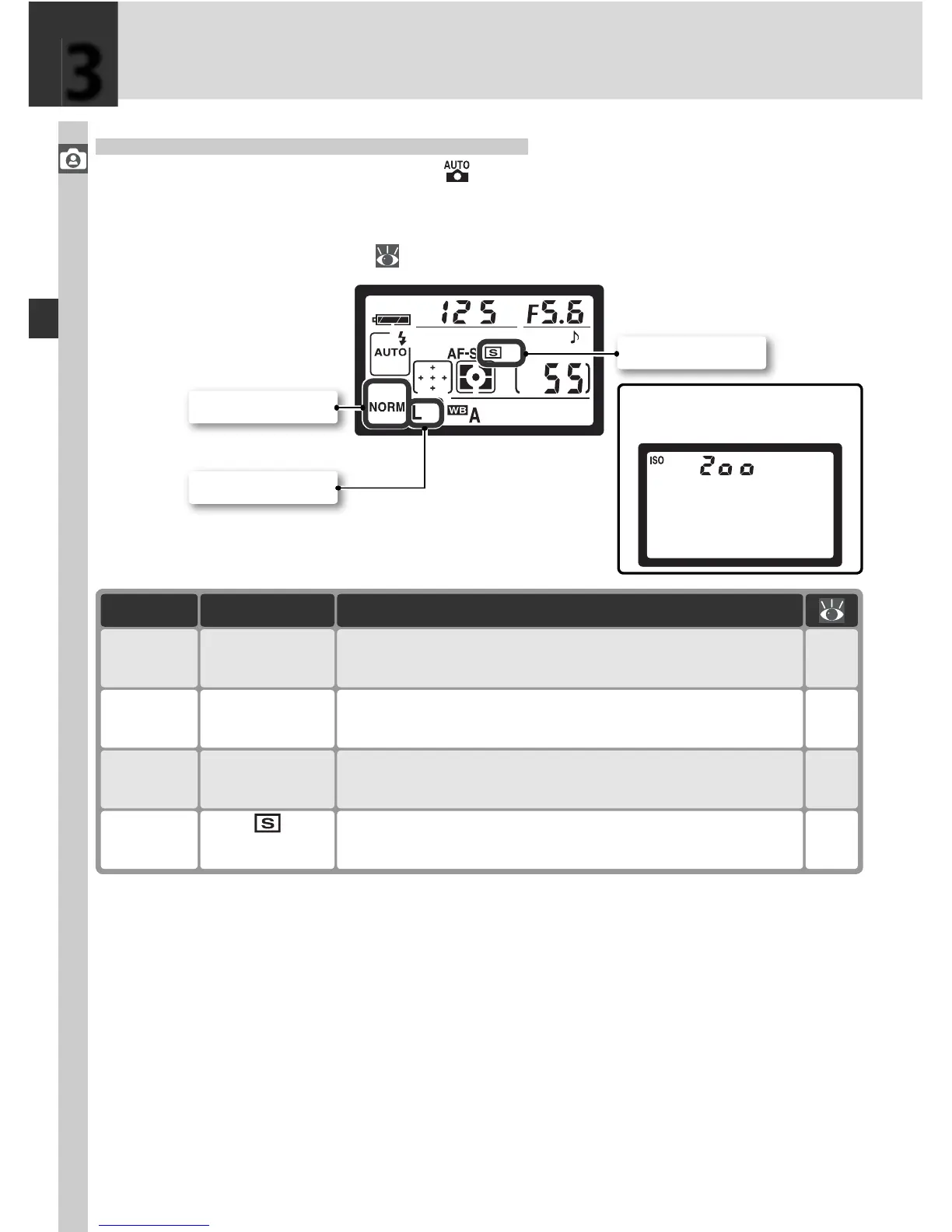
When the mode dial is rotated to , camera settings are automatically ad-
justed to produce optimal results in most situations. Image quality, image
size, sensitivity, and shooting mode are set to the values in the table below.
See “Taking Photographs” ( 35).
Option Default Description
Shooting
mode (Single frame)
62–
63
One photograph is taken each time shutter-release-
button is pressed.
Sensitivity 200
46–
47
Sensitivity (dig i tal equivalent of fi lm speed) set to
value roughly equiv a lent to ISO 200.
Image
size
L
(Large)
43–
45
Images are 3,008 × 2,000 pix els in size.
Image
quality
NORM
(JPEG Normal)
41–
42
Pictures are com pressed for balance be tween im-
age quality and fi le size that is ideal for snap shots.
3
Shooting mode
Image quality
Image size
Sensitivity is displayed only
when ISO button is pressed.



 To Next Page