170
Connections—Television Playback
Television Playback
Connecting the Camera to a Video Device
Use an AC Adapter
Use of an EH-5 AC adapter (available separately) is recommended for extended play-
back. When the EH-5 is connected, the camera monitor-off delay will be fi xed at ten
minutes and the exposure meters will no longer turn off automatically.
Video Output ( 162)
Be sure that the video standard matches the standard used in the video device. Note
that resolution will drop when images are output on a PAL device.
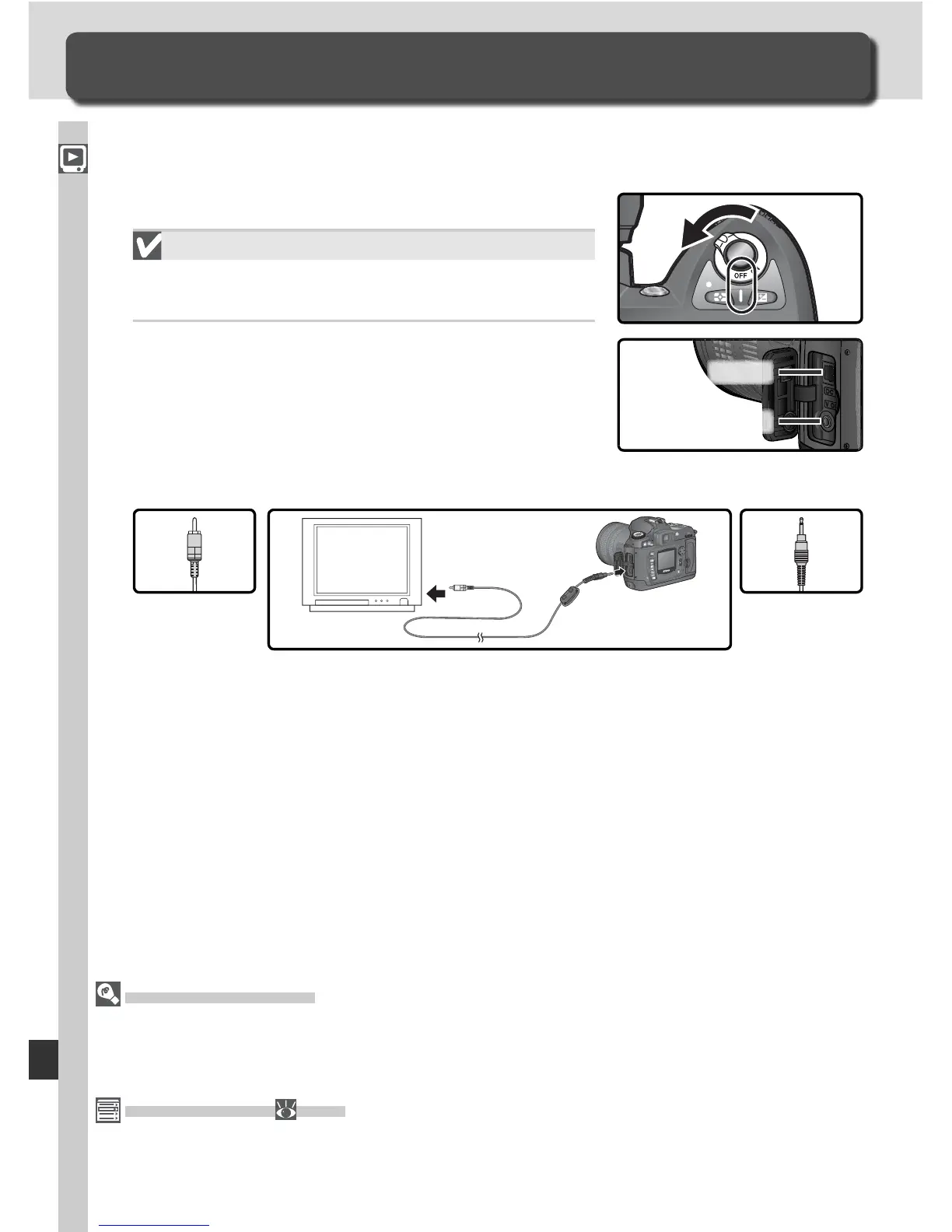
The supplied EG-D100 video cable can be used to connect the D70 to a tele-
vi sion or VCR for playback or recording.
1
Turn the camera off.
The EG-D100
Turn the camera off before connecting or dis-
connecting the EG-D100.
2
Open the cover protecting the video-out and
DC-in connectors.
3
Connect the EG-D100 as shown.
Connect to
camera
Connect to
video device
4
Tune the television to the video channel.
5
Turn the camera on. The image normally shown in the monitor will be
displayed on the television or recorded to video tape. The camera moni-
tor will remain blank, but the camera will function normally in all other
respects.
Video out
DC in



 To Next Page