184
Technical Notes—Optional Accessories
Incompatible Accessories and Non-CPU Lenses
The following accessories and non-CPU lenses can NOT be used with the D70:
• TC-16A AF Teleconverter
• Non-AI lenses
• Lenses that require the AU-1 focus-
ing unit (400 mm f/4.5, 600 mm f/5.6,
800 mm f/8, 1200 mm f/11)
• Fisheye (6 mm f/5.6, 8 mm f/8, OP 10 mm
f/5.6)
• 21 mm f/4 (old type)
• K2 rings
• ED 180–600 mm f/8 (serial numbers
174041–174180)
• ED 360–1200 mm f/11 (serial numbers
174031–174127)
• 200–600 mm f/9.5 (serial numbers
280001–300490)
• Lenses for the F3AF (80 mm f/2.8,
200 mm f/3.5, TC-16 Teleconverter)
• PC 28 mm f/4 (serial number 180900 or
earlier)
• PC 35 mm f/2.8 (serial numbers 851001–
906200)
• PC 35 mm f/3.5 (old type)
• 1000 mm f/6.3 Refl ex (old type)
• 1000 mm f/11 Refl ex (serial numbers
142361–143000)
• 2000 mm f/11 Refl ex (serial numbers
200111–200310)
Compatible Non-CPU Lenses
Non-CPU lenses not included in the list above can be used, but only in mode M. Aper-
ture must be adjusted manually using the lens aperture ring and the camera exposure
meter, depth-of-fi eld preview, and i-TTL fl ash control can not be used. If another mode
is selected when a non-CPU lens is attached, the shutter-release will be disabled.
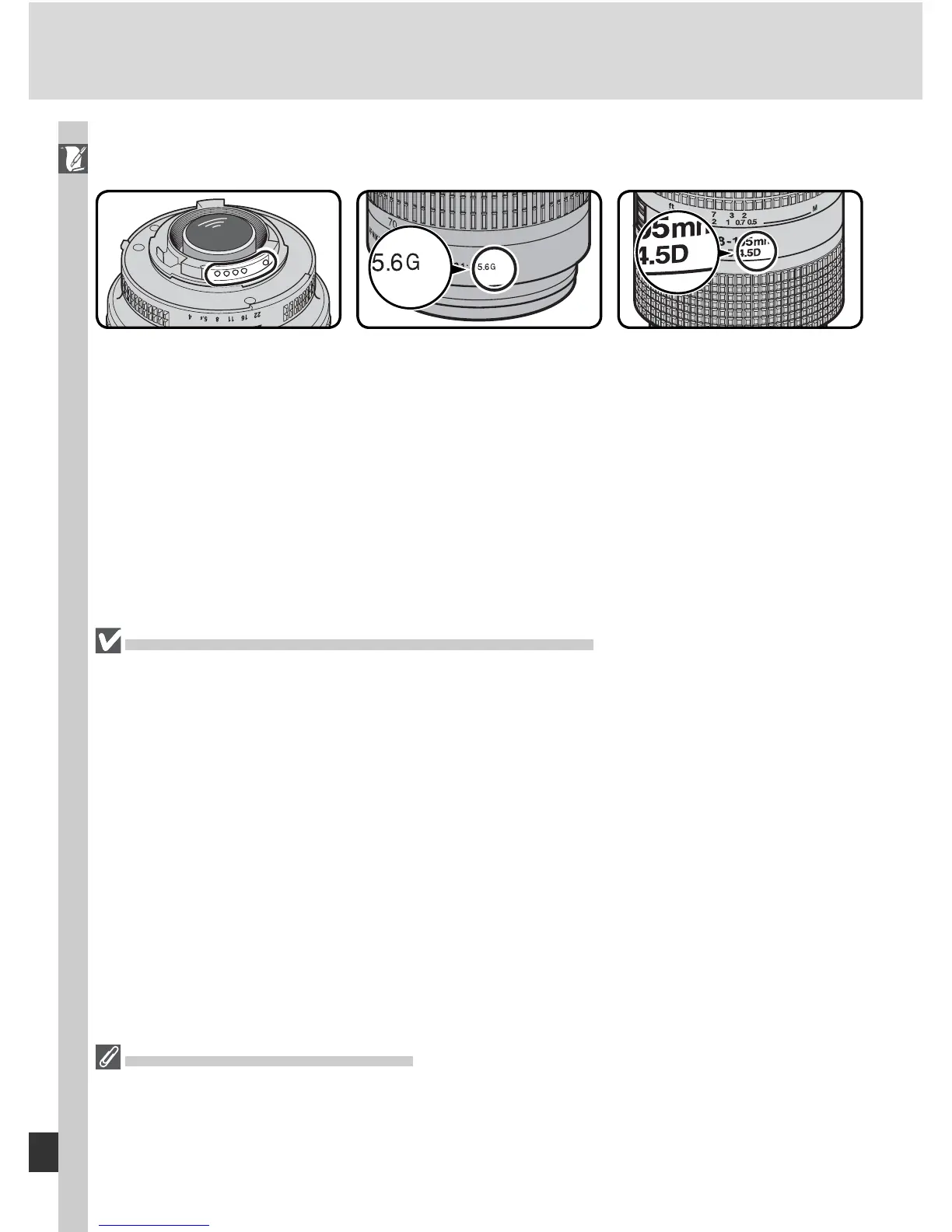
CPU lenses can be iden ti fi ed by the presence of CPU contacts. Type G lenses
are marked with a “G” on the lens barrel, type D lenses with a “D.”
Type G lenses are not equipped with a lens aperture ring. Unlike other CPU
lenses, there is no need to lock the aperture ring at the minimum aperture
setting (maximum f/-number) when using a type G lens.
CPU lens Type G lens Type D lens



 To Next Page