188
Technical Notes—Optional Accessories
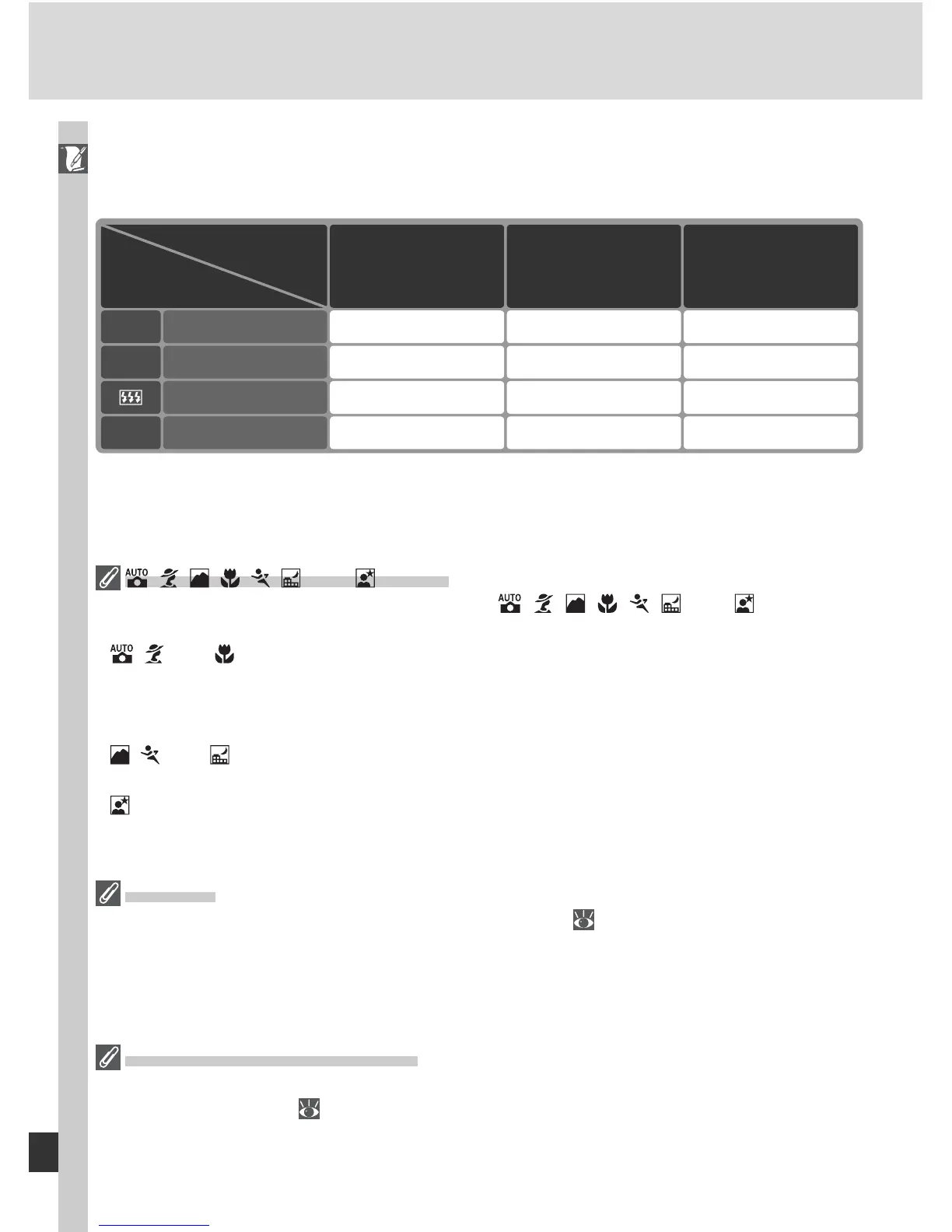
The following Speedlights can be used in non-TTL auto and manual modes.
If they are set to TTL, the camera shutter-release button will lock and no
pho to graphs can be taken.
Flash mode
SB-50DX, SB-23,
SB-29
2
,
SB-21B
2
,
SB-29S
2
SB-30, SB-27
1
, SB-
22S, SB-22, SB-20,
SB-16B, SB-15
SB-80DX, SB-28DX,
SB-28, SB-26,
SB-25, SB-24
Speedlight
Non-TTL autoA —
✔ ✔
ManualM
✔✔ ✔
Repeating fl ash
✔
——
REAR Rear-curtain sync
✔ ✔✔
1 When an SB-27 is mounted on the D70, the fl ash mode is automatically set to TTL, and the shutter-release will be disabled. Set the
SB-27 to A (non-TTL auto fl ash).
2 Autofocus is only avail able with AF-Mi cro lenses (60 mm, 105 mm, 200 mm, or 70–180 mm).
, , , , , , and Modes
When an optional Speedlight is attached in , , , , , , and modes, the
fl ash fi res whenever a photograph is taken. The following fl ash modes are available:
• , , and modes: Front-curtain sync and red-eye reduction. If off or auto front-
curtain sync is selected when an optional Speedlight is attached, the fl ash sync mode
selection will change to front-curtain sync. Auto with red-eye reduction becomes
red-eye reduction.
• , , and modes: Front-curtain sync is selected automatically. Red-eye reduction
can also be selected.
• mode: Slow sync, slow sync with red-eye reduction, and front-curtain sync. Auto
slow sync becomes slow sync, auto slow sync with red-eye reduction becomes red-
eye reduction, and off becomes front-curtain sync.
ISO Auto
When On is selected for Custom Setting 5 (ISO auto; 142), sensitivity will automati-
cally be adjusted as required for optimal fl ash output. If a high sensitivity is required,
this may result in the background being overexposed when the fl ash is used at slow
shutter speeds (slow sync), fi ll-fl ash is used in bright daylight (daylight sync), or the
background is brightly lit.
Using the Built-in Speedlight
If an SB-50DX Speedlight is set to manual (M) with Manual selected for Custom Set-
ting 19 (Flash mode; 150), both the SB-50DX and the built-in Speedlight will fi re
when the built-in Speedlight is raised. The built-in Speedlight will not fi re when other
optional Speedlights are attached.



 To Next Page