EasyManua.ls Logo

Nikon D70 - Page 25

Nikon D70
218 pages
Print Icon
To Next Page IconTo Next Page
To Previous Page IconTo Previous Page
Loading...
15
Introduction—First Steps
4
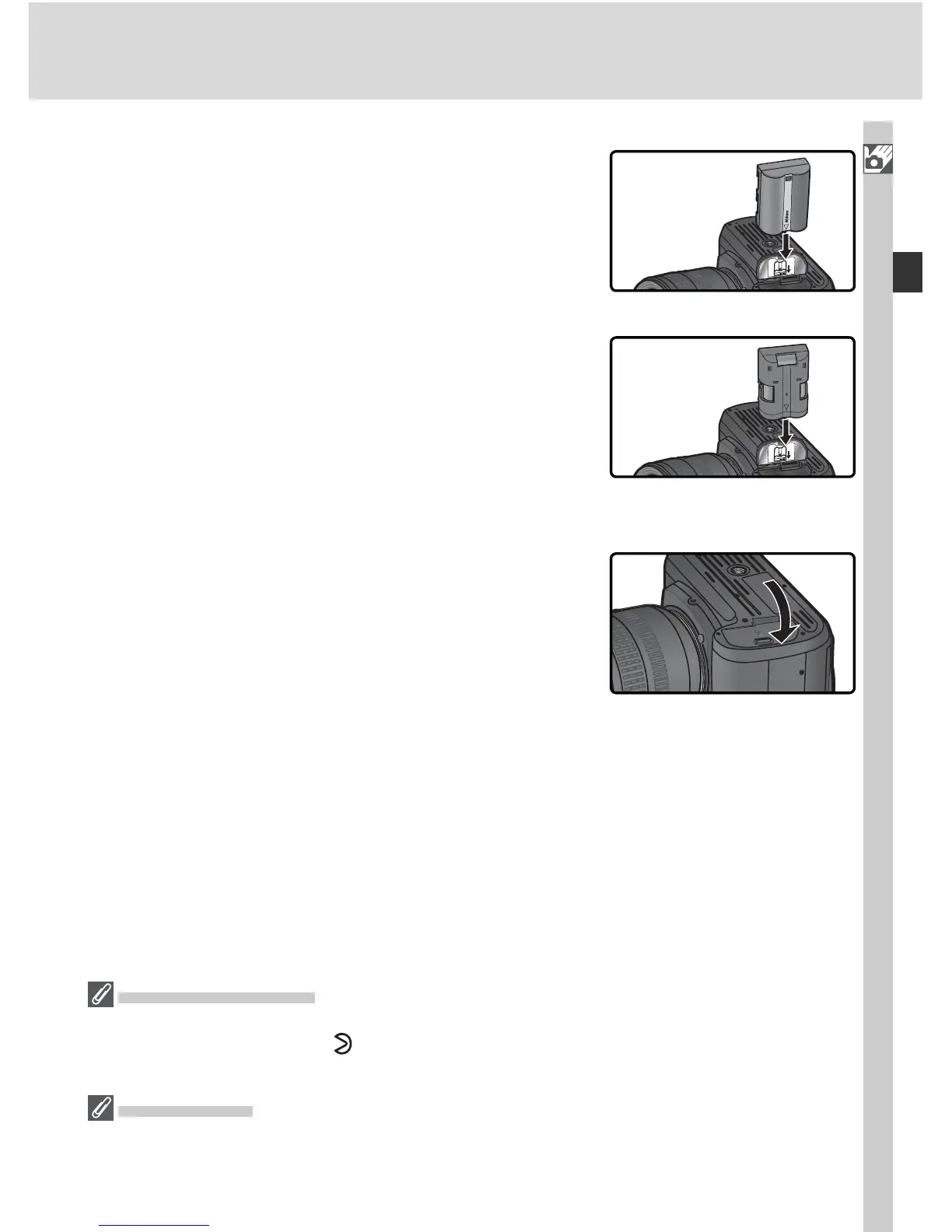
Latch the battery-cham ber cover
To prevent the battery from being dis lodged
during operation, be sure the cover is securely
latched.
3
In sert the bat tery or battery holder
In sert the battery or battery holder as shown
at right.
L
i
-
i
o
n
B
A
T
T
E
R
Y
P
A
C
K
EN-EL3
MS-D70
Removing Batteries
Before removing batteries, turn the camera off and slide the bat tery-chamber cover
latch to the open po si tion ( ). Replace the terminal cover when the EN-EL3 is not in
use.
CR2 Batteries
CR2 batteries are best suited for use at room temperature. At low temperatures, CR2
batteries loose much of their charge.

Table of Contents

Other manuals for Nikon D70

Related product manuals